System Setup: Dell XPS 730/730X Service Manual
file:///C|/Users/santhosh_v/Desktop/7/SM_en/system_s.htm[9/5/2013 11:46:47 AM]
Dell™ XPS™ 730X
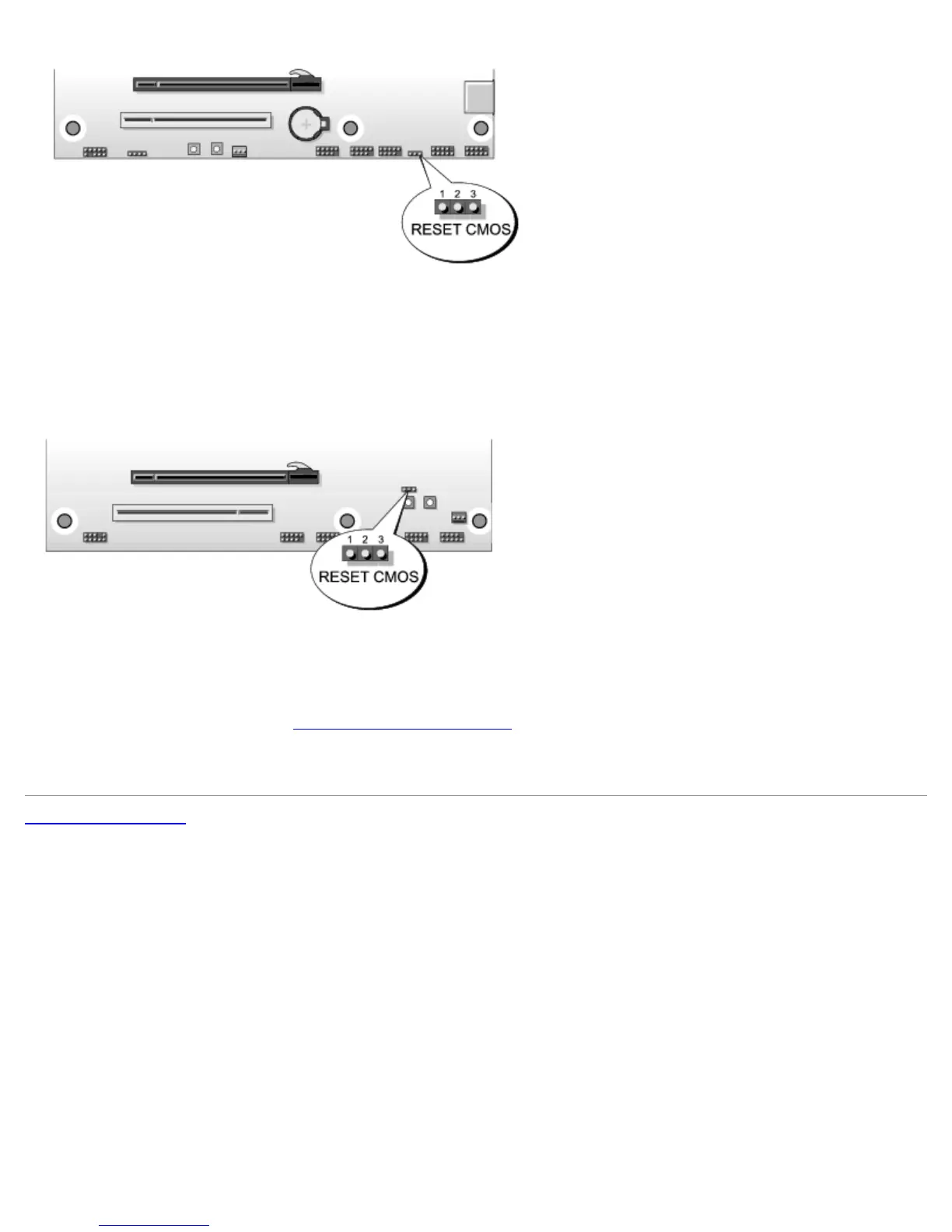
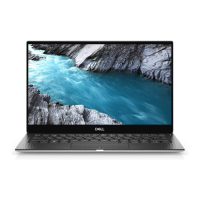
7. Place the jumper on pins 1 and 2 and wait for 5 seconds.
8. Move the jumper back onto pins 2 and 3.
9. Close the computer cover (see Replacing the Computer Cover
).
10. Connect your computer and devices to electrical outlets, and then turn them on.
Back to Contents Page



 To Previous Page