Replacing the Computer Stand: Dell XPS 730/730X Service Manual
file:///C|/Users/santhosh_v/Desktop/7/SM_en/computer.htm[9/5/2013 11:46:28 AM]
Back to Contents Page
Replacing the Computer Stand
Dell™ XPS™ 730/730X Service Manual
WARNING: Your computer is heavy and can be difficult to maneuver. Seek assistance before attempting to
lift, move, or tilt the computer and always lift correctly to avoid injury; avoid bending over while lifting.
WARNING: The computer stand should be installed at all times to ensure maximum system stability.
Failure to install the stand could result in the computer tipping over, potentially resulting in bodily injury
or damage to the computer.
1. Follow the procedures in Before You Begin
.
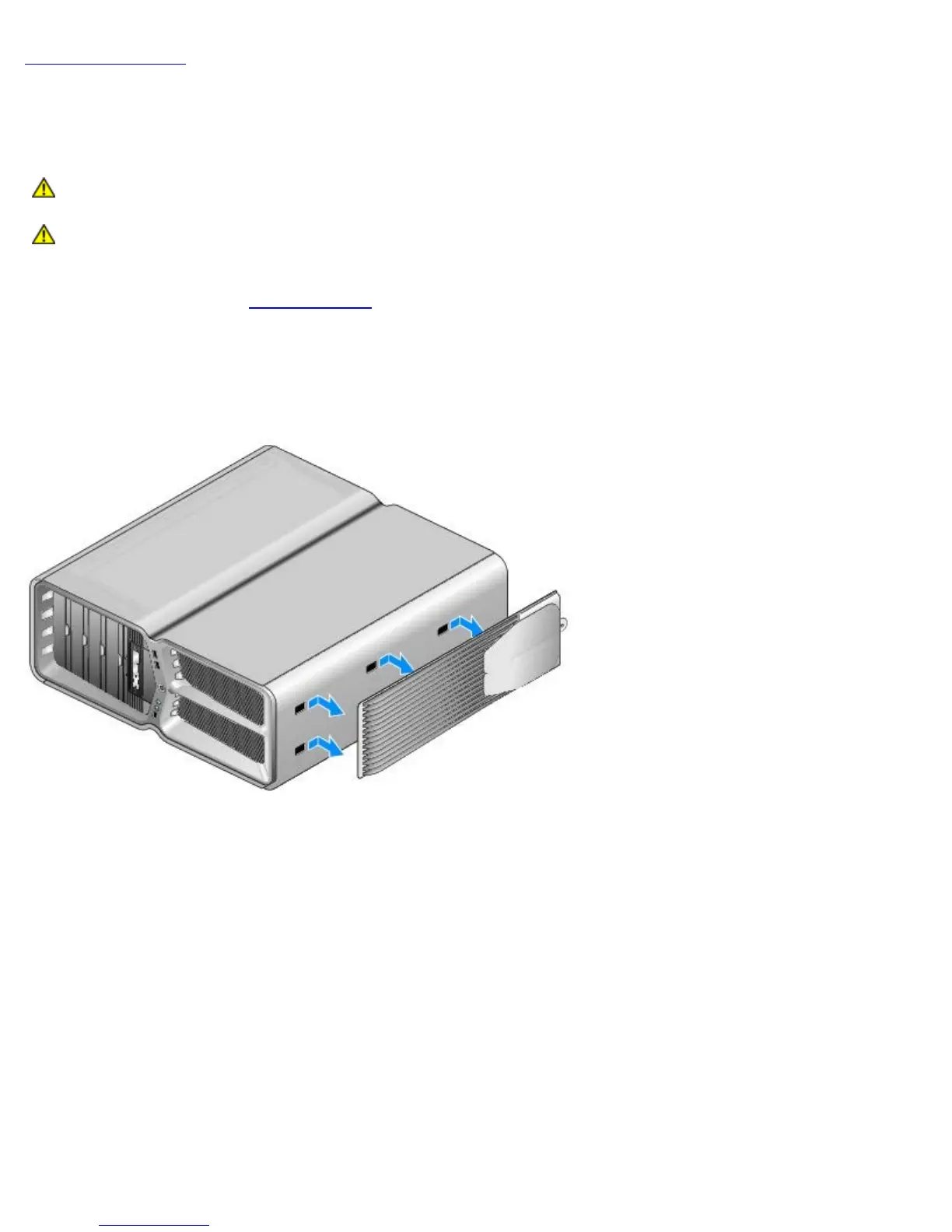
2. Loosen the captive screw securing the stand to the base of the computer.
3. Gently slide the stand back, towards the rear of the computer, then pull the stand away from the computer to remove
it.
4. To replace the computer stand, perform the removal procedure in reverse order.



 To Next Page