9
PARTS & FEATURES
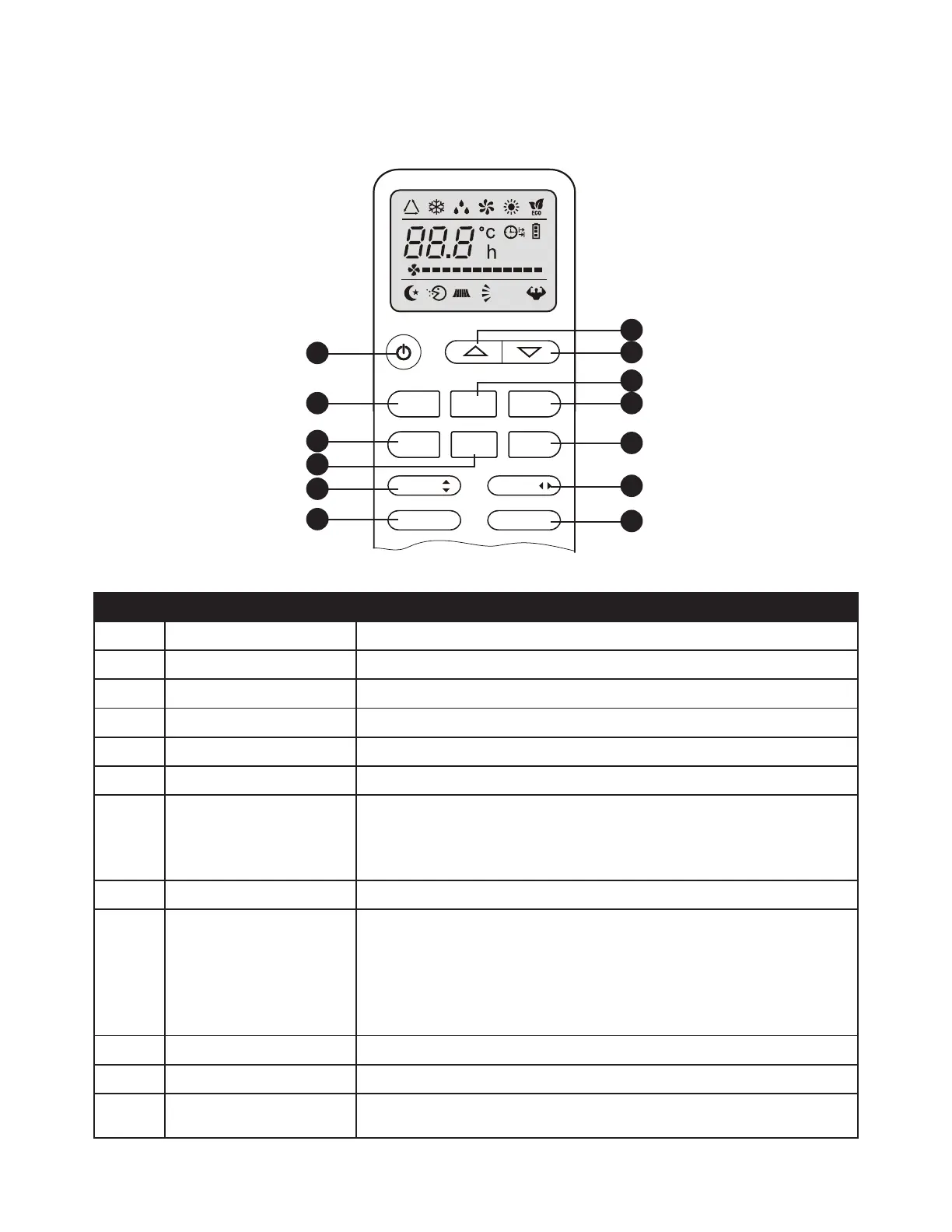
NO. FUNCTION
1. (TEMP UP)
Press it to increase temperature / time setting.
2. (TEMP DOWN)
Press it to decrease temperature/ time setting.
3. ON/OFF
Press it to start or stop operation.
4. FAN
To select the fan speed of auto/low/mid/high
5. TIMER
Press it to set auto-o timer.
6. SLEEP
To activate the function “SLEEP.”
7. ECO On cooling mode,press this button ,the temperature will increase 2
on the base of setting temperature.
In heating mode, press this button, the temperature will decrease 2
on the base of setting temperature.
8. MODE
To select the mode of operation
9. SUPER or TURBO Press this button to activate / deactivate the Super function which
enables the unit to reach the preset temperature in the shortest time.
In COOL mode, the unit will give the maximum cooling temperature
with 16°C (60.8°F) ,high fan speed.
In HEAT mode, the unit will give the maximum heating temperature
with 31°C (87.8°F),high fan speed.
10. SWING
To activate or deactivate of the movement of the air deectors.
11. DISPLAY
To switch on/o the LED display.
12. HEALTHY To switch - on /o HEALTHY function.It is a button which controls the
ionizer or plasma genera for available model only.
MODE
FAN
SWING
HEALTHY TURBO
SWING
ECO
SLEEP
TIMER
DISPLAY
1.
3.
8.
4.
10.
6.
12.
2.
5.
11.
10.
9.
7.



 To Next Page