7
ENGLISH
Green light
When ON/OFF button is pressed to start the unit, a green light will come on automatically.
The light will go off again when the unit is switched off.
NOTE: After a power outage, the unit will not switch itself on again automatically. When the
power supply has been reestablished, please press the ON/OFF button to start the unit
again.
Red light FULL TANK
If the water tank is full, or if it is not correctly positioned, the red light will flash.
NOTE: When the unit is operating in Fan Only mode, the red light will still flash whether the
water tank is full or not correctly positioned.
However, this will not affect the working of the unit.
An alarm will sound until the tank is either emptied or correctly slotted into place.
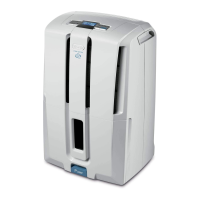
Display screen
The unit has a LCD display screen. By default, the screen will display the relative atmospheric
humidity level. If you want to see the room temperature, press button and the tempera-
ture will be displayed for few seconds, after that the screen will return to default mode.
Display lights


 To Next Page