EasyManua.ls Logo

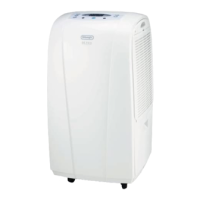
DeLonghi DEC180E - How to Dehumidify: Control Panel; Control Panel Overview

DeLonghi DEC180E
14 pages
Print Icon
To Next Page IconTo Next Page
To Previous Page IconTo Previous Page
Loading...
7
How to dehumidify
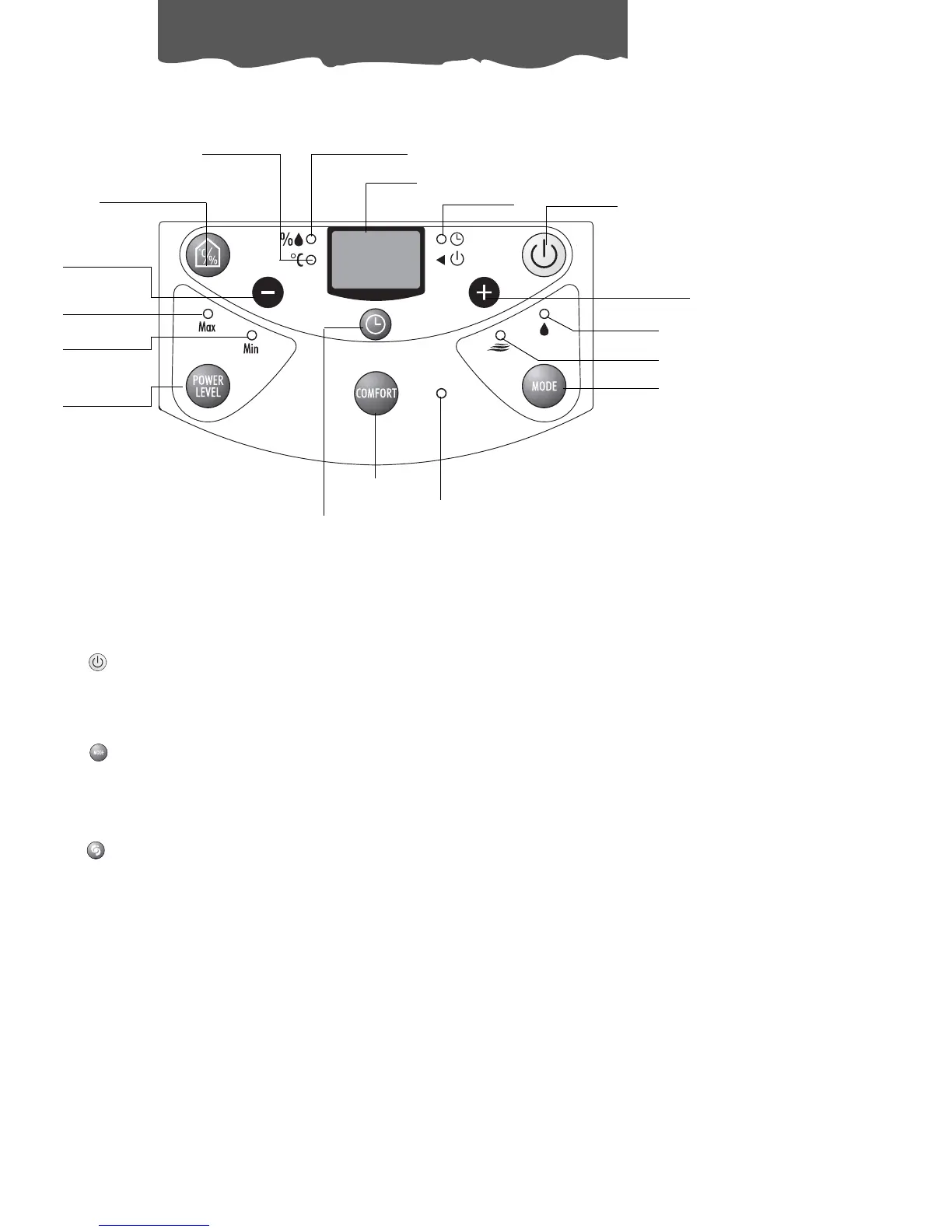
Hygrometer/thermometer
button
Humidity percentage
indicator light
Display
Timer ON
indicator light
ON/OFF button
Increase
humidity/hours button
MODE button
COMFORT
button
Timer button
Power
level
button
Max. power
indicator light
Min. power
indicator light
Dehumidifying
indicator light
Decrease
humidity/hours
button
Ventilation
indicator light
Comfort
indicator light
Temperature
indicator light
“ON/OFF” button
Starts the appliance.
“MODE” button
Selects the “dehumidification” function or the “ventilation” function.
“COMFORT” button
Activates the “COMFORT” function When the “COMFORT” function is activated, pressing the
button again deactivates it.

Related product manuals