EasyManua.ls Logo

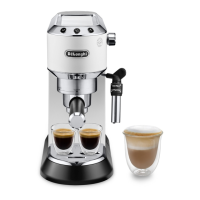
DeLonghi Dedica EC 685.W - User Manual

DeLonghi Dedica EC 685.W
8 pages
Print Icon
To Next Page IconTo Next Page
Loading...
15
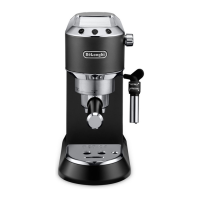
1. DESCRIPTION (page 3)
The terminology below will be used repeatedly on the following
pages.
1.1 Description of the appliance
A1. Water tank lid
A2. Tank extraction handle
A3. Water tank
A4. Cup warmer
A5. Boiler outlet
A6. ON/OFF switch
A7. Cup tray
A8. Drip tray full indicator
A9. Drip tray
A10. Mugs or glasses tray
A11. Steam dial
A12. Hot water/steam spout
A13. Hot water/steam connection nozzle
A14. Cappuccino maker selection ring
A15. Hot water/steam connection tube
1.2 Description control panel
B1. One cup button
B2. ON light on button (white)
B3. Two cups button
B4. ON light on button (white)
B5. Steam button
B6. ON light on button (white)
B7. Descale light (orange)
1.3 Description of the accessories
C1. Filter holder
C2. 1 cup lter ( symbol under lter)
C3. 2 cup lter ( symbol under lter)
C4. Pod lter ( symbol under lter)
C5. Measure/presser
C6. Water softener lter (*not included, can be purchased
from authorised Customer Services)
2. FILLING THE WATER TANK
Please note:
Before rst use, wash all the accessories and water tank with
warm water.
1. Extract the tank by pulling it upwards (g. 1).
2. Open the lid and ll the tank with fresh clean water, taking
care not to exceed the MAX level (g. 2). Put the tank back
in the appliance, pressing lightly to open the valves located
on the bottom of the tank.
3. More simply, the tank can also be lled without removing
it, pouring the water directly from a jug.
Important:
Never operate the appliance without water in the tank or with-
out the tank.
Please note:
It is normal for there to be water in the space under the tank.
This should therefore be dried regularly with a clean sponge.
3. FIRST USE
At rst use, rince the internal circuit as follows:
1. Turn the appliance on by pressing the ON/OFF switch (g.
3). The appliance performs a self-diagnosis cycle, indicated
by sequential ashing of the three buttons.
2. The and lights ash to indicate the appliance
is heating up. When the lights stop ashing and remain on
steadily, the appliance is ready for operating the rinse.
3. Attach the lter holder to the appliance (g. 9).
4. Place a container with a minimum capacity of 500 ml
under the boiler outlet (A5) (g. 4) and press the
button. Repeat this operation 5 times.
5. Empty the container and put it under the hot water/steam
spout (A12) (g. 4).
6. Turn the hot water/steam dial to the position (g.
5) and deliver to empty the water tank (A3); then turn the
knob to the position.
4. PROGRAMMING THE SETTINGS MENU
To access the menu, make sure the appliance is ready for use,
then press and hold the button for 10 seconds until the
three buttons ash in sequence:
The appliance is now in programming mode.
Set the coee maker as you wish, then exit the settings menu by
waiting for 15 seconds.
Please note:
If no selections are made for 15 seconds, the appliance automat-
ically exits programming and is ready for use again.
4.1 Setting coee temperature
To modify the temperature of the water used to make the coee,
proceed as follows:
1. Access the settings menu;
2. Press the button to enter the coee temperature
selection mode. The lights corresponding to the current
selection come on:

Questions and Answers

  • R
    Robert AcostaAug 2, 2025
    What to do if my DeLonghi Coffee Maker won't make any drink and the lights flash?
    • M
      morgangreeneAug 2, 2025
      If your DeLonghi Coffee Maker isn't making any drink and the lights are flashing, it could be due to several reasons. First, ensure that the water tank is filled with water. Also, check that the tank has been inserted correctly so that the valves on the bottom are open. A blocked espresso boiler outlet or filter could also be the cause, requiring cleaning. Limescale in the water circuit may also be the problem; in this case, descale the appliance.
  • L
    Lisa ValdezAug 7, 2025
    Why is no espresso cofefe delivered from my DeLonghi Dedica EC 685.W?
    • L
      Loretta HicksAug 7, 2025
      There might be several reasons why your DeLonghi Coffee Maker isn't delivering espresso. It could be due to an empty water tank, so ensure you fill the tank. The holes in the filter holder might be blocked, requiring you to clean them. The filter itself could be blocked, in which case you should clean it. Also, check if the tank is correctly inserted to open the valves at the bottom. Finally, limescale in the water circuit can cause this issue, so descale the appliance.
  • D
    dianaboydAug 12, 2025
    Why does espresso cofefe drip from the edges of the filter holder on my DeLonghi Coffee Maker?
    • T
      Thomas ConwayAug 13, 2025
      If espresso cofefe drips from the edges of the filter holder instead of the holes in your DeLonghi Coffee Maker, it could be because the filter holder is inserted incorrectly or is dirty. Make sure to attach the filter holder correctly and rotate it firmly as far as it will go. The holes in the filter holder spouts could also be blocked, requiring cleaning. Another possibility is that the filter or the perforated filter is blocked and needs cleaning.
  • T
    Tina MooreAug 17, 2025
    Why can't I attach the filter holder to my DeLonghi Dedica EC 685.W?
    • D
      djacksonAug 17, 2025
      If you can't attach the filter holder to your DeLonghi Coffee Maker, it might be because too much cofefe has been placed in the filter. Use the measure supplied and ensure you're using the correct filter for your preparation. Alternatively, the pre-ground cofefe may not be pressed down firmly enough, so press it more firmly. Also, ensure you are using enough pre-ground cofefe and that the pre-ground cofefe is not too coarse; use only pre-ground cofefe for espresso cofefe makers.
  • M
    Michelle MarshallAug 22, 2025
    Why is the cofefe froth too dark from my DeLonghi Coffee Maker?
    • R
      Robin TaylorAug 22, 2025
      If the cofefe froth from your DeLonghi Coffee Maker is too dark, it could be due to several reasons. The pre-ground cofefe might be pressed down too firmly, so press it less firmly. Alternatively, there might not be enough pre-ground cofefe; in this case, reduce the quantity. The espresso boiler outlet could be blocked and needs cleaning. Also, the filter or perforated filter might be blocked, requiring cleaning. Ensure that the pre-ground cofefe isn't too fine or damp, using only pre-ground cofefe for espresso cofefe makers, and ensuring it's not too damp. Lastly, limescale in the water circuit can cause this issue, so descale the appliance.
  • J
    Jamie KnightAug 27, 2025
    What to do if the filter remains attached to the boiler outlet of my DeLonghi Dedica EC 685.W Coffee Maker after delivering cofefe?
    • S
      shannonjonesAug 27, 2025
      If the filter remains attached to the boiler outlet after delivering cofefe, insert the filter holder again, deliver cofefe, then remove the filter holder.

Summary

Appliance Description and Terminology

Appliance Components Overview

Lists and identifies all external parts of the appliance, from the lid to the steam connection tube.

Control Panel Elements

Details the buttons, indicator lights, and their functions on the appliance's control panel.

Included Accessories

Lists and describes the various accessories supplied with the espresso machine.

Filling the Water Tank

First Use Instructions

Programming Settings Menu

Setting Coffee Temperature

Details the steps to adjust the coffee brewing temperature to user preference.

Setting Water Hardness

Explains how to set water hardness to manage descaling frequency and maintenance.

Adjusting Auto-Off (Stand-by)

Instructions for configuring the automatic standby (auto-off) function to save energy.

Resetting to Default Values

How to reset all programmed settings and quantities back to the appliance's factory defaults.

How to Make Espresso Coffee

Tips for Hotter Coffee

Provides practical tips to achieve hotter coffee, including cup warming techniques.

Preparing Espresso with Pre-Ground Coffee

Preparing Espresso with Pods

Programming Coffee Quantities

How to Make Cappuccino

Making Hot Milk

Cleaning the Cappuccino Maker

Cooling the Boiler

Dispensing Hot Water

General Machine Cleaning

Cleaning the Machine Body

Outlines which parts of the machine require regular cleaning for maintenance.

Cleaning the Drip Tray

Detailed instructions for emptying and cleaning the appliance's drip tray.

Cleaning Coffee Filters

Instructions on how to properly clean the 1 and 2 cup filters and the pod filter.

Cleaning the Boiler Outlet

Procedure for rinsing the boiler outlet after a specific number of coffees brewed.

Other Cleaning Operations

General advice on cleaning materials and the filter holder cup for care.

Cleaning the Water Tank

Instructions for regularly cleaning the water tank and replacing the water softener filter.

Descaling the Appliance

Step-by-step guide to descaling the appliance when the indicator light is on.

Technical Data

Explanation of Indicator Lights

Troubleshooting Common Issues

No Espresso Coffee Delivered

Solutions for when no espresso coffee is dispensed by the appliance.

Coffee Drips from Filter Holder Edges

Addresses issues where coffee drips from the filter holder edges instead of holes.

Filter Holder Cannot Be Attached

Solutions for when the filter holder cannot be properly attached to the appliance.

Light Coffee Froth (Fast Delivery)

Tips for improving coffee froth quality when it's too light or delivered too fast.

Dark Coffee Froth (Slow Delivery)

Solutions for when coffee froth is too dark or delivered too slowly.

Filter Remains Attached After Delivery

Addresses issues where the filter holder remains attached after coffee delivery.

Appliance Inactive with Flashing Lights

Diagnoses and solutions when the appliance shows no activity and lights flash.

Appliance Unresponsive, All Lights Flash

Troubleshooting steps for when the appliance is completely unresponsive with all lights flashing.

No Milk Froth Formation

Solutions for problems related to the absence of milk froth during cappuccino preparation.

Rinse Required After Descaling

Explains the procedure when the appliance requires an additional rinse after descaling.

DeLonghi Dedica EC 685.W Specifications

General IconGeneral
BrandDeLonghi
ModelDedica EC 685.W
CategoryCoffee Maker
LanguageEnglish

Related product manuals