for damage deriving from failure to respect these instruc-
tions.
Please note:
Keep these instructions.
If the appliance is passed to other persons, they must also be
provided with these instructions.
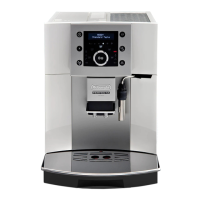
DESCRIPTION
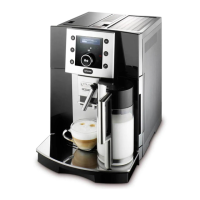
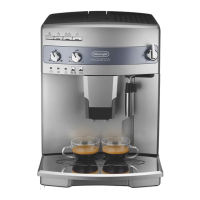
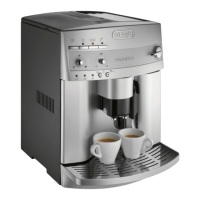
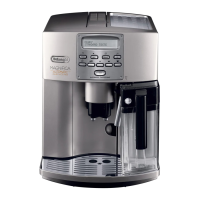
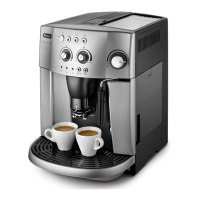
description of appliance
(page 3 - A )
A1. Grinding adjustment dial
A2. Beans container lid
A3. Beans container
A4. Pre-ground coee funnel
A5. Measure compartment
A6. Cup shelf
A7. Water tank
A8. Infuser
A9. Grounds tray
A10. Cup tray
A11. Drip tray
A12. Service door
A13. Coee guide
A14. Coee spout (adjustable height)
A15. Hot water and steam nozzle
A16. Control panel
A17. Power cable
A18. Main switch
A19. Hot water spout
A20. Measure
A21. Cleaning brush
Description of milk container
(page 3 - B )
B1. Froth regulator
B2. Milk container handle
B4. Milk intake tube
B5. Frothed milk spout
B6. Lid with milk frother
Description of control panel
(page 3 - C )
C1. Display: guides the user in using the appliance.
C2. button: to deliver one cup of espresso coee.
C3. button: to deliver two cups of espresso coee.
C4. button: to deliver hot water.
(When you access the settings MENU, it acts as the “OK”
button to conrm the selection made).
C5. Illuminated icon panel: indicates the current settings,
alarm messages or need for maintenance.
C6. CAPPUCCINO button: to deliver cappuccino or fro-
thed milk.
C7. Selection dial: turn to select the required quantity of
coee.
(When in the settings MENU, turn to select the required
function).
C8. aroma selection button: press to select coee
taste
C9. button: to perform a rinse cycle.
(When in the settings MENU, it acts as the “ESC” button
to exit from the selected function and go back to the
main menu).
C10. P button: to access the settings menu.
C11. button: turns the appliance on and o.
PRELIMINARY CHECKS
Checking the appliance
After removing the packaging, make sure the product is com-
plete and undamaged and that all accessories are present.
Do not use the appliance if it is visibly damaged.
Contact De’Longhi customer experience.
Installing the appliance
Important!
When you install the appliance, you should respect the fol-
lowing safety warnings:
-
pliance on the worktop, leave a space of at least 3 cm
between the surfaces of the appliance and the side and
rear walls and at least 15 cm above the coee machine.
Water penetrating the appliance could cause damage.
Do not place the appliance near taps or sinks.
The appliance could be damaged if the water it contains
freezes.
Do not install the appliance in a room where the tempera-
ture could drop below freezing point.
Arrange the power cable in such a way that it cannot be
damaged by sharp edges or contact with hot surfaces
(e.g. electric hot plates).
Connecting the appliance
Important!
Check that the mains power supply voltage corresponds to
the value indicated on the rating plate on the bottom of the
appliance.
installed socket with a minimum current rating of 10A only.



 To Next Page