EasyManua.ls Logo

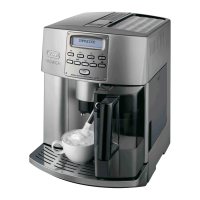
DeLonghi Magnifica ESAM6600 - User Manual

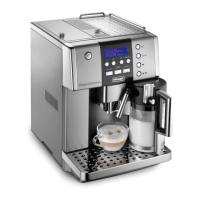
DeLonghi Magnifica ESAM6600
45 pages
Print Icon
To Next Page IconTo Next Page
Loading...
5732148500/12.06
Fiducia Italiana S.A. de C.V.
Pestalozzi #814
Col. Narvarte
Del. Benito Juarez
C.P. 03100
tels: 5543 1447
lada sin costo: 01 800 711 8805
www.delonghi.com
De’Longhi America, Inc.
Park 80 West, Plaza One
Saddle Brook, NJ 07663
#1-866-Latte-Best
1-866-528-8323
De’Longhi Canada, Inc.
6150 McLaughlin Road
Mississauga, Ontario
L5R 4E1 Canada
#1-866-Latte-Best
1-866-528-8323

Table of Contents

Questions and Answers

  • J
    Justin JamesAug 14, 2025
    Why does my DeLonghi Magnifica ESAM6600 say DESCALE?
    • S
      Sarah GeorgeAug 14, 2025
      The 'DESCALE' message on your DeLonghi Coffee Maker indicates lime scale buildup inside the appliance. You should perform the descaling procedure as soon as possible.
  • D
    David GrayAug 18, 2025
    How to fix 'FILL TANK' message on DeLonghi Magnifica ESAM6600 Coffee Maker?
    • K
      Kelsey WareAug 18, 2025
      The 'FILL TANK' message on your DeLonghi Coffee Maker means the water tank is either empty, positioned incorrectly, or dirty. Fill the tank, making sure it's properly inserted. If that doesn't work, rinse or descale the tank.
  • H
    Haley RyanAug 21, 2025
    What to do if my DeLonghi Coffee Maker says 'EMPTY GROUNDS CONTAINER'?
    • M
      Michael BrownAug 21, 2025
      The 'EMPTY GROUNDS CONTAINER' message on your DeLonghi Coffee Maker means that the grounds container is either full or missing. Empty the grounds container and clean it, then replace it.
  • R
    Robert LewisAug 25, 2025
    What to do if my DeLonghi Coffee Maker says 'FILL BEANS CONTAINER'?
    • M
      Madison WolfeAug 25, 2025
      The 'FILL BEANS CONTAINER' message on your DeLonghi Coffee Maker means that the coffee beans have run out. Simply refill the bean container. If the coffee grinder is very noisy, it could mean a small stone is blocking the mill; in this case, contact an authorized De'Longhi service center.
  • D
    danny68Aug 27, 2025
    Why does my DeLonghi Coffee Maker say 'INSERT GROUNDS CONTAINER'?
    • C
      Charles WilkinsAug 28, 2025
      The 'INSERT GROUNDS CONTAINER' message on your DeLonghi Coffee Maker means that after cleaning, the grounds container has not been replaced. Open the service door and insert the grounds container.
  • L
    Lynn SmithAug 30, 2025
    How to fix 'CLOSE DOOR' error on DeLonghi Coffee Maker?
    • Q
      qlewisAug 30, 2025
      The 'CLOSE DOOR' message on your DeLonghi Coffee Maker means that the service door is open. If the service door cannot be closed, check that the infuser is inserted correctly.
  • M
    Marc CarsonSep 3, 2025
    What does 'ADD PRE-GROUND COFFEE' mean on my DeLonghi Magnifica ESAM6600?
    • M
      Mary YoungSep 3, 2025
      The 'ADD PRE-GROUND COFFEE' message on your DeLonghi Coffee Maker means that when the function is selected, the pre-ground coffee has not been poured into the funnel. Add the ground coffee as described in the instructions.
  • M
    Mark GarrettSep 7, 2025
    Why does my DeLonghi Magnifica ESAM6600 say 'INSERT WATER SPOUT'?
    • V
      vschneiderSep 7, 2025
      The 'INSERT WATER SPOUT' message on your DeLonghi Coffee Maker means that the button has been pressed and the hot water spout has not been inserted. Insert the hot water spout.
  • M
    michaeljohnstonSep 10, 2025
    What to do if my DeLonghi Magnifica ESAM6600 says 'INSERT INFUSER ASSEMBLY'?
    • M
      Melissa HarrisonSep 10, 2025
      The 'INSERT INFUSER ASSEMBLY' message on your DeLonghi Coffee Maker means that after cleaning, the infuser has probably been left out of the coffee maker. Insert the infuser.

Summary

Important Safeguards

Short Cord Safety Instructions

Guidelines for using the power cord safely.

Appliance Description and Safety

Appliance Components and Control Panel

Detailed explanation of the appliance's components and control panel.

Safety Warnings

Crucial warnings to prevent injury or damage during use.

Installation and Initial Setup

Installation Procedures

Instructions for properly installing the appliance.

First Time Operation

Step-by-step guide for the initial setup and first use.

Basic Brewing Operations

Turning On and Preheating

Steps for powering on and preheating the appliance.

Preparing Coffee with Beans

Guide to brewing coffee with beans and helpful usage tips.

Coffee Customization and Preparation

Adjusting Coffee Quantity and Mill Settings

How to adjust coffee amount and grinder coarseness.

Preparing Coffee with Ground Coffee

Procedure for brewing coffee using pre-ground coffee.

Specialty Drinks and Hot Water

Preparing Cappuccinos

Step-by-step guide to making cappuccinos.

Dispensing and Adjusting Hot Water

How to dispense and change the quantity of hot water.

More Specialty Drinks

Preparing Lattes and Macchiatos

How to prepare Latte and Italian Macchiato drinks.

Preparing Frothed or Steamed Milk

Instructions for preparing frothed or steamed milk only.

Cleaning and Maintenance

Cleaning the Coffee Maker and Infuser

How to clean the main parts and the removable infuser.

Milk Container Cleaning

Menu Parameters and Clock Settings

Setting the Clock

Guide to setting the appliance's internal clock.

Setting Auto-Start Time

How to program the automatic start time for the appliance.

Descaling Procedure

Advanced Appliance Settings

Changing Coffee Temperature

How to adjust the brewing temperature of the coffee.

Setting Appliance Auto-Off and Water Hardness

Adjusting auto-off timer and water hardness settings.

Resetting Factory Defaults

Restoring the appliance to its original factory settings.

System Configuration

Beep ON;OFF Control

Enabling or disabling audible beep notifications.

Changing User Interface Language

How to select the user interface language.

Troubleshooting Common Issues

Problem Resolution Before Service

Warranty and Customer Support

Obtaining Service and Support Information

Information on how to contact customer service for repairs or parts.

DeLonghi Magnifica ESAM6600 Specifications

General IconGeneral
BrandDeLonghi
ModelMagnifica ESAM6600
CategoryCoffee Maker
LanguageEnglish

Related product manuals