Need help?
Do you have a question about the Delta Controls eZV-440 and is the answer not in the manual?
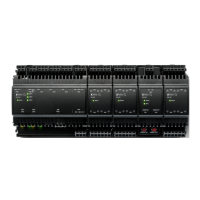
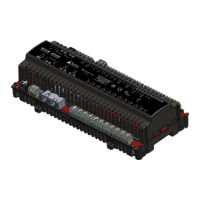
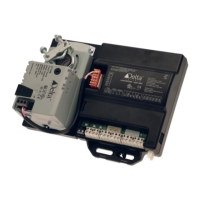
Introduces the controller and explains how to use the configuration graphic.
Guides users on updating firmware from older versions of the eZV-440 controller.
Instructions for obtaining the eZV-440 configuration graphic from the Delta Controls Support website.
Steps to install the downloaded configuration graphic files on an operator workstation.
Details two methods for opening the eZV-440 configuration graphic within the ORCAview software.
Explains the interactive and dynamic nature of the configuration graphic interface.
Describes how to switch between multiple eZV-440 controllers within the configuration graphic.
Explains the functionality of buttons for saving and loading controller configurations.
Describes a quick method to open ORCAview object dialogs via right-clicking in the graphic.
Details the capabilities and limitations of connecting LINKnet devices to eZV-440 controllers.
Explains how eZV-440 controllers handle data exchanges within the network.
Describes the alarm types supported by the eZV-440 controllers and their configuration.
Details the functionality and configuration of trend logs for the eZV-440 controller.
Explains how to create custom algorithms or override existing ones using GCL+ programming.
Guides on performing air balancing and checking duct heater airflow safety.
Describes fields related to the controller's model, firmware, and general identification.
Details controller BACnet address, network number, and network speeds.
Covers application type, temperature units, and airflow units affecting the controller configuration.
Details how to configure a physical input for a hardwired temperature sensor.
Explains how to configure a physical input for an occupancy sensor.
Guides on configuring a physical input for a hardwired CO2 sensor.
Describes how to configure damper feedback signals on a controller input.
Covers configuration of inputs like fan status, window contacts, and MUX.
Details how to configure the controller's onboard differential pressure sensor for airflow measurement.
Details how to configure output devices connected to the controller's universal outputs.
Provides instructions for setting up an actuator damper output on the controller.
Guides on configuring the eZNS network sensor using the LINKnet I/O tab.
Explains how to configure the DNS-24L network sensor via the LINKnet I/O tab.
Details how to program the functionality of buttons on the DNS-24L network sensor.
Describes setpoints for occupied and unoccupied heating and cooling temperatures.
Details setpoints for limiting discharge air temperature.
Covers setpoints for VAV box size, airflow, and heating/cooling minimums/maximums.
Defines the range limitations for user setpoints.
Explains the different control algorithms (PI, P, PID, I) used by the controller.
Defines the range of input variation required for a change in controller output.
Describes the small range of temperature variation where controller output remains fixed.
Defines the amount of bias change per minute for controller correction.
Explains how the reset band adjusts output bias dynamically.
Outdoor air temperature lockout for heating operations.
Limit placed on heating capacity for a zone.
Outdoor air temperature lockout for cooling operations.
Limit placed on cooling capacity for a zone.
Explains how the controller determines heating/cooling modes and active setpoints.
Illustrates the hierarchy and limits for heating/cooling setpoints.
Describes the four operating modes: Occupied, Unoccupied Override, Standby, and Unoccupied.
Details setpoints used to generate occupancy signals based on CO2 levels.
Explains heating and cooling stages, heat demand, and box mode detection.
Describes damper control for maintaining airflow setpoints based on demand.
Lists accessible setpoints for heating and cooling airflow, and airflow demand.
Explains how airflow setpoints change during air balancing procedures.
Details the DCV sequence and its relation to CO2 inputs and airflow setpoints.
Describes fan sequences for VAV algorithms, including single speed and modulating parallel/series fans.
Lists and describes objects used for configuring controller inputs.
Lists objects related to configuring occupancy settings and modes.
Lists objects used for configuring controller outputs.
Lists objects for configuring various temperature and airflow setpoints.
Explains how to set the controller's unique BACnet address.
Describes the 5 methods of control used on the output device signal.
Lists output functions and their associated control types.
Lists physical outputs and their associated control types.
Licensing information for the lwIP component under the BSD license.
Licensing information for STMicroelectronics components.
 General
| Brand | Delta Controls |
|---|---|
| Model | eZV-440 |
| Category | Controller |
| Language | English |

 To Next Page