CANopen Communication Module DVPCOPM-SL
DVP-PLC Application Manual
19
4.4 Saving the Configuration Data
Select “File” => "Save” to save the current configuration data.
4.5 CANopen Network Control
In this section, we will introduce how to compile WPL program and control CANopen network.
z Target:
1. When SW0 on Slave 3 is closed, the servo drive on Slave 2 will start to run.
2. When SW0 on Slave 3 is open, the servo drive on Slave 2 will stop.
3. When the status of SW1 and SW2 on Slave 3 is switched, the running speed of servo drive on Slave
2 can be modified.
4. When the servo drive is running, the signal LED on Slave 2 will be On.
5. When the servo drive stops, the signal LED on Slave 2 will be Off.
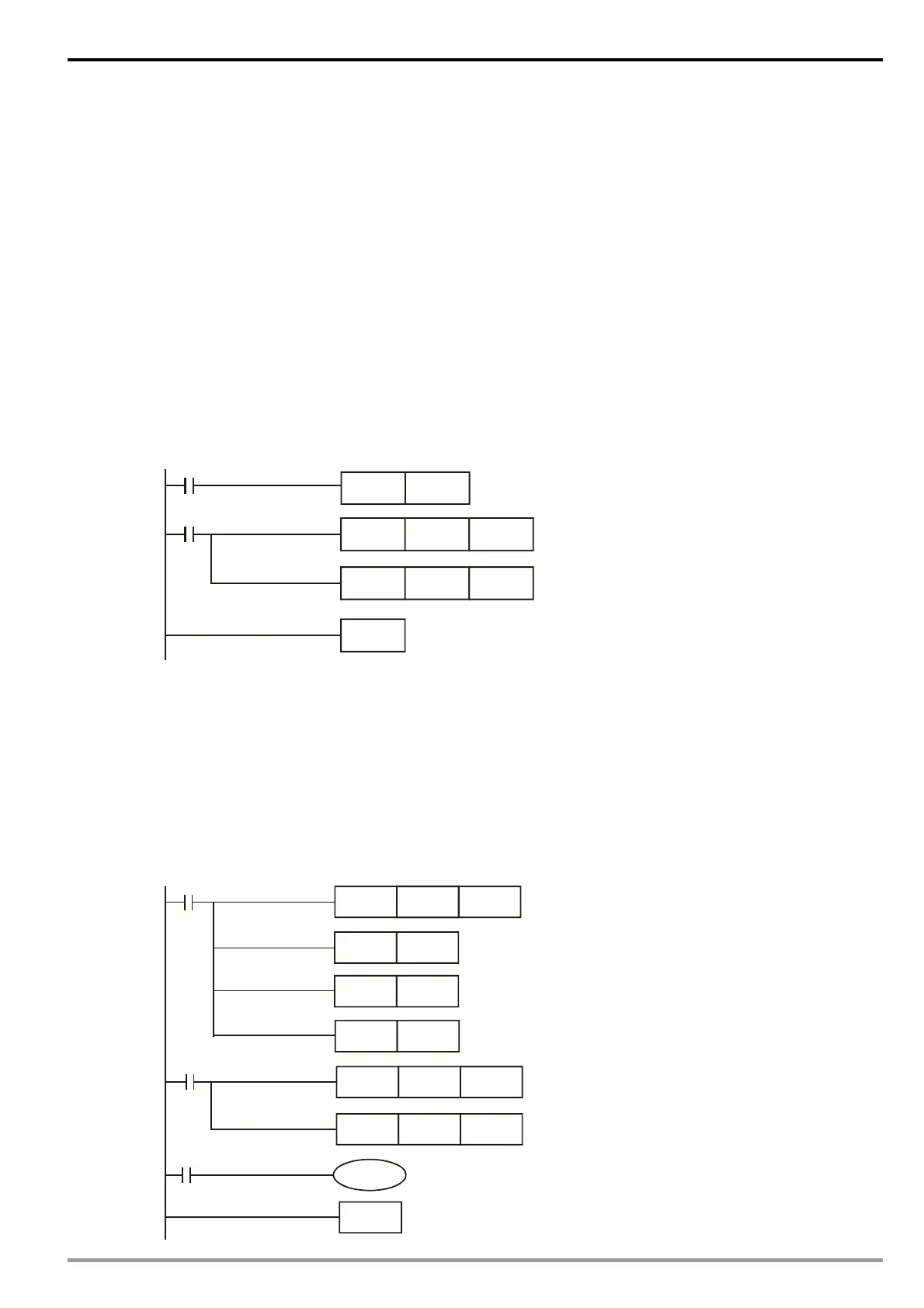
z The program in DVP-SV MPU (master):
M1002
MOV D6032
D6286
MOV D6282
SET M0
M0
END
D6286
D6036
z Program explanations:
1. The 2
nd
row of the program indicates sending the content of D256 in DVP-SA (mapped on D6032 of
DVP-SV) to the control word (Multi-Function Digital Input, mapped on D6286 of DVP-SV) of the servo
drive.
2. The 3
rd
row of the program indicates sending the output status of the servo drive (Multi-Function
Digital Output, mapped on D6036 of DVP-SV) to D0 in DVP-SA (mapped on D6282 of DVP-SV).
z The program in DVP-SA MPU (slave):
M1002
MOV H
D1120
MOV K2M10
SET M1120
M0
END
D
D0
MOV K2X20
D256
C6
RST
M1143
SET M0
M10
Y0


 To Next Page