Ethernet Communication Module IFD9507
DVP-PLC Application Manual
62
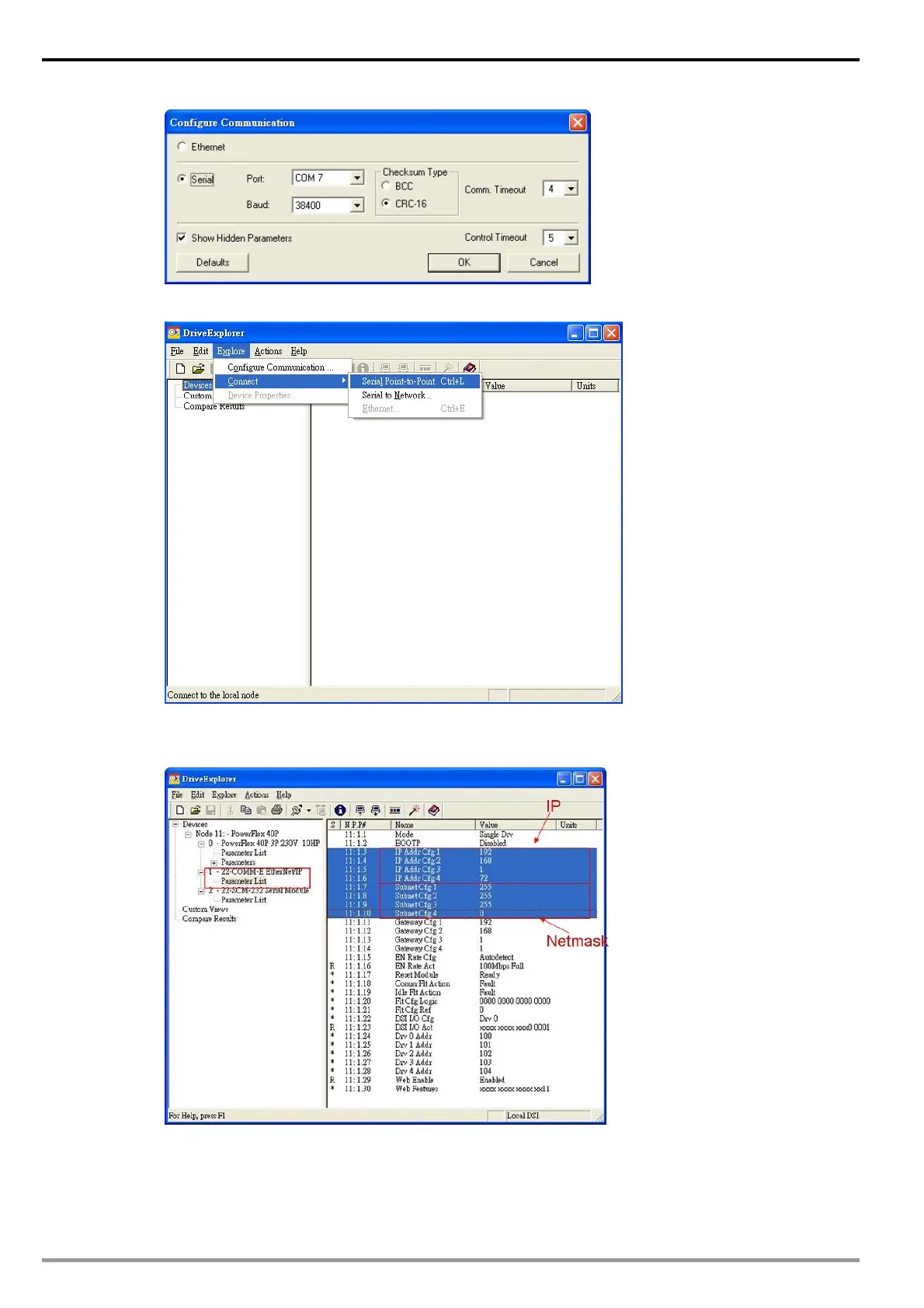
4. Select “Connect Serial Point-to-Point” in Explore.
5. Select “Parameter List” in 22-COMM-E Ethernet/IP and enter “IP” in IP Addr Cfg1~Cfg4 and
“Netmask” in Subnet Cfg1~Cfg4.
DCISoft configuration
1. Open DCISoft “Basic” configuration screen.
2. Select “Serial Slave” in Master Configuration.


 To Next Page