Ethernet Communication Module IFD9507
DVP-PLC Application Manual
64
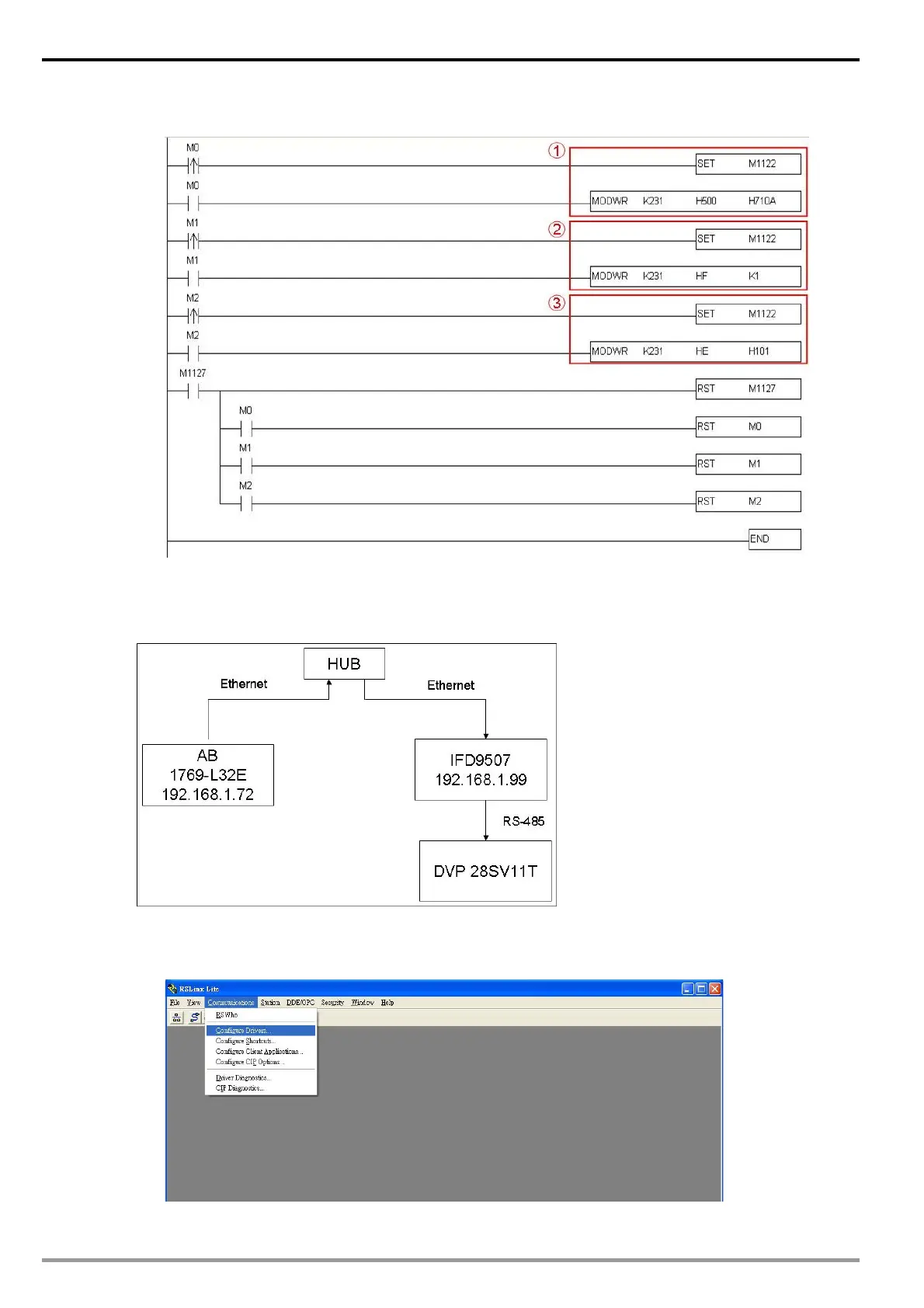
Use WPL MODWR instruction to write “0101” set I/O enable Flag.
13.2 Serial Master
Using AB PLC 1769-L32E to write Delta PLC DVP28SV11T bit and register via IFD9507.
Configure RSLinx 1769-L32E
1. Open RSLinx and configure drivers
2. Select RS232 device and click “Add New”


 To Next Page