Ethernet Communication Module IFD9507
DVP-PLC Application Manual
65
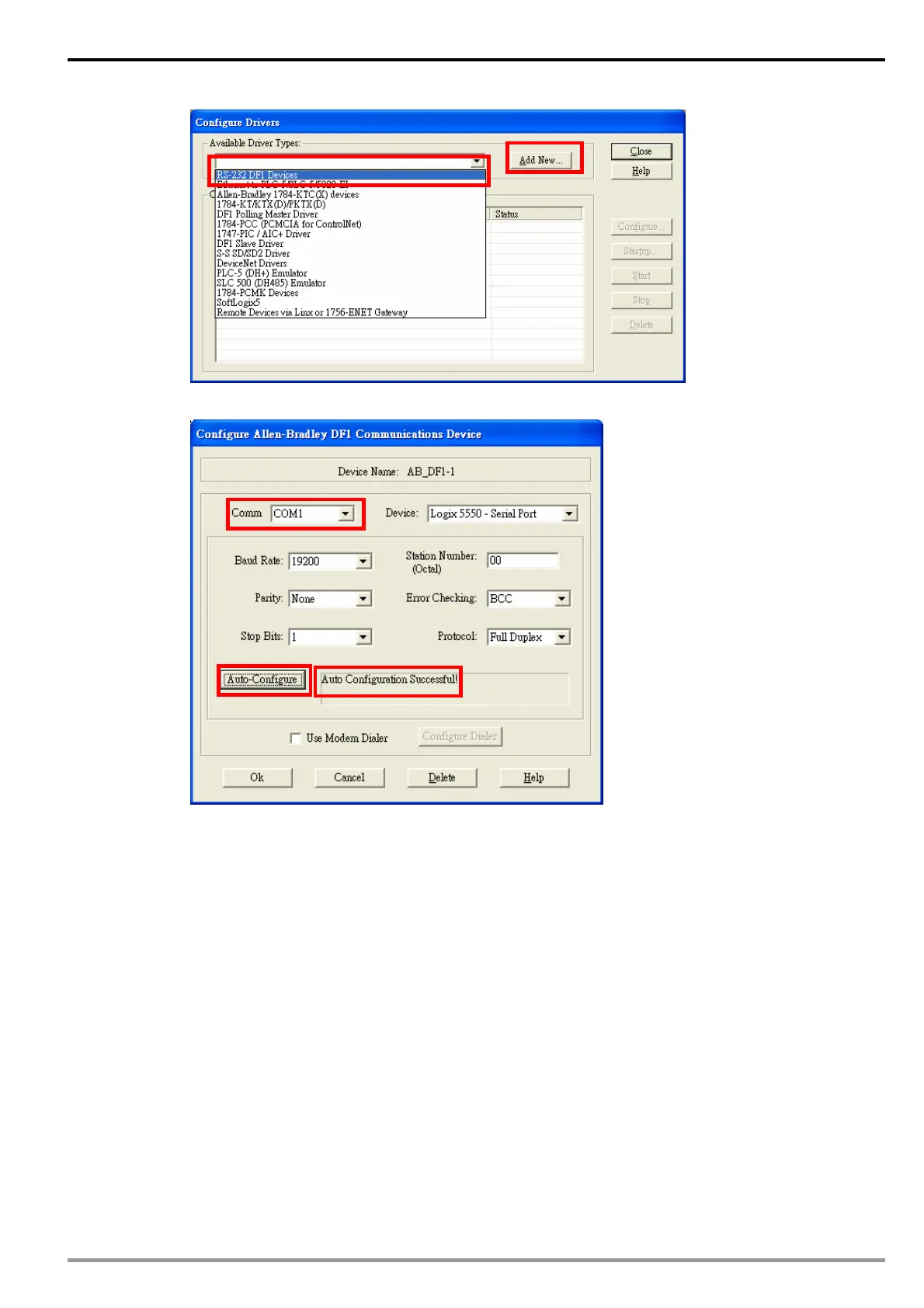
3. Select Com port and click “Auto-Configure”. When it is successful, it will show successful messages.
Configure IFD9507
1. Open DCISoft “Basic” configuration screen.
2. Select “Serial Master” in Master Configuration.
3. Select “Static” in IP Configuration.
4. Enter “192.168.1.99” in IP Address field.
5. Enter “255.255.255.0” in Netmask field.
6. Enter “231” in Station Address
7. Press “OK”.


 To Next Page