ENGLISH
88
KEY SIMBOLS LIT BESIDES
THE NUMBERS
FUNCTION
DESCRIPTION
P5+ = set month
P6+ = set day
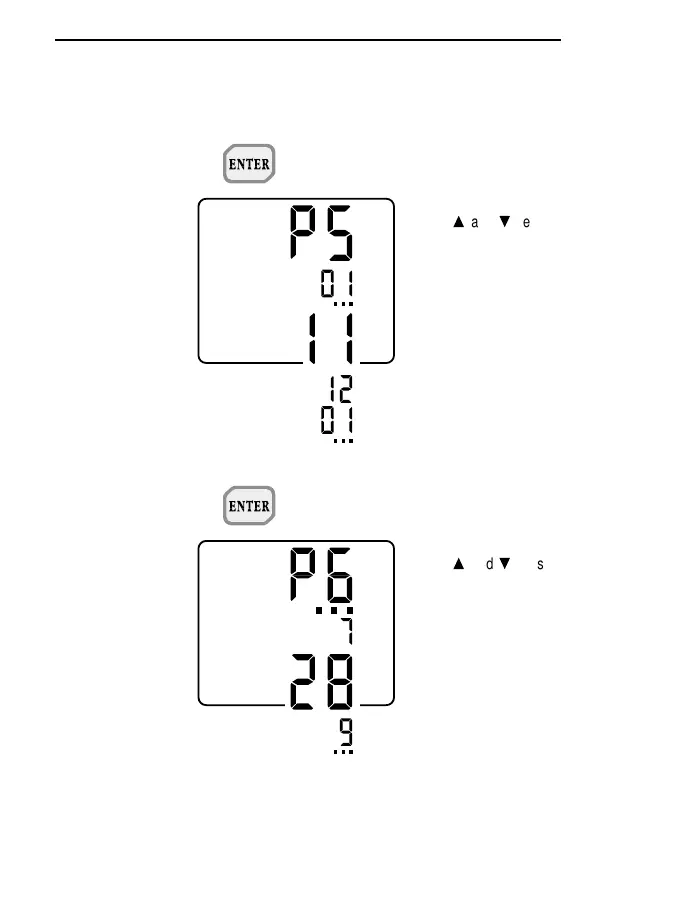
- P5 -
When ENTER is pressed with P5
on the display, the month may be
set or changed.
The
s
and
t
keys are used to
select the desired month.
Then press PROG to move on to
step P6 (the ENTER key is not
active).
- P6 -
When ENTER is pressed with P6
on the display, the day may be set
or changed.
The
s
and
t
keys are used to
select the desired day.
Then press PROG to move on to
step P7 (the ENTER key is not
active).



 To Next Page