(one press corresponds to the previous case), the led Q for the channel that the instrument is
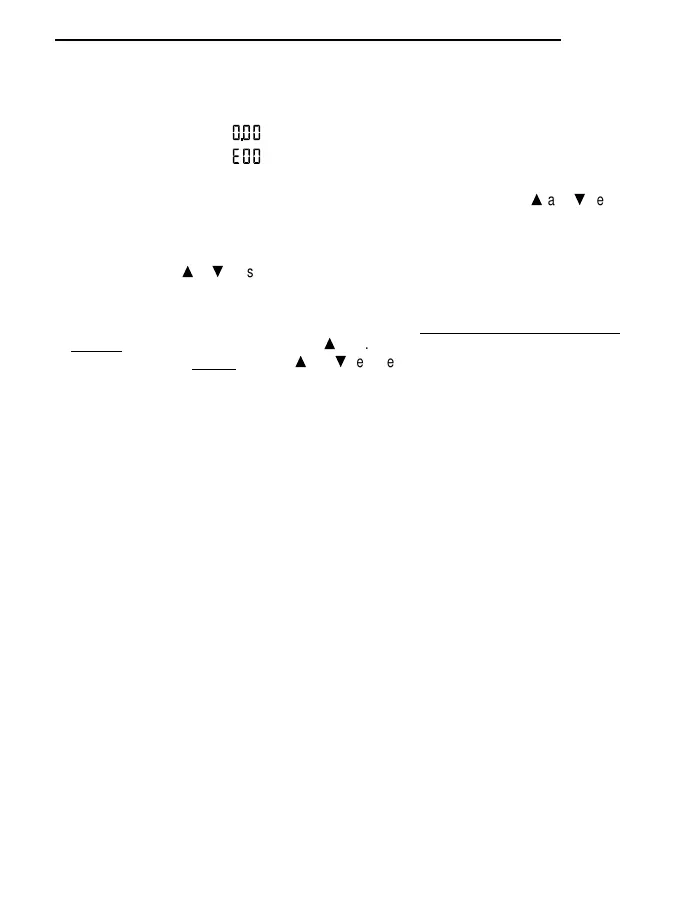
working on lights up and the display shows:
= mantissa
= exponent, with 00 flashing
The position of the decimal point of the mantissa may vary, depending on the measuring units
* The exponent and the position of the decimal point may be altered using the
s
and
t
keys,
depending on the different decades. The exponent varies only for multiples of 3 (E0, E3, E6,
E9), the position of the decimal point indicates the actual decade desired.
* Press PROG to pass from regulation of the exponent to that of the mantissa and vice-versa
* Holding down the
s
or
t
keys makes the figures move forward automatically.
* The maximum value that may be set depends on the magnitude chosen.
* Press ENTER to confirm the set value.
If any one of the settings (T or Q, channel A or B) is altered, all the stored measurements will
be reset (same effect as holding down the
s
key). So, to read the setting of the limits without
altering the memory, NEVER press the
s
and
t
keys before having pressed ENTER.
The settings indicated above are possible only for photometric and radiometric magnitu-
des.
7. Various operations
* For operations such as HOLD display, relative measurements, RCD storage, DATA CALL,
Serial Output, storage in the internal memory, unloading of stored data, erasing of the internal
memory, setting of the working parameters, see the description of the instrument keyboard
functions.
Attention when using the keyboard
The use of the keys is relatively simple, but care must be taken to avoid setting it by mistake in an
undesired mode.
Ensure that HOLD, RCD, REL, MAX, MIN, MED, Serial Out/Memory are not displayed during nor-
mal operation.
99
ENGLISH


 To Next Page
 Loading...
