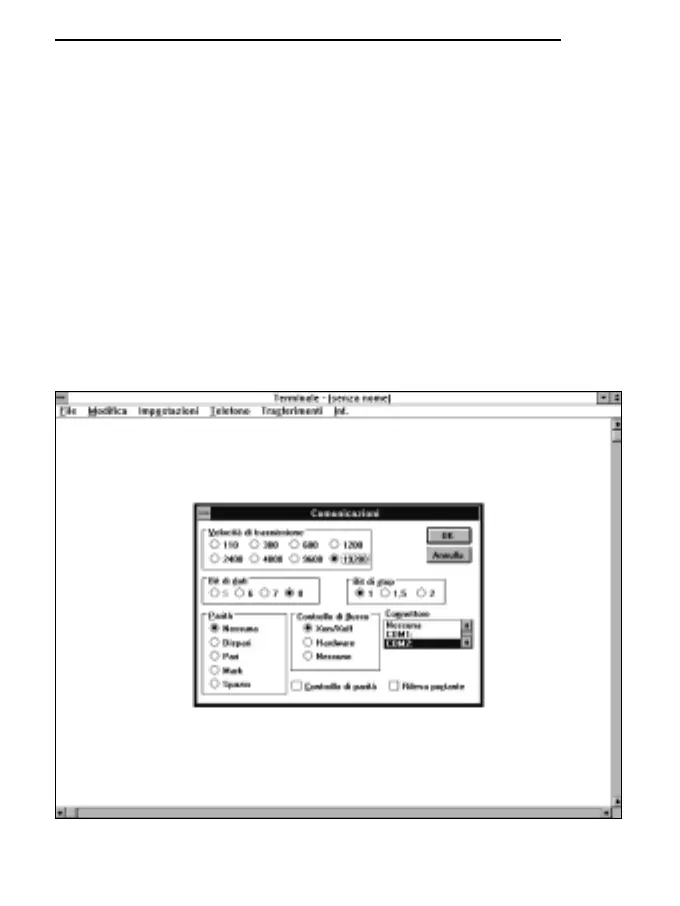
D) To alter the communication settings of the terminal, in order to make them compatible with those
of the measuring instrument used (unless a terminal setting file has already been saved):
* select SETTINGS in the terminal window (1 click).
* select COMMUNICATIONS from the pull-down menu (1 click).
* the COMMUNICATIONS window for setting the communication procedures will appear on
the screen; set:
TRANSMISSION SPEED: 19200 which must correspond to the speed set on the instru-
ment (1 click),
DATA BITS: 8 (1 click),
STOP BITS: 1 (1 click),
PARITY: None (1 click),
FLOW CONTROL: Xon/Xoff (1 click),
CONNECTOR: COM1 or COM2 depending on the gate used for connection (1 click),
CHECK PARITY and SHOW CARRIER must remain unmarked,
* OK to confirm the setting (1 click).
122
ENGLISH



 To Next Page