8
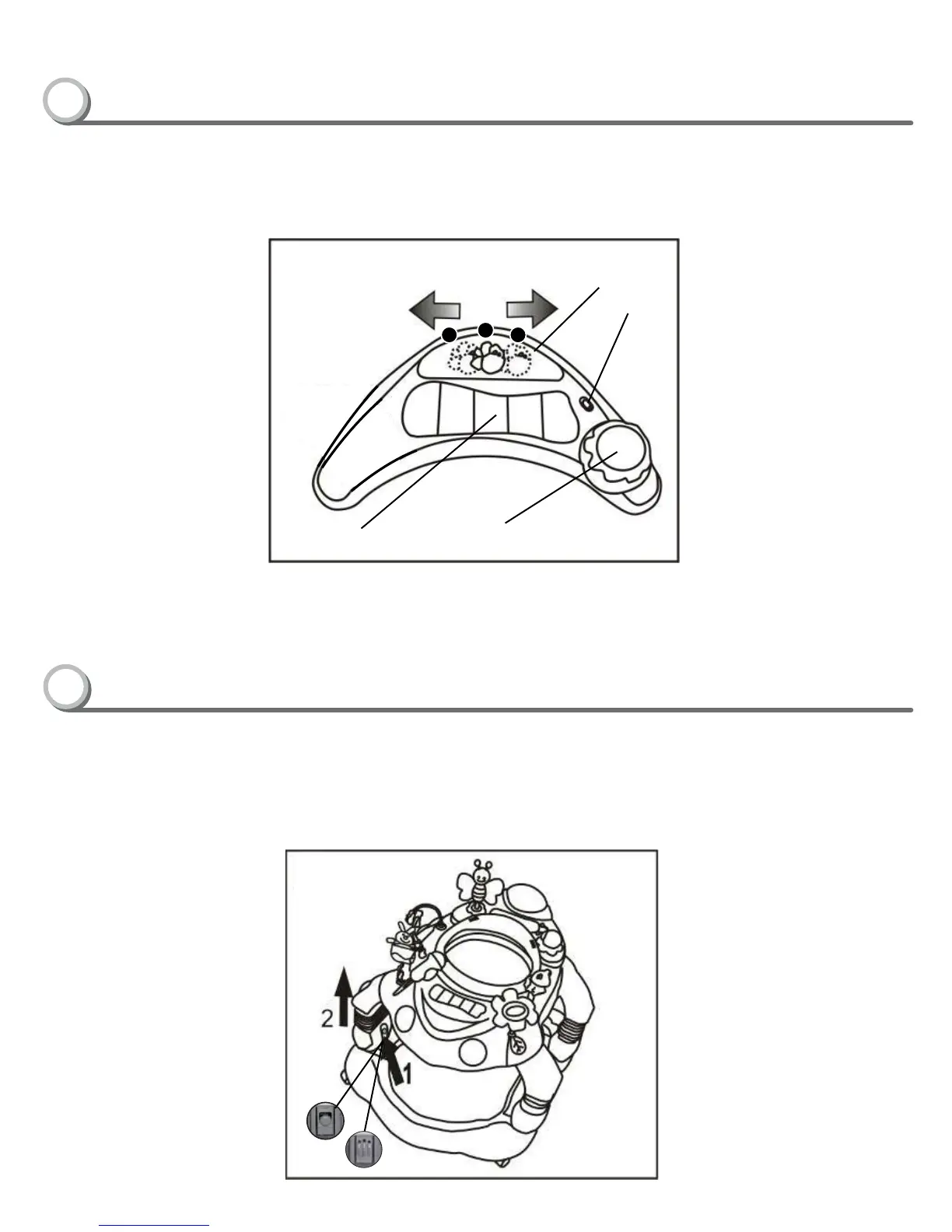
Instructions For Changing Height of Seat
Instructions For Music Keyboard
Bee Button
On/Off
Switch
Keyboards Drum Button
•MUSICFUNCTIONFRONTTOYTRAY–Switch‘on’themusicfunctionbyactivatingthe‘on/off’switch.selectmusicbyslidingthe3POSITIONSELECT
MUSICBUTTON“Bee”totheleftandrightasillustratedinFIGM.POSITION1-playsPianoSounds,POSITION2-playsAnimalSounds,
POSITION3-playsMelodies.
•Pressdownkeyboardanddrumbuttonstoactivatemusic.
•ALWAYSREMOVEBABYFROMWALKERWHENCHANGINGFUNCTIONS
•ADJUSTINGTHESEATHEIGHT–Toadjusttheheight,presslegbuttonfirstlocatedoneachlegandeitherelevateorlowerthelegtothedesiredpositionas
illustratedinFIGN(4x).RemembertoadjustonelegatatimeandonepositionatatimeperlegbesuretheyareinthesameHeightlevelbeforeuse.
•Onceinafullylockedposition,pushdownwardonlegstoensurelegsareinalockedposition.
NOTE:Theactivitycentercanbeadjustedto3differentheightlevels.Makesurealllegsareadjustedtothesameheightlevelwhenadjustingtheheightoftheseat.
1
2
3
2
1
www.DeltaChildrensProducts.com
Customer Care Tel. 1-(800)-377-3777


 To Next Page