North Ireland 0871 37 61 020 Rep. Ireland 1-800-992 508
Web Support www.medion.co.uk
Model Number: MD 11871
10
Getting Started 5
Electrical connections
The power switch turns both the machine and the sewing light on.
• Put the coupler plug of the supplied foot pedal into the connector housing on
the machine and then put the mains plug into the socket.
Only use the supplied foot pedal model HKT7.
Once you have finished working or before you start maintenance, always turn off
and unplug the machine.
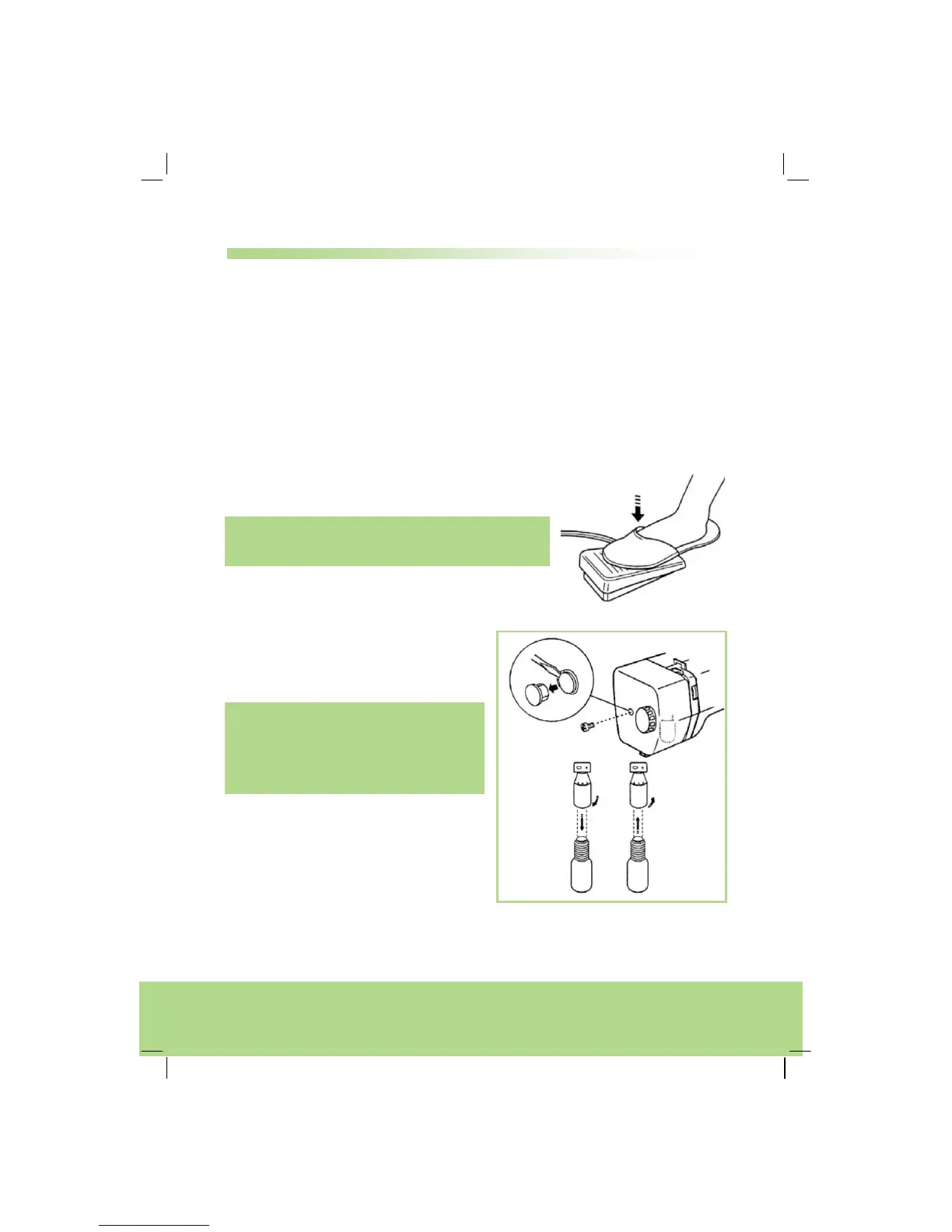
Foot pedal
The foot pedal controls the sewing speed.
Note:
The tighter the switch is pressed, the faster stitching
goes.
Sewing light bulb
The sewing light bulb you will find
behind the front flap.
Warning!
Before carrying out any maintenance
work, please always turn off and unplug
the machine.
• Remove the cover of the screw and
unscrew.
• Take off the front flap.
• Hold the bulb and screw off to the left
to take out the bulb.
• Hold the bulb and screw on to the
right to fit over a new bulb.



 To Next Page