Chapter 7 InsightPower SNMP IPv6 for rSTS
31
(3) Upload DSA and RSA key les on the web.
z
For Windows
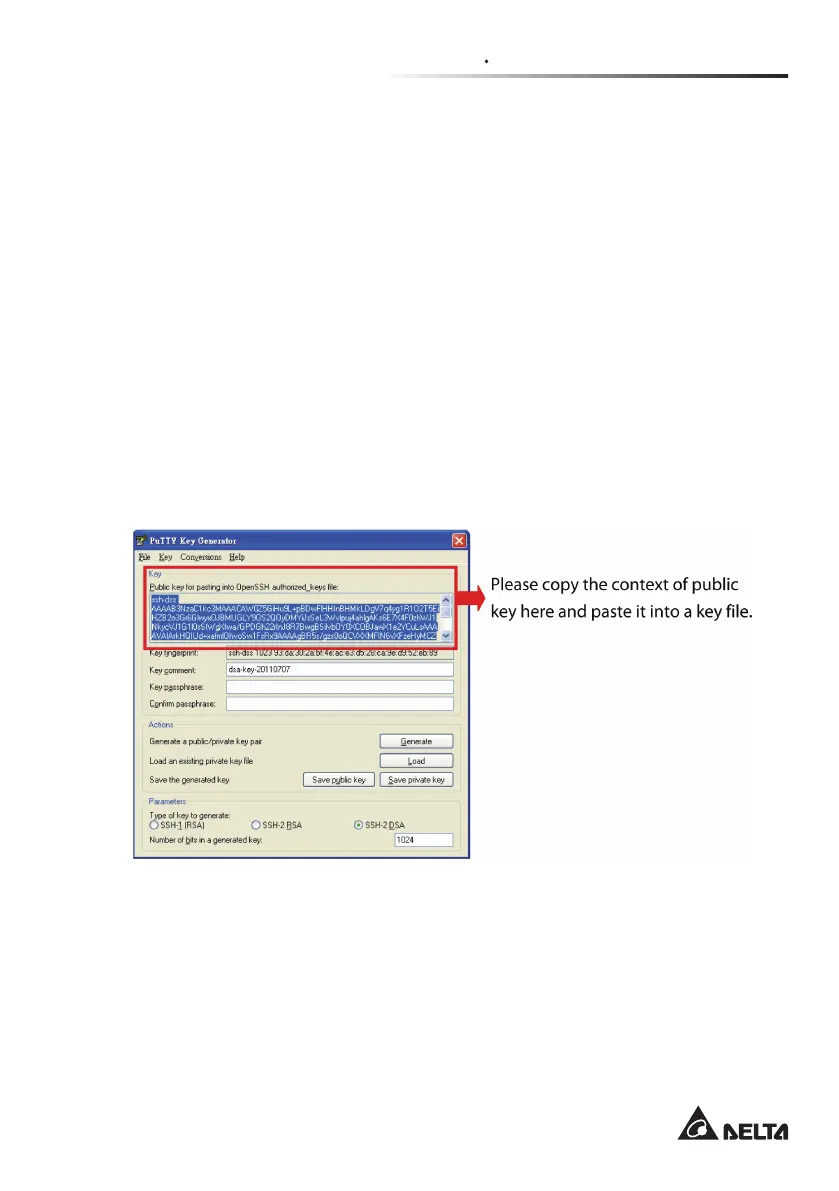
(1) Please download and install PuTTY from http://www.putty.org.
(2) Run puttygen.exe from the installed directory.
(3) Select SSH-2 RSA from the Parameters area and click Key→ Generate
key pair to generate an RSA key.
(4) Select Conversions→ Export OpenSSH Key and assign a le name to the
RSA key. Please ignore it when prompted to provide key passphrase.
(5) Select SSH-2 DSA from the Parameters area and select Key→ Generate
key pair to generate a DSA key.
(6) Select Export OpenSSH Key from Conversions and assign a le name to
the DSA key. Please ignore it when prompted to provide key passphrase.
(7) Upload the DSA and RSA key les to the web.



 To Next Page