- 8 -
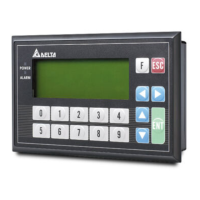
TP04P-21EX1R
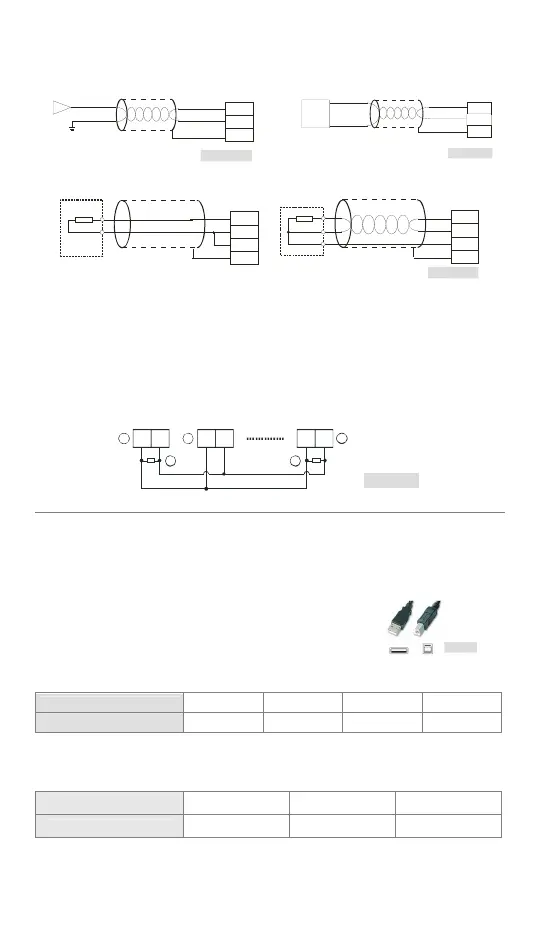
Analog Input Analog Output
Figu re 17
Current input
Shielded
cable*1
-20mA~+20mA
I0+
I0-
CH0
FE
Figu re 18
Shiel ded
cabl e*1
Current ou tput
AC moto r driv e, reco rde r,
propo rti oni ng valve...
I2
AG
CH2
0mA~20mA
FE
Pt100
Figu re 19
Shielded cable*4
Sh ie lded cable*
L3+
L3-
I3-
FE
2-wire
L4+
L4-
I4-
FE
3-wire
Pt100
Pt100
*1: The cables connected to the analog input terminals should be kept separate from other
power cables and cables which generate noise.
*2: If the text panel is connected to a current signal, the terminals V3+ and I3+ must be
short-circuited.
*3: If the ripple in the input voltage results in the noise interference with the wiring, please
connect the text panel to the capacitor having a capacitance in the range of 0.1 μF to 0.47 μF
with a working voltage of 25 V.
*4: Please connect the ground terminal on a power supply module and the analog input terminal
FE to the system ground, and then ground the system ground or connect the system ground
to a distribution box.
RS-485 Wiring
Figure 20
D+ D- D+ D- D+ D-
3
1 2
2
3
Master station
Slave station
Terminal resistor
Note: 1. The terminal resistor should be connected to the master station and the last slave
station. The resistance of the terminal resistor should be 120.
2. To ensure communication quality, it is suggested that users should use double shielded
twisted pair cables (20AWG) for wiring.
Communication Connection
TP04P may connect to a PC by using USB adaptor cable.
Please use an AM/BM USB adaptor cable.
Figure 21
Battery’s Life
Temperature (°C) -20 0 20 60
Life (Year) 2.0 2.5 2.7 2.8
Precision of the Real Time Clock
(Second/Month)
Temperature (°C/°F) 0/32 25/77 55/131
Maximum error (Second) -117 52 -132


 To Next Page