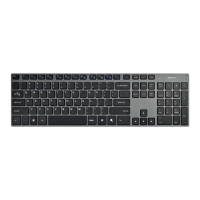
Need help?
Do you have a question about the Deltaco TB-135 and is the answer not in the manual?
Instructions on how to recharge the keyboard battery when the RED LED is lit, including charging time.
Steps to pair the keyboard with a Bluetooth device, including LED indicators and code entry.
How to select the appropriate operating system (iOS, Android, Windows) for the keyboard.
Information about the keyboard entering sleep mode and how to wake it up.
Contact information and resources for product support and troubleshooting.
Instruktioner för laddning av tangentbordets batteri när den röda lysdioden lyser.
Steg för att para ihop tangentbordet med en Bluetooth-enhet, inklusive LED-indikatorer.
Hur man väljer operativsystem (iOS, Android, Windows) för tangentbordet.
Information om när tangentbordet går i viloläge och hur det aktiveras.
Kontaktinformation och resurser för produktsupport och felsökning.
Instruktioner til opladning af tastaturets batteri, når den røde LED lyser.
Trin til parring af tastaturet med en Bluetooth-enhed, inklusive LED-indikatorer.
Sådan vælges operativsystemet (iOS, Android, Windows) for tastaturet.
Information om tastaturets dvaletilstand og hvordan man vækker det.
Kontaktinformation og ressourcer til produktsupport og fejlfinding.
Instruksjoner for lading av tastaturets batteri når den røde LED-lampen lyser.
Trinn for å pare tastaturet med en Bluetooth-enhet, inkludert LED-indikatorer.
Slik velger du operativsystem (iOS, Android, Windows) for tastaturet.
Informasjon om tastaturets hvilemodus og hvordan det vekkes.
Kontaktinformasjon og ressurser for produktstøtte og feilsøking.

 To Next Page
 General