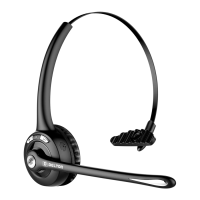
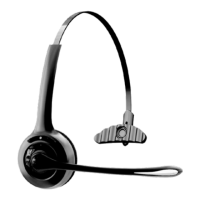
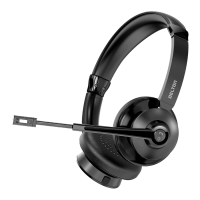
The DELTON 20X Wireless Headset is a versatile audio device designed for communication and media consumption, offering both wireless and wired connectivity options.
Function Description:
The headset serves as a personal audio device for listening to music, making and receiving calls, and participating in three-party calls. It features a built-in microphone for clear communication and a mute function for privacy. The multi-functional button (MFB) allows for power control, answering/ending calls, redialing, and media playback (play/pause). Volume control and track navigation are also integrated. The headset supports pairing with one or two devices simultaneously, enhancing its flexibility for users who switch between a phone and a PC.
Important Technical Specifications:
- Driver: 36mm
- Impedance: 32 ohms
- Play Time: Up to 40 Hours
- Wireless Version: V5.2
- Charging Time: Up to 2 Hours
- Operation Range: 30 Ft
- Stand-by Time: Up to 400 Hours
- Battery: 400mAh Lithium
- Frequency Range: 2.40Ghz-2.48Ghz
- Charging Interface: Type-C
Usage Features:
Controls and Indicators:
- MFB (Multi-Functional Button): Controls power (on/off), answers/ends calls, redials, and plays/pauses media.
- Volume+ / Next Track: Increases volume and skips to the next track.
- Volume- / Previous Track: Decreases volume and goes to the previous track.
- Microphone Mute Button & LED Indicator: Mutes/unmutes the microphone and provides visual feedback.
- Type-C Charge Port: For charging the headset.
- Microphone: For voice input.
Pairing:
- Pairing to One Device:
- With the headset off, press and hold the MFB for 5-7 seconds to enter pairing mode (LED alternates flashing blue and red).
- On your phone or PC's Bluetooth (BT) pairing screen, select "DELTON20X" to connect. The LED will slow flash blue when connected.
- Pairing to Two Devices:
- Pair with the first phone or PC as described above, then turn off the BT function on that device. The headset will re-enter pairing mode (LED alternates flashing blue and red).
- Turn on the BT function of the second phone or PC, search for "DELTON20X," and connect. The LED will slow flash blue when connected.
- Turn on the BT function of the first phone or PC and reconnect to "DELTON20X" from its BT list. The headset will now be connected to two devices.
- Note: Music can only be played from one device at a time when connected to two devices. To play music from the other device, pause or close the music on the currently playing device.
General Functions:
- Power On: Press and hold MFB for 3 seconds.
- Power Off: Press and hold MFB for 5 seconds.
- Clear Pairing: When the headset is ON, hold down the MFB and "Volume+" button for 5 seconds.
- Play/Pause: Press MFB.
- Previous Track: Long press "Volume -".
- Next Track: Long press "Volume +".
- Raise Volume: (Specific instruction missing, but implied by "Volume+" button).
- Lower Volume: Press "Volume -".
Call Functions:
- Answer Call: Short press MFB.
- End Call: Short press MFB.
- Reject Call: Long press MFB for 1 second.
- Mute Mic: Short press the Microphone Mute Button.
- Mic On (Unmute): Short press the Microphone Mute Button.
- Redial Last Number: Double click MFB (when phone is in standby or playback mode).
- Three-Party Call: Double click MFB to hold the current call and connect to a new call. Double click MFB again to switch between calls (short pressing ends the call).
LED Indicator Statuses:
- Power ON: Blue LED flash 3 times.
- Power OFF: Red LED flash 3 times.
- Pairing Mode: Blue and Red LED flashing alternately.
- Delete Pairing Record: Blue and Red LED flash once at the same time.
- Reconnect Mode: Blue LED flash twice every 5 seconds.
- Unconnected Standby Mode: Blue LED flash 2 times every 2 seconds.
- Connected Standby Mode: Blue LED flash 3 times every 8 seconds.
- Playing Music: Blue LED flashes 1 time every 6 seconds.
- Dialing/Talking: Blue LED flashes 1 time every 6 seconds.
- Low Battery: Red LED flash 2 times every 2 seconds.
- Charging: Red LED is steady on.
- Full Charged: Solid Blue LED.
- Mic Mute: Red LED flashes 1 time every 6 seconds.
Maintenance Features:
Charging:
- Charge the DELTON 20X when the red LED flashes.
- Charging time is approximately 1.5 hours.
- The solid red LED will change to a solid blue LED when fully charged.
- Connect the Type-C end of the charging cable to the headset's charge port and the USB end to a charger (car charger, travel charger, computer USB, etc.).
Power Saving:
- Automatic Shutdown: The headset automatically shuts down if there is no connection for more than 30 minutes.
Wired Operation:
- Work With Cable: Use the Type-C to 3.5mm audio cable. Plug the Type-C end into the headset's charge port and the 3.5mm end into a phone or PC port.
Warranty:
- Delton provides a 1-year warranty against defects in material and/or workmanship under normal use.
- For warranty policy or to submit a claim, visit overtimebrands.com/pages/warranty-information.
- The legal warranty period is governed by the legislation of the country where the product was purchased.
- Users can register their product at overtimebrands.com.

 Need help?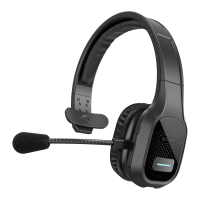

 To Next Page
 General