EasyManua.ls Logo

Delton 20x - Bluetooth Pairing Procedures; Pairing to One Device; Pairing to Two Devices

Delton 20x
8 pages
Print Icon
To Next Page IconTo Next Page
To Previous Page IconTo Previous Page
Loading...
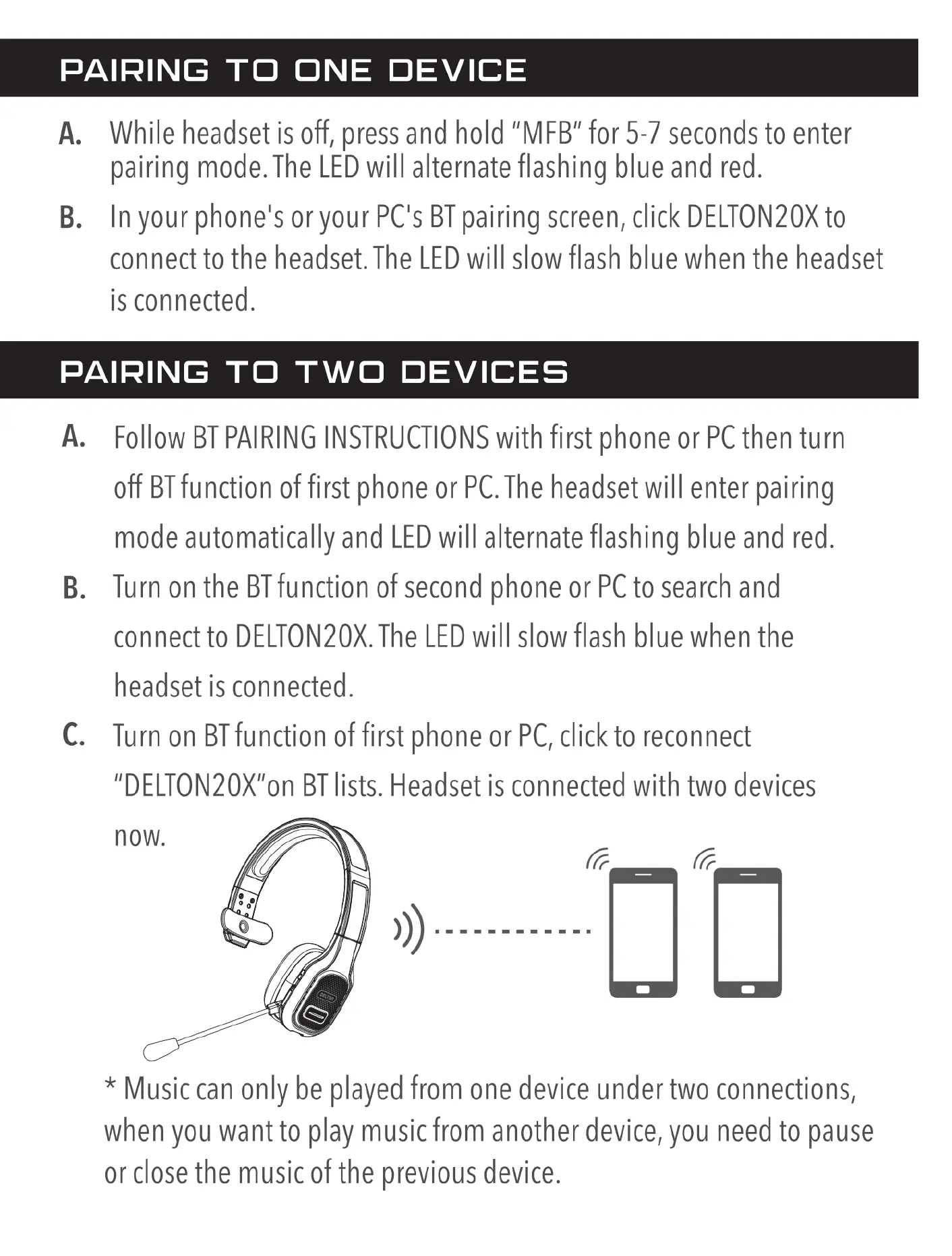
PAIRING
TO
ONE
DEVICE
A.
B.
While
headset
is
off,
press
and
hold
“MFB"
for
5-7
seconds
to
enter
pairing
mode.
The
LED
will
alternate
flashing
blue
and
red.
In
your
phone's
or
your
PC's
BT
pairing screen,
click
DELTON20X
to
connect
to
the
headset.
The
LED
will
slow
flash
blue
when
the
headset
is
connected.
PAIRING
TO
TWO
DEVICES
A.
B.
C.
Follow
BT
PAIRING
INSTRUCTIONS
with
first
phone
or
PC
then
turn
off
BT
function
of first
phone
or
PC.The
headset
will
enter
pairing
mode
automatically
and
LED
will
alternate
flashing
blue
and
red.
Turn
on
the
BT
function
of
second
phone
or
PC
to
search
and
connect
to
DELTON20X.
The LED
will
slow
flash
blue
when
the
headset
is
connected.
Turn
on
BT
function
of
first
phone
or
PC,
click
to
reconnect
"DELTON20X"on
BT
lists.
Headset
is
connected
with
two
devices
*
Music
can
only
be
played
from
one
device
under
two
connections,
when
you
want
to
play
music
from
another
device,
you
need
to
pause
or
close
the
music
of
the
previous
device.

Related product manuals