Page 26
Unfolding the Toolbar :
1. Connect the controller to the toolbar and a power
supply source. Make sure the hydraulic lever is locked on
the pressure side and will not time out.
2. Select 40 or 60. If 40 is selected the outer wings will not
fold out and the bar will function like a 40’ bar. If 60 is
selected the full bar will be utilized.
3. Before unfolding the bar make sure the bar is kicked up and
the toolbar is raised. Press and hold the kick up button.
4. To unfold the toolbar first press and hold the center extend
button until cylinders are fully extended.
5. Next press and hold the middle extend button. Hold this
button until the wing cylinders fully extend and the latch
cylinders on the front side fully latch. Failure to fully latch
the cylinders will cause the toolbar to open up during
operation.
6. If the bar is in 40’ mode continue to activate the down
pressure. If the bar is in 60’ mode press and hold the outer
extend until the wings are level with the rest of the bar.
After the toolbar has been unfolded the first time, stop and
take a moment to make sure all hoses are routed correctly
and there are no interference problems.
Folding the Toolbar:
1. Press and hold the kick up button until wings are raised
and toolbar is lifted.
2. Press and hold the outer retract button until wings are
fully folded. Watch to make sure that folding latched are
hooked.
3. Press and hold the middle retract button until wings are
fully folded.
4. Press and hold center retract button until wings are fully
folded. After folding shut off the hydraulic lever for
transportation.
Initial Operation:
WARNING: To avoid personal injury or property
damage, observe the following instructions. Do
not attempt to operate the toolbar until the hydraulic
lines and cylinders are completely charged with
hydraulic fluid. Failure to do so may cause erratic
and unpredictable toolbar operation that may cause
personal injury and physical damage to the toolbar.
WARNING: To avoid personal injury or property
damage, observe the following instructions. Make
sure whenever operating the toolbar that no one is in
the line of unfolding and that no electric lines or tree
branches will come in contact with the toolbar during
folding or unfolding.
When doing this the first time it would be advisable
to have another person standing safely behind the
fertilizer applicator to ensure that none of the hoses or
coulter are interfering with the toolbar operation and
that the toolbar is correctly unfolding.
Note: Follow fold out and fold in procedure.
Note: Do not select more then one switch at a
time.
Note: Tractor hydraulic flow control lever should be
reduced to 25% for initial start up. Increased
oil ow may be required on certain model
tractors.
(See tractor manual for location and procedure)
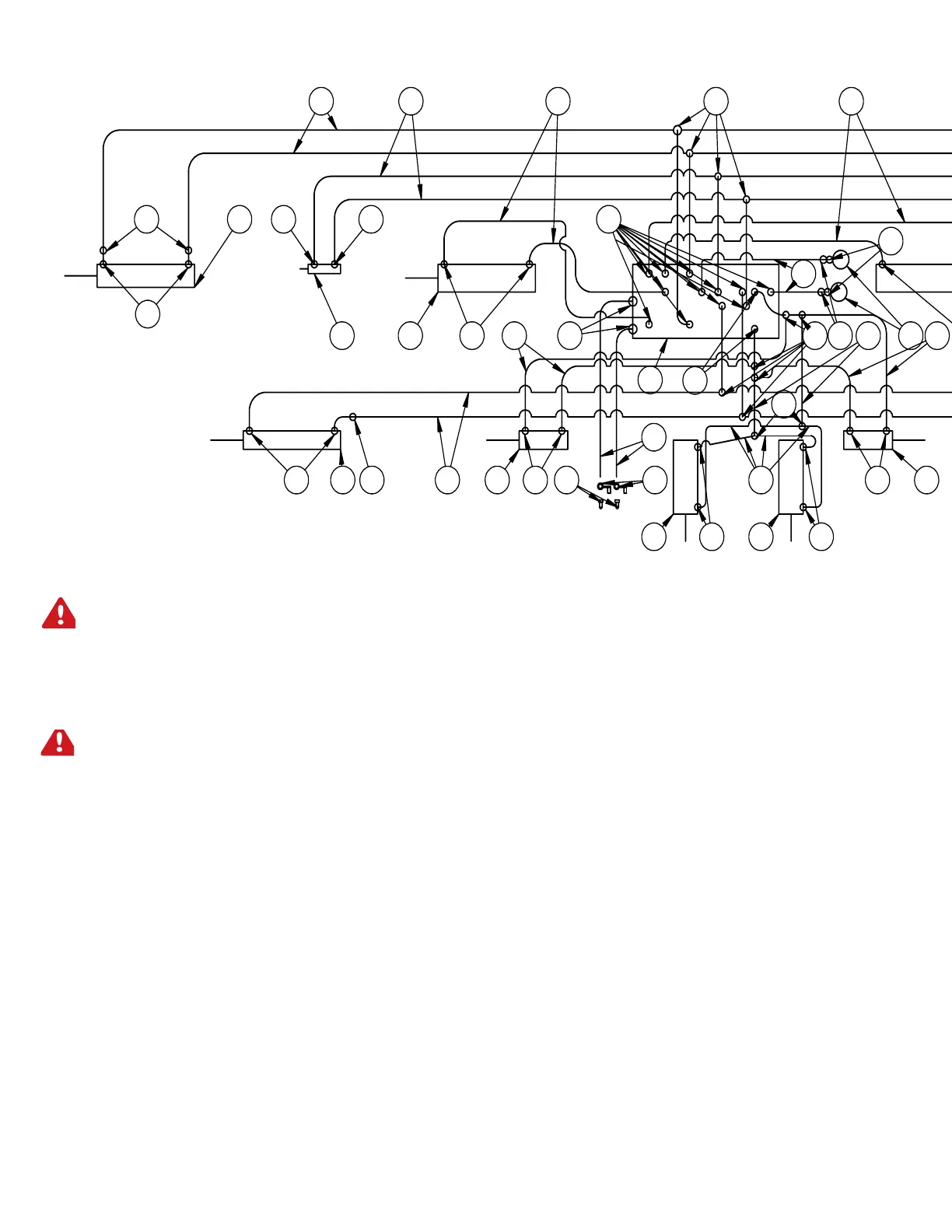
60’ TOOLBAR HYDRAULICS SCHEMATIC AND OPERATION
PORTS
SHOWN IN RED
1
P
T
2
4
3
5
6
G3
7
8
9
10
11
12
G4



 To Next Page