Listening to music
First check that the headphones and Bluetooth device are connected via
Bluetooth. (v p. 11)
Playback operations can be performed from both the Bluetooth device and
headphones. Here we will explain the operations using the control buttons
on the headphones.
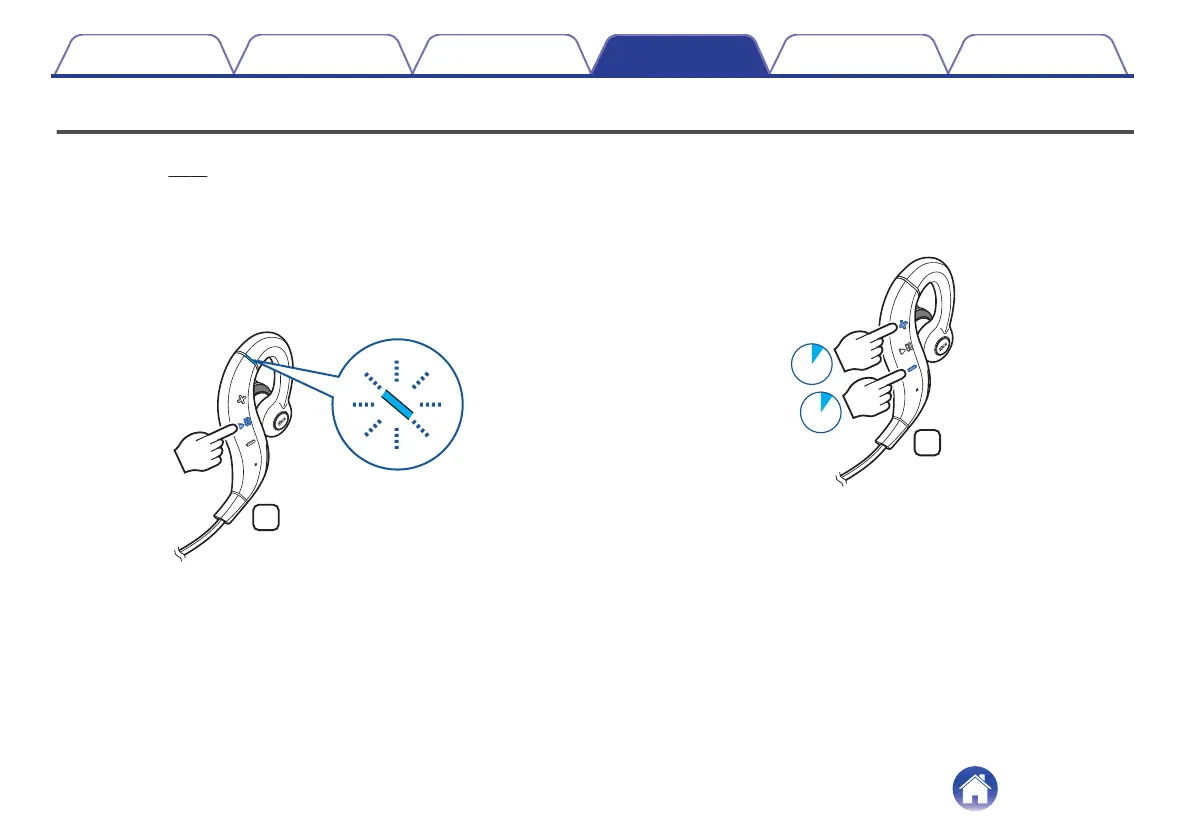
Playback/pause
Press the control button once.
0
The status indicator LED flashes blue during playback.
.
Select track
Next track: Press and hold the volume “+” button for approximately 1
second.
Previous track: Press and hold the volume “-” button for approximately
1 second.
.
Contents
Preparation Connections Operation
Troubleshooting
Appendix
Operation
15


 To Next Page
 Loading...