Connecting 7.1-channel speakers
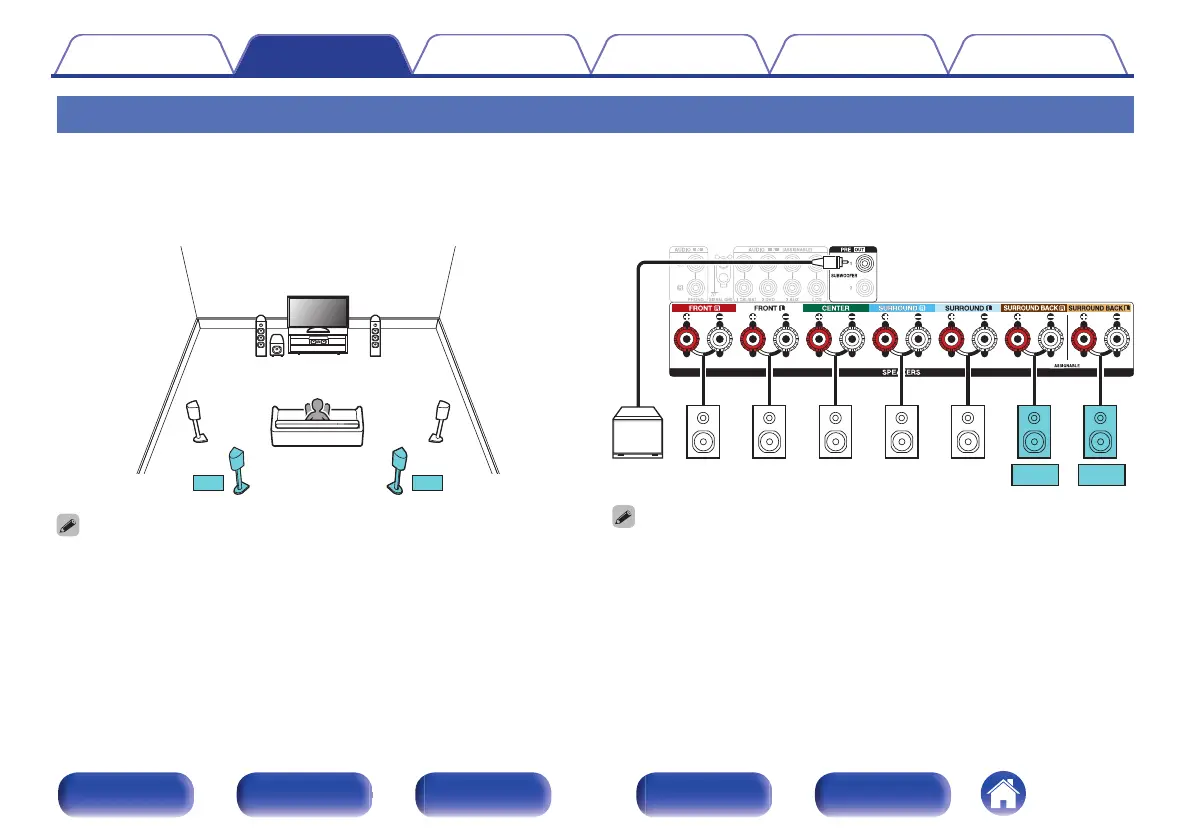
System for 7.1-channel surround playback.
o
Example connections when using surround back speakers
This 7.1-channel surround system is the same as a basic 5.1-channel system but with surround back speakers.
.
0
Set “Assign Mode” to “Surround Back” in the menu. (v p. 190)
.
0
When using a single surround back speaker, connect it to the SURROUND BACK
L terminal.
Contents Connections Playback Settings Tips Appendix
43
Front panel Display Rear panel Remote Index


 To Next Page
 Loading...