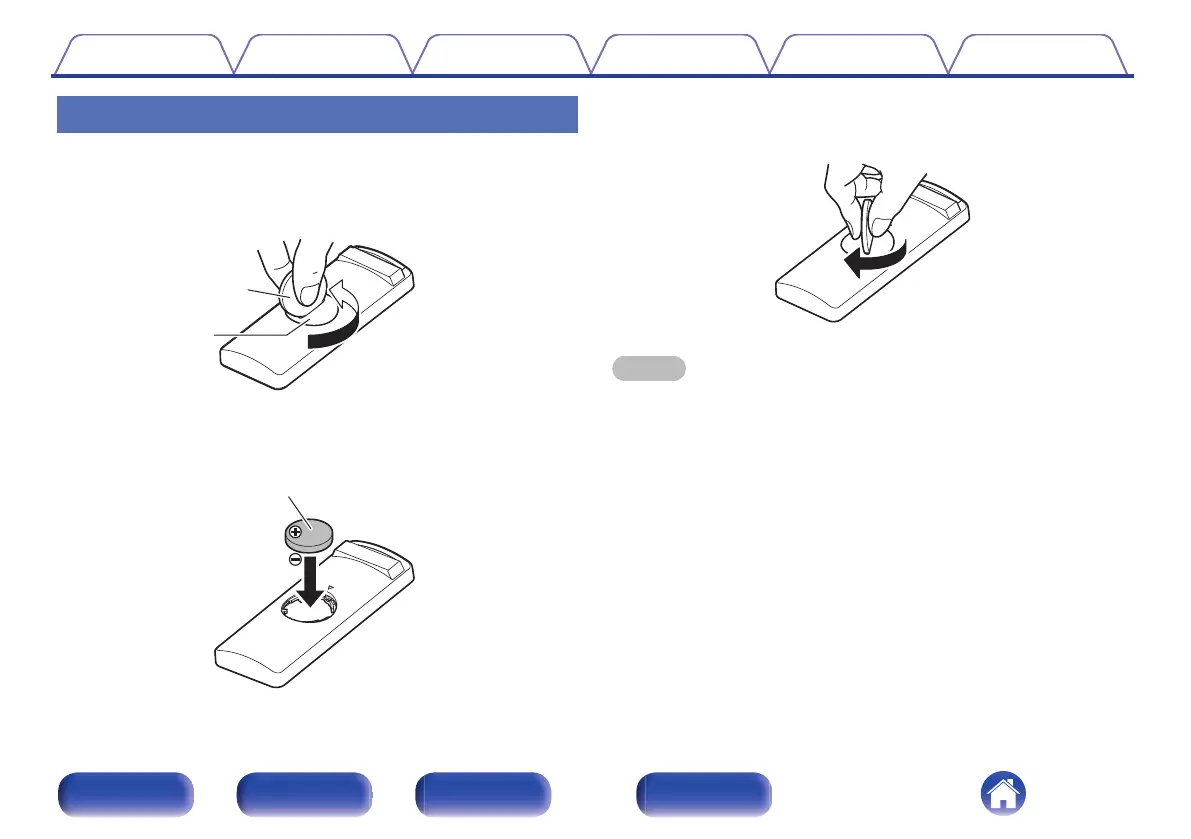
Inserting the batteries
1
Insert a coin or other item into the slot on the battery
cover, turn counterclockwise, and remove the battery
cover.
.
2
Confirm that the direction of the battery is correct and
then insert the battery.
.
3
While pressing down on the battery cover from above,
turn the coin or other item clockwise.
.
NOTE
0
If the battery should have a leakage, immediately replace and dispose of the
battery. In this case, there is a risk of burn when the liquid comes in contact with
skins or clothes, so a great care should be taken. If the liquid accidentally comes in
contact, wash with tap water and consult a doctor.
0
Remove the batteries from the remote control unit if it will not be in use for long
periods.
Contents Connections Operations Troubleshooting Appendix Specifications
5
Front panel Rear panel Side panel Remote


 To Next Page