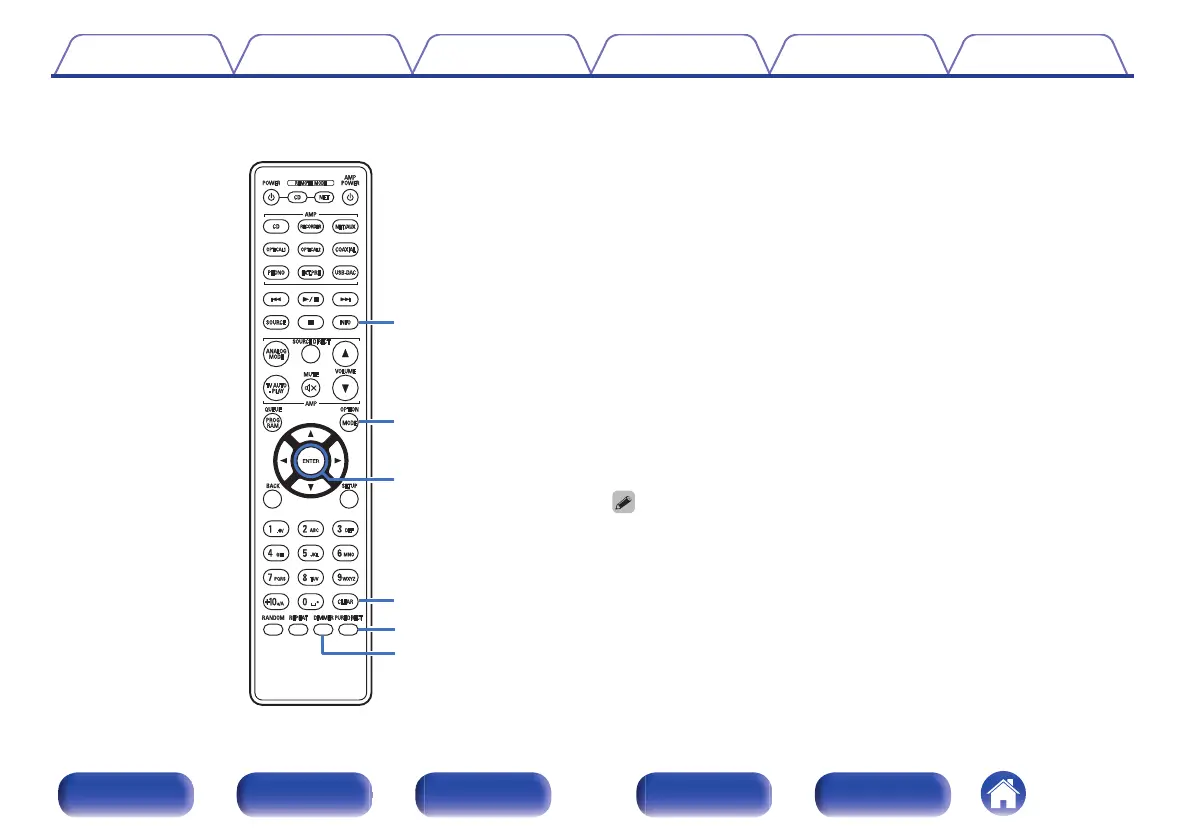
J
Information button (INFO)
This switches the track information shown in the display during
playback.
K
MODE button
0
This switches the playback mode. (v p. 31)
0
This switches the playback layer of a Super Audio CD.
0
“Setting the top priority playback layer for Super Audio
CDs” (v p. 24)
0
“Playing CDs/Super Audio CDs” (v p. 25)
L
ENTER button
This determines the selection.
M
CLEAR button
This clears the program registration. (v p. 28)
N
PURE DIRECT button
This switches the pure direct mode. (v p. 23)
O
DIMMER button
This switches the brightness of the display. (v p. 23)
0
You cannot use the SOURCE, BACK and SETUP buttons for the operation of this
unit.
Contents Connections Playback Settings Tips Appendix
12
Front panel Display Rear panel Remote Index



 To Next Page