EasyManua.ls Logo

Denon DCD-3300 - Page 10

Denon DCD-3300
45 pages
Print Icon
To Next Page IconTo Next Page
To Previous Page IconTo Previous Page
Loading...
Sonn
e
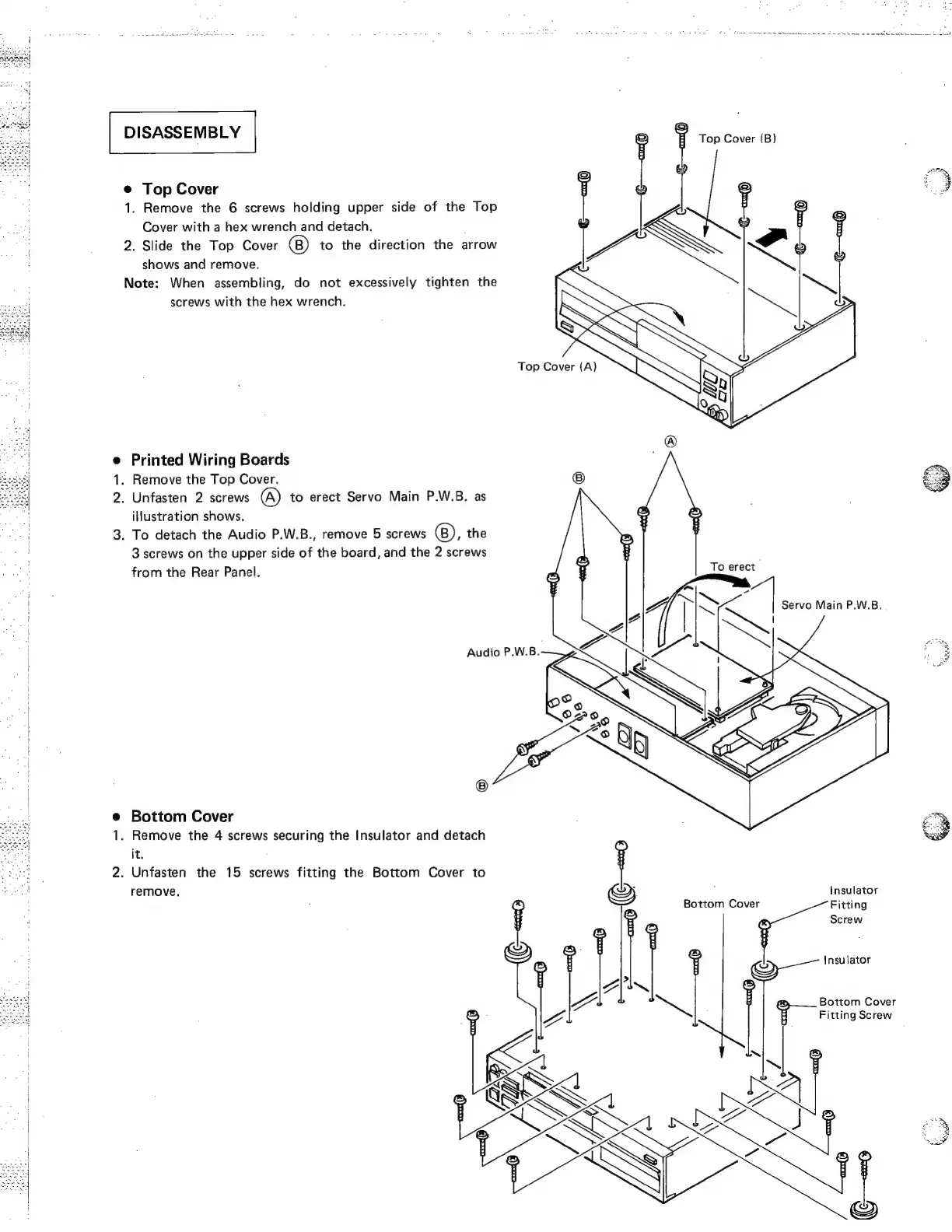
Top
Cover
;
if
1.
Remove
the
6
screws
holding
upper
side
of
the
Top
v<
¥
y
Cover
with
a
hex
wrench
and
detach.
2.
Slide
the
Top
Cover
to
the
direction
the
arrow
y
shows
and
remove.
Note:
When
assembling,
do
not
excessively
tighten
the
screws
with
the
hex
wrench.
0)
e
Printed
Wiring
Boards
.
Remove
the
Top
Cover.
2.
Unfasten
2
screws
A)
to
erect
Servo
Main
P.W.B.
as
illustration
shows.
3.
To
detach
the
Audio
P.W.B.,
remove
5
screws
(B),
the
3
screws
on
the
upper
side
of
the
board,
and
the
2
screws
from
the
Rear
Panel.
=
To
erect
A
i
Rs
7
Servo
Main
P.W.B.
.
Audio
P.W.B.
e
Bottom
Cover
1.
Remove
the
4
screws
securing
the
Insulator
and
detach
it.
2.
Unfasten
the
15
screws
fitting
the
Bottom
Cover
to
i
remove,
>)
:
Insulator
Bottom
Cover
Fitting
Screw
Insulator
Bottom
Cover
Fitting
Screw

Related product manuals