6
Setup
Important: Connect all cables securely and properly (with stereo cables: left with left, right with right), and
do not bundle them with the power cable.
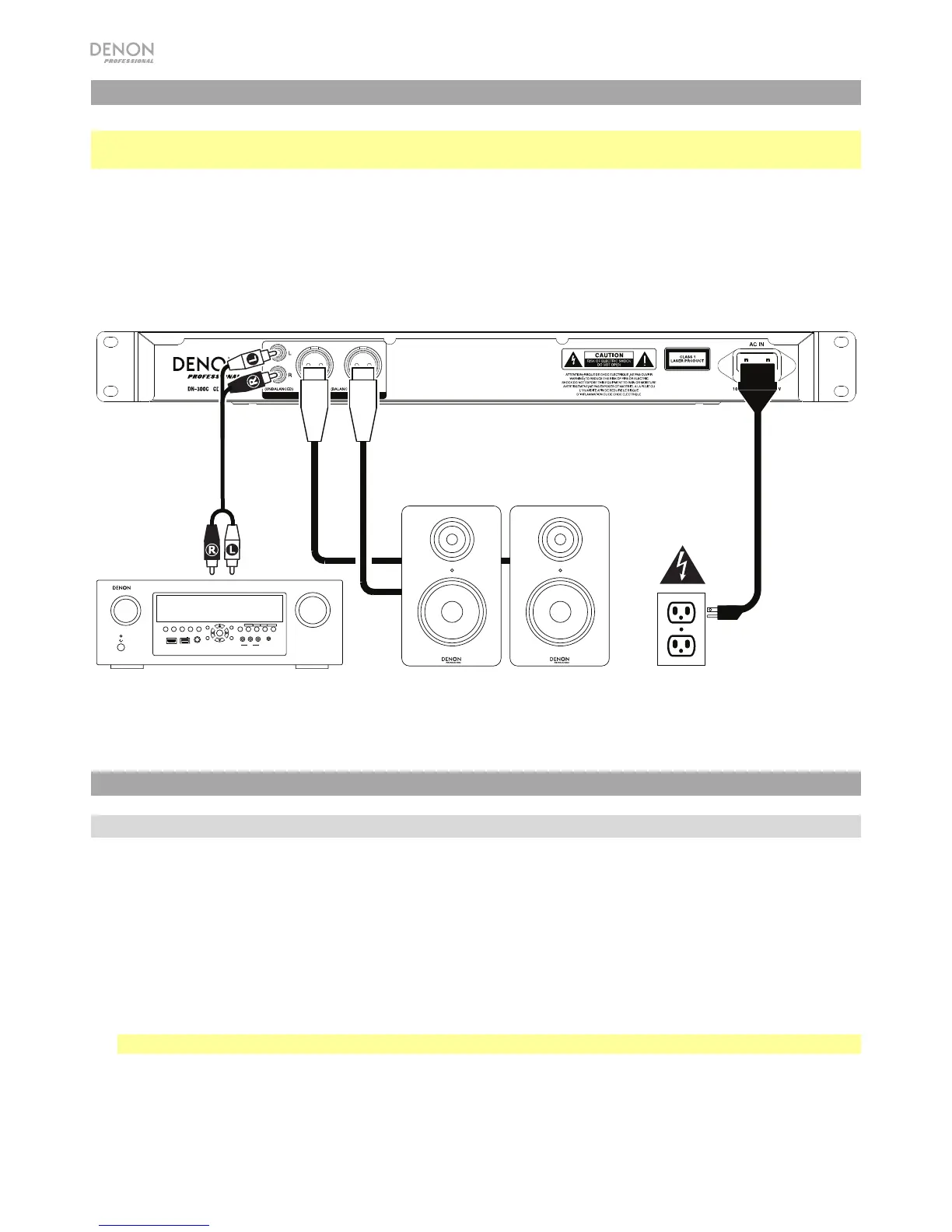
1. Use XLR cables or a stereo RCA cable to connect the Outputs (balanced or unbalanced) to the
analog inputs of your external receiver, amp, powered monitors, etc.
2. After completing all the connections, use the included power cable to connect the AC In to a power
outlet.
Example:
ZONE 2
SOURCE
ZONE 3 ZONE 3
SOURCE STATUS DIMMER
VIDEO
AUX 1
SETUP MIC
INTEGRATED NETWORK AV RECEIVER
SSEERI
AVR-X4000
IN-Command
L - AUDIO - R
1 CBL/SAT 3 GAME 4 NETWORK
QUICK SELECT
2 Blu-ray
PHONES BACK
ENTER
INFO
SETUP
ZONE 2
SOURCE SELECT
MASTER VOLUME
ON/OFF
AUX 1
HDMI 7 5V/1A
ON/OFF
OPTION
Operation
Selecting the Media Playback Mode
To select what kind of media you want to play:
1. When the unit is stopped or paused, press the CD/USB/Aux Button.
2. To cycle through the available options, turn the Jog Dial or press the CD/USB/Aux Button.
• CD: audio CD or CD with audio files (CDR) (see Playing Audio CDs and Playing Audio Files)
• USB: USB device (mass storage class) (see Playing Audio Files)
• Aux: device connected to Aux In (see Playing Audio from an External Device)
Important: The DN-300C will remember this setting even if you power off the unit.
Receiver, amp, etc. Power Powered Monitors



 To Next Page