EasyManua.ls Logo

Denon DN-951FA - Page 12

Denon DN-951FA
92 pages
Print Icon
To Next Page IconTo Next Page
To Previous Page IconTo Previous Page
Loading...
ok
22
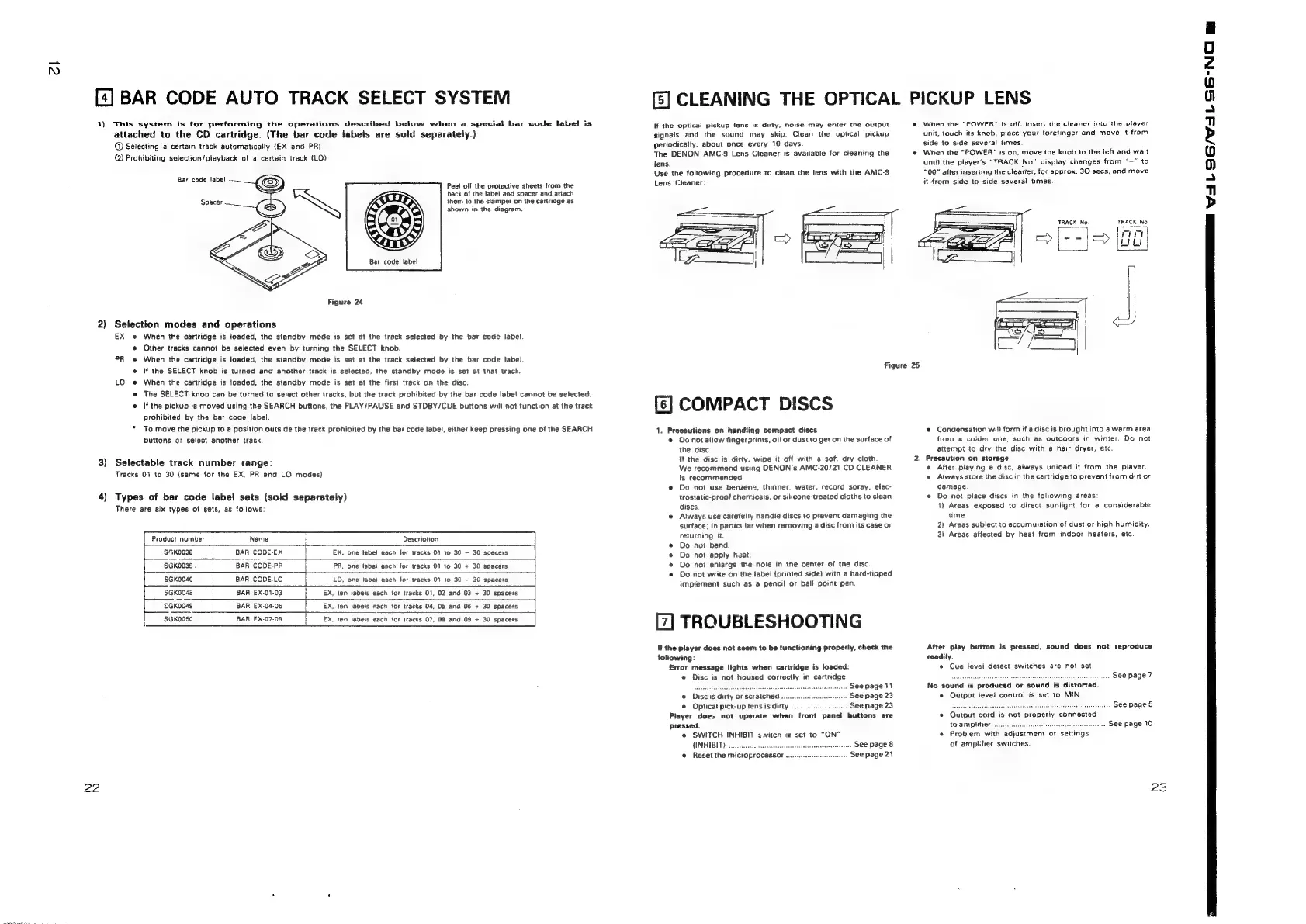
[4]
BAR
CODE
AUTO
TRACK
SELECT
SYSTEM
1)
This
system
is
for
performing
the
operations
described
below
when
a
special
bar
code
label
is
attached
to
the
CD
cartridge.
(The
bar
code
labels
are
sold
separately.)
@
Selecting
a
certain
track
automatically
(EX
and
PR}
@
Prohibiting
selection/playback
of
a
certain
track
(LO)
Bar
code
label
Spacer
Figure
24
2)
Selection
modes
and
operations
Bar
code
label
Peel
off
the
protective
sheets
from
the
back
of
the
label
and
spacer
and
attach
them
to
the
clamper
on
the
cartridge
as
shown
in
the
diagram.
EX
»
When
the
cartridge
is
loaded,
the
standby
mode
is
set
at
the
track
selected
by
the
bar
code
label
The
SELECT
knob
can
be
turned
to
select
other
tracks,
but
the
track
prohibited
by
the bar
code
labe!
cannot
be
selected.
@
Other
tracks
cannot
be
selected
even
by
turning
the
SELECT
knob.
PR
«
When
the
cartridge
is
loaded,
the
standby
mode
is
set
at
the
track
selected
by
the
bar
code
label.
e@
(f
the
SELECT
knob
is
turned
and
another
track
is
selected,
the
standby
mode
is
set
at
that
track.
LO
«
When
the
cartridge
is
loaded,
the
standby
mode
is
set
at
the
first
track
on
the
disc.
°
J
prohibited
by
the
bar
code
label.
buttons
o:
select
another
track.
3)
Selectable
track
number
range:
Tracks
01
to
30
(same
for
the
EX,
PR
and
LO
modes}
4)
Types
of
bar
code
label
sets
(sold
separately)
There
are
six
types
of
sets, as
follows:
(f
the
pickup
is
moved
using
the
SEARCH
buttons,
the
PLAY/PAUSE
and
STDBY/CUE
buttons
will
not
function
at
the
track
To
move
the
pickup
to
a
position
outside
the
track
prohibited
by
the
bar
code
label,
either
keep
pressing
one
of
the
SEARCH
Product
number
I
Name
i
srvoees
BAR
CODE-EX
|
EX,
one
label
each
for
tracks
01
to
30
-
30
spacers
‘|
$GK0039
,
:
BAR
CODE-PR
i
PR,
one
tabel
each
for
tracks
01
to
30
+
30
spacers
SGK0040
BAR
CODE-LO
L
LO,
one
labet
each
for
tracks
0)
to
30
-
30
spacers
$GKo04s
BAR
EX-01-03
|
EX,
ten
labels
each
for
tracks
01,
02
and
03
+
30
spacers
£GKoo4e
i
BAR
EX-04-06
fr
EX,
ten
labels
each
for
tracks
04,
05
and
06
+
30
spacers
|
SGKOO5O
1
BAR
EX-07-09
i
EX,
ten
labels
each
for
tracks
07,
08
and
09
+
30
spacers
[5]
CLEANING
THE
OPTICAL
If
the
opticai
pickup
lens
is
diny,
noise
may
enter
the
output
signals
and
the
sound
may
skip.
Clean
the
optical
pickup
periodically.
about
once
every
10
days.
The
DENON
AMC-S
Lens
Cleaner
is
available
for
cleaning
the
fens.
Use
the
following
procedure
to
clean
the
lens
with
the
AMC-9
Lens
Cleaner:
PICKUP
LENS
*
When
the
“POWER”
is
off,
insert
the
cleaner
into
the
player
unit,
touch
its
knob,
piace
your
forefinger
and
move
it
from
side
to
side
several
times.
*#
When
the
"POWER"
#s
on,
move
the
knob
to
the
left
and
wait
until
the
player's
“TRACK
No”
display
changes
from
"~"
to
“00”
after
inserting
the
clearer,
for
approx.
30
secs,
and
move
it
4rom
side
to
side
several
times.
TRACK
No.
TRACK
No.
if
1
ryt
=>
(LOLI
Figure
25
[6]
COMPACT
DISCS
1.
Precautions
on
handling
compact
discs
e
Do
not
allow
fingerprints,
oii
or
dust
to
get
on
the
surtace
of
the
disc
If
the
disc
is
dirty.
wipe
it
off
with
a
soft
dry
cloth
We
recommend
using
DENON's
AMC-20/21
CD
CLEANER
is
recommenced.
@
Do
not
use
benzene,
thinner,
water,
record
spray,
elec-
trostatic-proof
chemicals,
or
silicone-treated
cloths
to
clean
discs
e
Atways
use
carefully
handle
discs
to
prevent
damaging
the
surface;
in
partici.lar
when
removing
a
disc
from
its
case
or
returning
it.
Do
not
bend.
Do
not
apply
heat.
Do
not
enlarge
the
hole
in
the
center
of
the
disc.
Do
not
write
on
the
iabel
(printed
side)
with
a
hard-tipped
imptement
such
as
a
pencil
or
bali
point
pen
TROUBLESHOOTING
If
the
player
does
not
seem
to
be
functioning
properly,
check
the
foliowing:
Error
message
lights
when
cartridge
is
loaded:
«
Disc
is
not
housed
correctly
in
cartridge
SeSvauadraapetencesotaneavvelccealak
...
See
page
14
s
Disc
ts
dirty
or
scratched
...
.
See
page
23
e
Opticat
pick-up
tens
is
dirty
.
See
page
23
Piayer
doe>
not
operate
when
front
panei
buttons
are
pressed.
@
SWITCH
INHIBIT
<
witch
is
set
to
“ON”
{INHIBIT}
ra
castes
See
page
8
@
Reset
the
microprocessor
.
See
page
21
e
Concensation
will
form
if
a
disc
is
brought
into
a
warm
area
from
a
colder
one,
such
as
outdoors
in
winter.
Do
not
attempt
to
dry
the
disc
with
a
hair
dryer,
etc.
2.
Precaution
on
storage
@
After
playing
a
disc,
always
unioad
it
from
the
player.
©
Always
store
the
disc
in
the
cartridge
to
prevent
from
dirt
or
damage
e
Do
not
piace
discs
in
the
following
areas:
1)
Areas
exposed
to
direct
sunlight
for
a
considerable
time
2)
Areas
subject
to
accumulation
of
dust
or
high
humidity.
3)
Areas
affected
by
heat
from
indoor
heaters,
etc.
After
play
button
is
pressed,
sound
does
not
reproduce
readily.
e
Cue
level
detect
switches
are
not
set
sess
sveeueesecetssesnasacoes
feceetitieenecee
8
page
7
No
sound
is
produced
or
sound
is
distorted.
¢
Output
level
control
is
set
to
MIN
i.
shanties
SC
Page
5
e
Output
cord
is
not
properly
connected
to
amplifier
...
sald
agita
..
See
page
10
¢
Problem
with
adjustment
or
settings
of
amplifier
switches.
23
en
iA
96/741-SS'NO
mm

Related product manuals