EasyManua.ls Logo

Denon DN-T625 - User Manual

Denon DN-T625
38 pages
Print Icon
To Next Page IconTo Next Page
Loading...
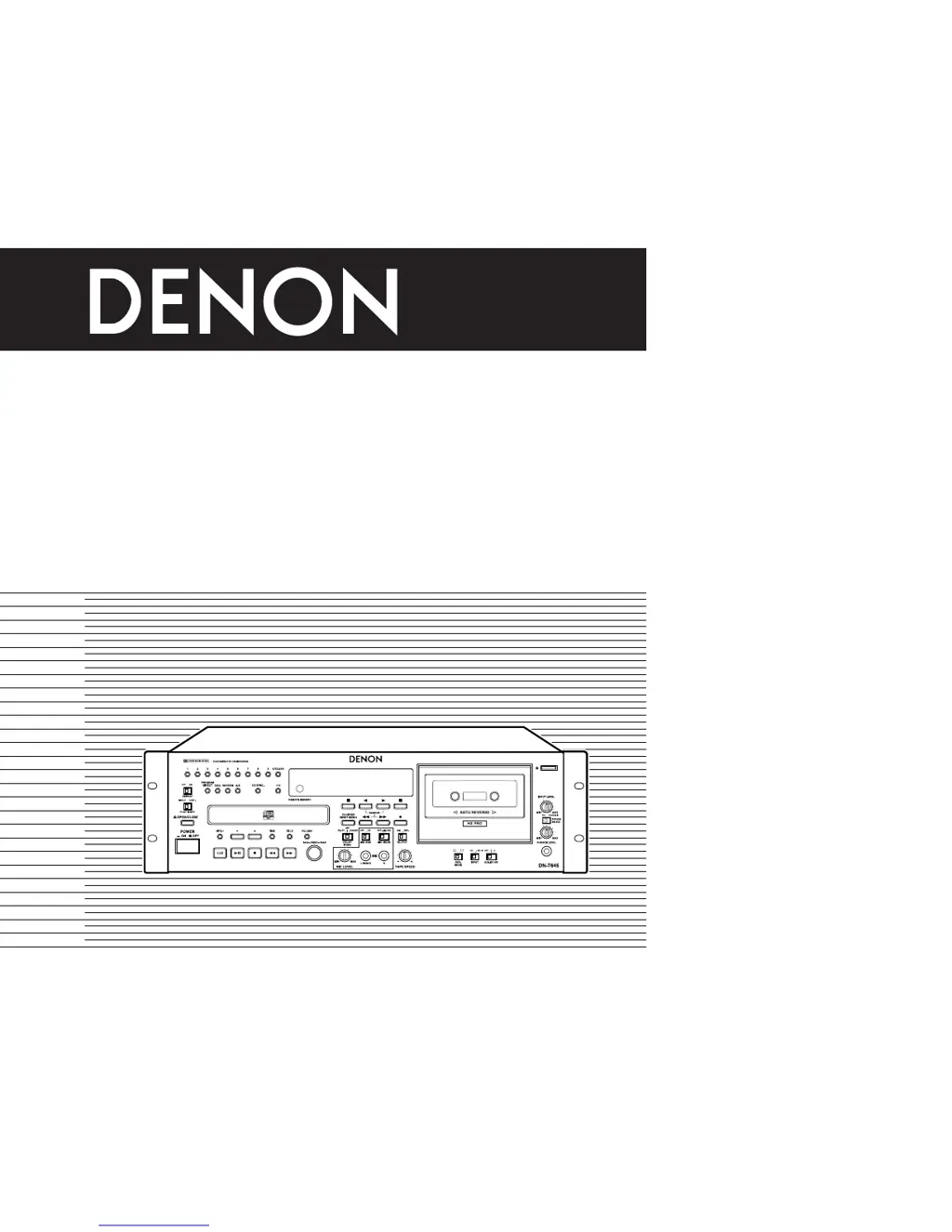
CD/CASSETTE COMBI-DECK
DN-T645/625
OPERATING INSTRUCTIONS
INSTRUCCIONES DE OPERACION
FOR ENGLISH READERS PAGE 3~PAGE 20
PARA LECTORES DE ESPAÑOL PAGINA 3, 4, 21~PAGINA 37
The left illustration shows the DN-T645 model.
• La ilustración de la derecha muestra el modelo DN-T645.

Other manuals for Denon DN-T625

Questions and Answers

  • A
    Alexander CraigAug 14, 2025
    Why is there no sound or distorted sound from my Denon Cassette Player?
    • M
      Michael UnderwoodAug 15, 2025
      If there is no sound or the sound is distorted on your Denon Cassette Player, check that the output cord is properly connected. Also, make sure that the amplifier is adjusted correctly.
  • H
    hollybaileyAug 17, 2025
    What to do if the sound is warbled or distorted on my Denon DN-T625?
    • A
      Amy RamirezAug 18, 2025
      If the sound from your Denon Cassette Player is warbled or distorted, it could be due to several reasons. The heads, capstan, or pinch roller might be dirty and need cleaning. Alternatively, the tape could be wound too tight, in which case you should fast forward or rewind it to loosen the winding. Also, check if the recording input level is too high and adjust it accordingly. Finally, the tape may be worn out and have dropouts, requiring a replacement.
  • S
    Sara SmithAug 21, 2025
    Why is there excessive noise coming from my Denon DN-T625?
    • C
      Caitlin NashAug 21, 2025
      Excessive noise from your Denon Cassette Player can be caused by several factors. The tape may be worn and need replacement. The heads, capstan, or pinch roller could be dirty, requiring cleaning. The heads might be magnetized, in which case they should be demagnetized. Additionally, the recording input level might be too low, so try adjusting it.
  • T
    Teresa JohnsonAug 25, 2025
    What to do if the tape does not run on my Denon DN-T625 Cassette Player?
    • C
      cburnsAug 25, 2025
      If the tape does not run in your Denon Cassette Player, first check if the power cord is disconnected and ensure it's properly connected. Also, check if the tape is loose and tighten it with a pencil or similar object. Make sure the cassette is loaded properly. Finally, the cassette itself may be defective, and you might need to replace it.
  • L
    Linda ThomasAug 28, 2025
    Why is my Denon Cassette Player not recording when I press the record button?
    • B
      Brett Stewart PhDAug 28, 2025
      If the tape is not recording when you press the record/record mute button on your Denon Cassette Player, make sure a cassette is loaded. Also, check if the erase prevention tabs are broken off; if they are, cover the holes with adhesive tape.
  • C
    carrilloricardoAug 31, 2025
    Why is the treble lost on my Denon DN-T625 Cassette Player?
    • S
      Shawn GoodmanAug 31, 2025
      If the high frequency range (treble) is lost on your Denon Cassette Player, the heads might be dirty, so clean them. Alternatively, the tape could be worn, and you should replace it.
  • R
    Ronnie FosterSep 4, 2025
    Why is the treble emphasized on my Denon Cassette Player?
    • S
      Stephen TurnerSep 4, 2025
      If the high frequency range (treble) is emphasized on your Denon Cassette Player, the DOLBY NR switch is set improperly. Set the DOLBY NR switch properly.
  • H
    Heidi SteinSep 7, 2025
    Why is programmed playback not working on my Denon DN-T625 Cassette Player?
    • K
      Kelsey ObrienSep 7, 2025
      If programmed playback does not work on your Denon Cassette Player, it means the programmed playback operation has been performed improperly. Restart programmed playback.
  • V
    vickihaleSep 10, 2025
    What to do if the cassette tape cannot be removed from my Denon Cassette Player?
    • P
      Paul Ramos DVMSep 10, 2025
      To remove the cassette tape from your Denon Cassette Player, turn the power operation switch ON again, and then press the stop button. Now, press the eject button to remove the cassette tape.

Summary

Safety and Warning Information

General Safety Precautions

Covers fire/shock hazards, cord handling, ventilation, water, and general operational safety.

Product Safety Instructions

Details operational safety, attachments, user servicing, and electrical hazard warnings.

Detailed Operation Controls

Microphone and Tape Deck Controls

Explains microphone inputs, tape speed, reverse modes, Dolby NR, and output selection.

Playback and Recording Functions

Covers playback/recording buttons, display indicators, and music search functions.

CD Playback Modes and Functions

Standard CD Playback

Covers starting, pausing, stopping, and returning to playback start points.

Advanced CD Playback Techniques

Details track search, random play, and repeat playback functions.

MP3 Playback and Media Care

MP3 File Management and Playback

Cassette Deck Playback and Recording

Cassette Playback Operations

Explains playback controls, Dolby NR settings, and the music search system.

Cassette Recording Procedures

Details recording setup, input selection, recording levels, and Dolby NR.

Advanced Recording and Playback Features

Noise Reduction, Maintenance, and Power Management

Dolby Noise Reduction and HX PRO

Explains the function and benefits of Dolby B/C NR and Dolby HX PRO systems.

Routine Device Maintenance

Covers cleaning heads, pinch rollers, capstans, and demagnetizing heads.

Customizing Device Settings: Presets

Troubleshooting and Technical Data

Resolving Common Device Issues

Lists common problems, their causes, and recommended solutions.

Comprehensive Technical Specifications

Details all technical parameters, including audio, deck, and general specifications.

Denon DN-T625 Specifications

General IconGeneral
BrandDenon
ModelDN-T625
CategoryCassette Player
LanguageEnglish

Related product manuals