EasyManua.ls Logo

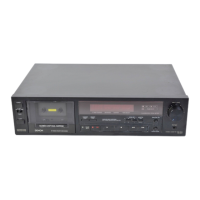
Denon DR-M22 - Disassembly Instructions

Denon DR-M22
31 pages
Print Icon
To Next Page IconTo Next Page
To Previous Page IconTo Previous Page
Loading...
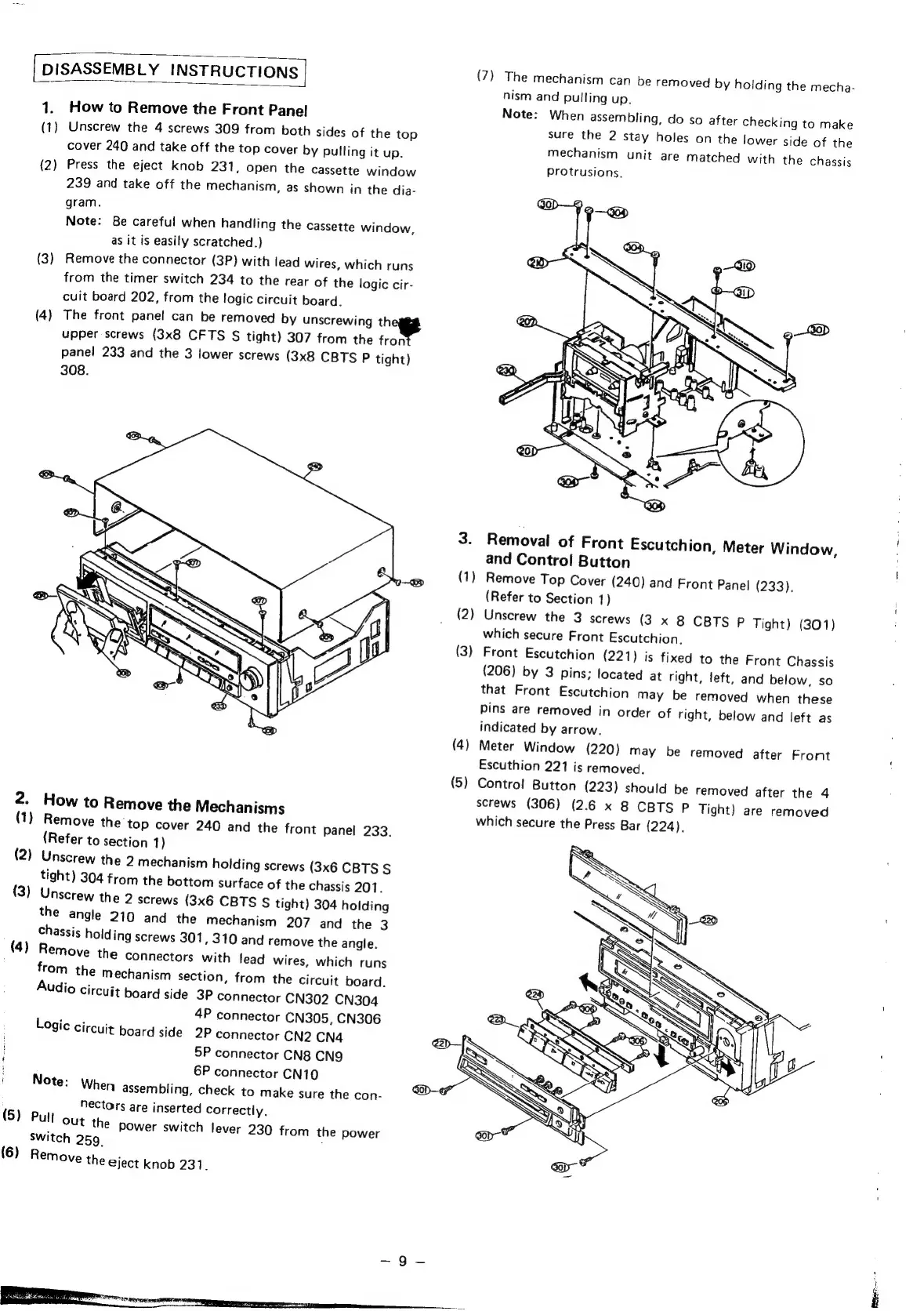
DISASSEMBLY
INSTRUCTIONS
|
(7)
The
mechanism
can
be
removed
by
holding
the
mecha-
nism
and
pulling
up.
1.
How
to
Remove
the
Front
Panel
Note:
When
assembling,
do
so
after
checking
to
make
(1)
Unscrew
the
4
screws
309
from
both
sides
of
the
top
sure
nes
2
Stay
holes
on
the
lower
side
of
Hie
cover
240
and
take
off
the
top
cover
by
pulling
it
up.
mechanism
unit
are
matched
with
the
Chassis
(2)
Press
the
eject
knob
231,
open
the
cassette
window
239
and
take
off
the
mechanism,
as
shown
in
the
dia-
Protrusions,
gram.
Note:
Be
careful
when
handling
the
cassette
window,
as
it
is
easily
scratched.)
(3)
Remove
the
connector
(3P)
with
lead
wires,
which
runs
from
the
timer
switch
234
to
the
rear
of
the
logic
cir-
cuit
board
202,
from
the
logic
circuit
board.
(4)
The
front
panel
can
be
removed
by
unscrewing
th
upper
screws
(3x8
CFTS
§
tight)
307
from
the
fron
panel
233
and
the
3
lower
screws
(3x8
CBTS
P
tight)
308.
3.
Removal
of
Front
Escutchion,
Meter
Window,
and
Control
Button
|
(1)
Remove
Top
Cover
(240)
and
Front
Pane!
(233).
(Refer
to
Section
1)
i
(2)
Unscrew
the
3
screws
(3
x
8
CBTS
P
Tight)
(301)
which
secure
Front
Escutchion.
(3)
Front
Escutchion
(221)
is
fixed
to
the
Front
Chassis
(206)
by
3
pins;
located
at
right,
left,
and
below,
so
that
Front
Escutchion
may
be
removed
when
these
pins
are
removed
in
order
of
right,
below
and
left
as
indicated
by
arrow.
(4)
Meter
Window
(220)
may
be
removed
after
Front
Escuthion
221
is
removed.
(5)
Contre!
Button
(223)
should
be
removed
after
the
4
2
;
screws
(306)
(2.6
x
8
CBTS
P
Tight)
are
removed
-
How
to
Remove
the
Mechanisms
which
secure
the
Press
Bar
(224).
(1)
Remove
the
top
cover
240
and
the
front
panel
233.
(Refer
to
section
1
)
(2)
Unscrew
the
2
mechanism
holding
screws
(3x6
CBTS
§
tight)
304
from
the
bottom
surface
of
the
chassis
201.
(3)
Unscrew
the
2
screws
(3x6
CBTS
S
tight)
304
holding
the
angle
219
and
the
mechanism
207
and
the
3
Chassis
holding
screws
301
,
310
and
remove
the
angle.
(4)
Remove
the
connectors
with
lead
wires,
which
runs
from
the
mechanism
section,
from
the
circuit
board.
Audio
circuit
board
side
3P
connector
CN302
CN304
4P
connector
CN305,
CN306
Logic
Circuit
board
side
2P
connector
CN2
CN4
5P
connector
CN8
CNQ
6P
connector
CN10
Note:
When
assembling,
check
to
make
sure
the
con-
Nectors
are
inserted
Correctly.
(5)
Pull
Out
the
power
switch
lever
230
from
the
power
switch
259.
(6)
Remove
the
eject
knob
231.

Other manuals for Denon DR-M22

Related product manuals