4
Introduction
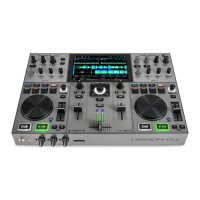
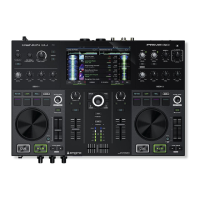
Thank you for purchasing the PRIME GO. At Denon DJ, we know how serious music is to you. That’s why we design our
equipment with only one thing in mind—to make your performance the best it can be. We’re honored and excited to
play a part in your musical & creative DJ journey!
Box Contents
PRIME GO
Power Adapter
USB Cable
Engine DJ Software Download Card
Display Cleaning Cloth
Quickstart Guide
Safety & Warranty Manual
Support
For the latest information about this product (documentation, technical specifications, system requirements,
compatibility information, etc.) and product registration, visit denondj.com.
For additional product support, visit denondj.com/support.
Product Registration
Your product may include exclusive software and/or promotions which can only be accessed by registering your new
product on the Denon DJ website.
To check eligibility and access the available content, please register your product by following the instructions below.
1. Visit denondj.com.
2. Click “Sign In” to access your existing account or to create a new account.
3. Once signed in, click “My Registered Products”.
4. Enter the product serial number into the box and click “Register Product”.
5. Upon successful registration, any applicable software downloads, exclusive content, and promotional offers will be
shown in your account.


 To Next Page