32
S-52/S-52DAB/S-32
4. Test mode (S-52)
4.1. Entering the test mode
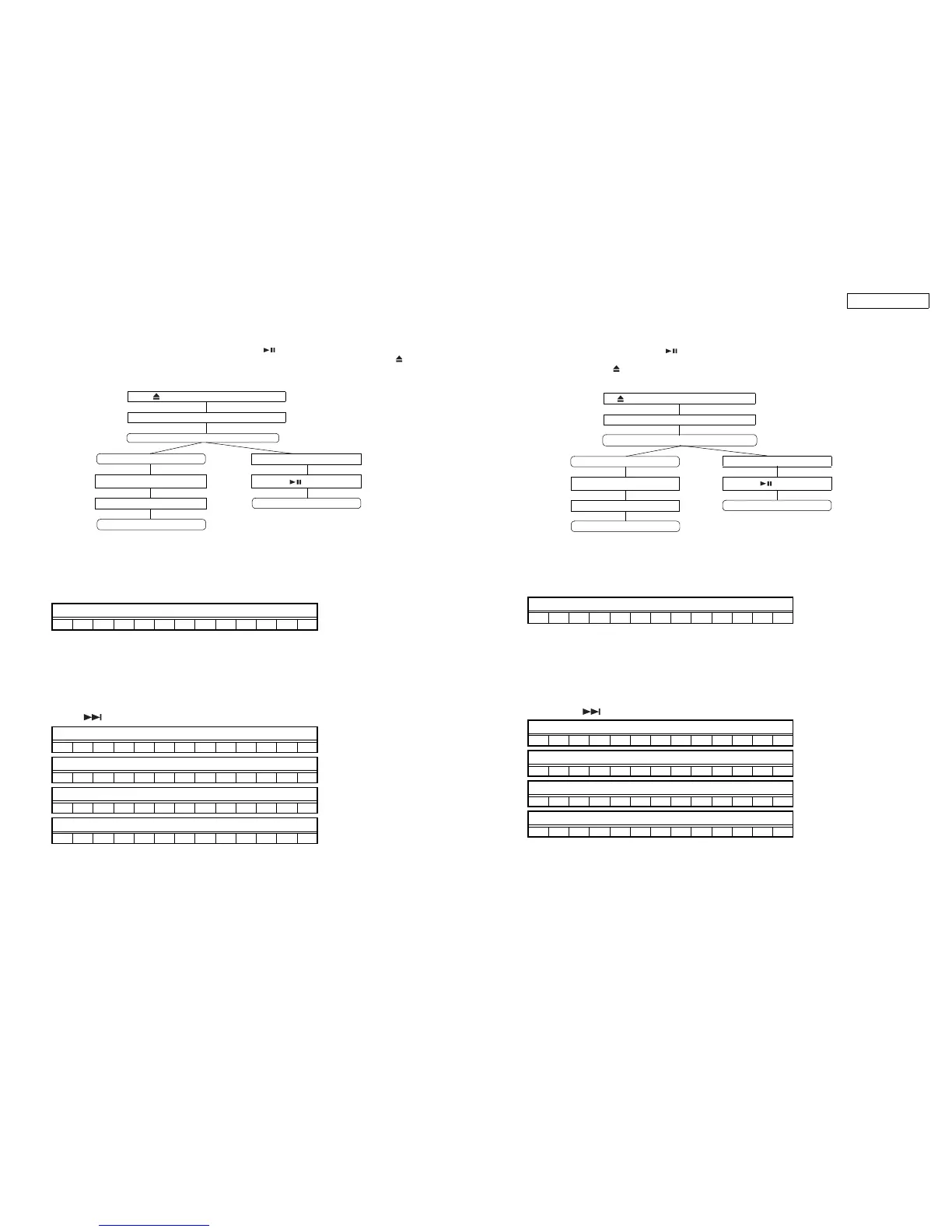
To set the test mode, press the RETURN button before pressing the button in the heat run mode.Not insert the disc.
(To set the heat run mode, connect the AC cord and press the FUNCTION ON/OFF button while pressing the and DIMMER
buttons simultaneously to turn on the set power. When the Heat run mode is set, the SOURCE LED and RETURN LED indicators
light.)
Display when test mode entered
4.2. Selecting the mode
The following modes are available.
(1) Laser on/off (CD) mode : T2
(2) Servo adjustment value display mode : T3
(3) Trace mode (error rate display) : T7
(4) Accumulated laser on time : TB
① When the button is pressed after entering the test mode, the display switches in the order: T2, T3, T7, TB, T2 …
Press and DIMMER buttons simultaneously
Power turns on
Heatrun mode
Test mode Set the disc
RETURN button
button
Set the disc Heatrun mode start
Test mode start
Display
TEST MODE
Display
T2 L a s e r O n O f f
Display
T3 S e r v o A d j
Display
T7 T r a c e M o d e
Display
TB L a s e r O n T i m
/
/
4. テストモード(S-52)
4.1. テストモードの設定
テストモードの設定はヒートランモード時に ボタンを押す前に RETURN ボタンを押すことでおこなう。ディスクは挿入して
いないこと。
( ヒートランモードの設定は ボタンと DIMMER ボタンを同時に押しながら、AC コードを接続し、FUNCTIONON/OFF ボタン
を押してセットの電源を入れる。ヒートランモードになると SOURCELED と RETURNLED が点灯する。)
テストモード設定時の表示
4.2. モードの選択
モードには、次のモードがある。
(1) レーザー ON/OFF(CD) モード : T2
(2) サーボ調整値表示モード : T3
(3) トレースモード ( エラーレート表示 ) : T7
(4) レーザー ON 累積時間 : TB
①テストモード中に ボタンを押すと、T2,T3,T7,TB,T2…の順に表示される。
ボタンと DIMMER ボタンの同時押し
電源 ON
ヒートランモード
テストモード ディスクを挿入する
RETURN ボタン
ボタン
ディスクを挿入する ヒートラン開始
テストモード開始
表示
TEST MODE
表示
T2 L a s e r O n O f f
表示
T3 S e r v o A d j
表示
T7 T r a c e M o d e
表示
TB L a s e r O n T i m
/
/



 To Next Page