EasyManua.ls Logo

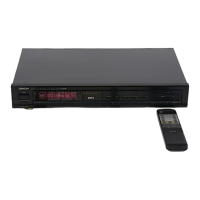
Denon TU-460 - Front Panel Controls; Panel Controls Identification and Function

Denon TU-460
24 pages
Print Icon
To Next Page IconTo Next Page
To Previous Page IconTo Previous Page
Loading...
ENGLISH
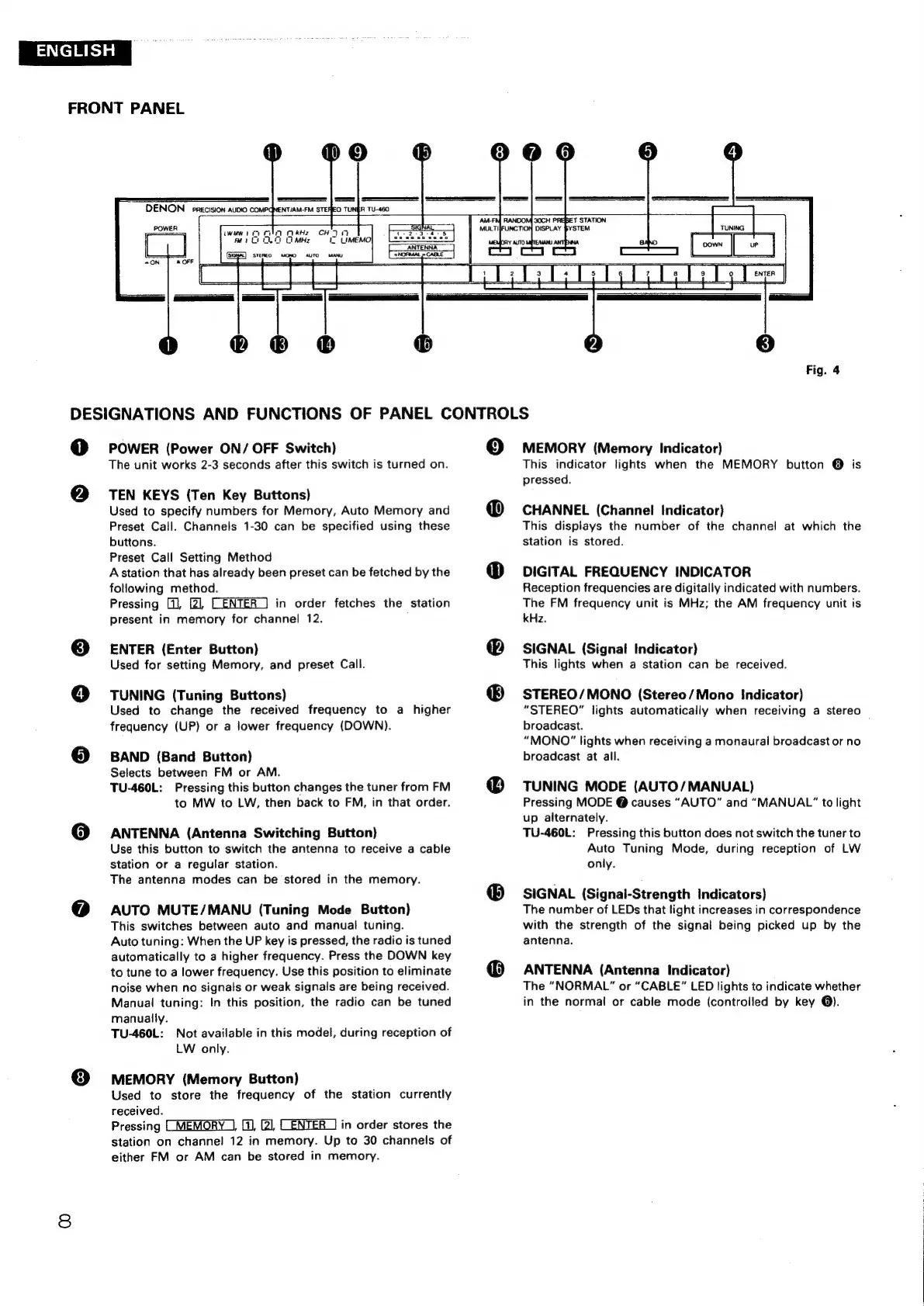
FRONT
PANEL
iwawid
ol
OkHz
CHI
iy
Cl)
0.
0
MHz
&
UMEMO|
30CH
T
STATION
DISPLAY
SYSTEM
Fig.
4
DESIGNATIONS
AND
FUNCTIONS
OF
PANEL
CONTROLS
0
@
POWER
(Power
ON/
OFF
Switch)
The
unit
works
2-3
seconds
after
this
switch
is
turned
on.
TEN
KEYS
(Ten
Key
Buttons)
Used
to
specify
numbers
for
Memory,
Auto
Memory
and
Preset
Call.
Channels
1-30
can
be
specified
using
these
buttons.
Preset
Call
Setting
Method
A
station
that
has
already
been
preset
can
be
fetched
by
the
following
method.
Pressing
[,
21,
CENTER
]
in
order
fetches
the
station
present
in
memory
for
channel
12.
ENTER
(Enter
Button)
Used
for
setting
Memory,
and
preset
Call.
TUNING
(Tuning
Buttons)
Used
to
change
the
received
frequency
to
a
higher
frequency
(UP)
or
a
lower
frequency
(DOWN).
BAND
(Band
Button)
Selects
between
FM
or
AM.
TU-460L:
Pressing
this
button
changes
the
tuner
from
FM
to
MW
to
LW,
then
back
to
FM,
in
that
order.
ANTENNA
(Antenna
Switching
Button)
Use
this
button
to
switch
the
antenna
to
receive
a
cable
station
or
a
regular
station.
The
antenna
modes
can
be
stored
in
the
memory.
AUTO
MUTE/MANU
(Tuning
Mode
Button)
This
switches
between
auto
and
manual
tuning.
Auto
tuning:
When
the
UP
key
is
pressed,
the
radio
is
tuned
automatically
to
a
higher
frequency.
Press
the
DOWN
key
to
tune
to
a
lower
frequency.
Use
this
position
to
eliminate
noise
when
no
signals
or
weak
signals
are
being
received.
Manual
tuning:
In
this
position,
the
radio
can
be
tuned
manually.
TU-460L:
Not
available
in
this
model,
during
reception
of
LW
only.
MEMORY
(Memory
Button)
Used
to
store
the
frequency
of
the
station
currently
received.
Pressing
(MEMORY_],
(0,
[2
CENTER
1]
in
order
stores
the
station
on
channel
12
in
memory.
Up
to
30
channels
of
either
FM
or
AM
can
be
stored
in
memory.
19)
©
MEMORY
(Memory
Indicator)
This
indicator
lights
when
the
MEMORY
button
@
is
pressed.
CHANNEL
(Channel
Indicator)
This
displays
the
number
of
the
channel
at
which
the
station
is
stored.
DIGITAL
FREQUENCY
INDICATOR
Reception
frequencies
are
digitally
indicated
with
numbers.
The
FM
frequency
unit
is
MHz;
the
AM
frequency
unit
is
kHz.
SIGNAL
(Signal
Indicator)
This
lights
when
a
station
can
be
received.
STEREO/MONO
(Stereo/Mono
indicator)
“STEREO”
lights
automatically
when
receiving
a
stereo
broadcast.
“MONO”
lights
when
receiving
a
monaural
broadcast
or
no
broadcast
at
all.
TUNING
MODE
(AUTO/MANUAL)
Pressing
MODE
@
causes
“AUTO”
and
“MANUAL”
to
light
up
alternately.
TU-460L:
Pressing
this
button
does
not
switch
the
tuner
to
Auto
Tuning
Mode,
during
reception
of
LW
only.
SIGNAL
(Signal-Strength
Indicators)
The
number
of
LEDs
that
light
increases
in
correspondence
with
the
strength
of
the
signal
being
picked
up
by
the
antenna.
ANTENNA
(Antenna
Indicator)
The
“NORMAL”
or
“CABLE”
LED
lights
to
indicate
whether
in
the
normal
or
cable
mode
(controlled
by
key
@).

Related product manuals