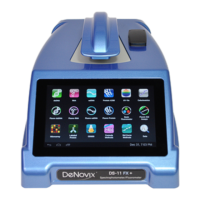
Applications are launched using Home Screen icons.
Swipe the Home page to the left for additional icons.
The bottom bar Back button is generally used to
navigate to the main level of the current app. If
accessed from the main level of an app, the button will
bring up an Exit app dialog box.
The bottom bar Home button is used to navigate to
the Home screen without closing the app.
The bottom bar Recents button is used to as a means
of displaying recently used apps. Swiping an app to
the left from the Recents lists will close the app.
The bottom bar Collapse button is used in place of the
Up and Back button whenever a keyboard is enabled.
Use this button to dismiss the keyboard.
The Application Run, Report and Graph screens are
accessed either by the tabs on the top bar or by
dragging the screens left or right.



 To Next Page
 Loading...