10. Fog Rell System
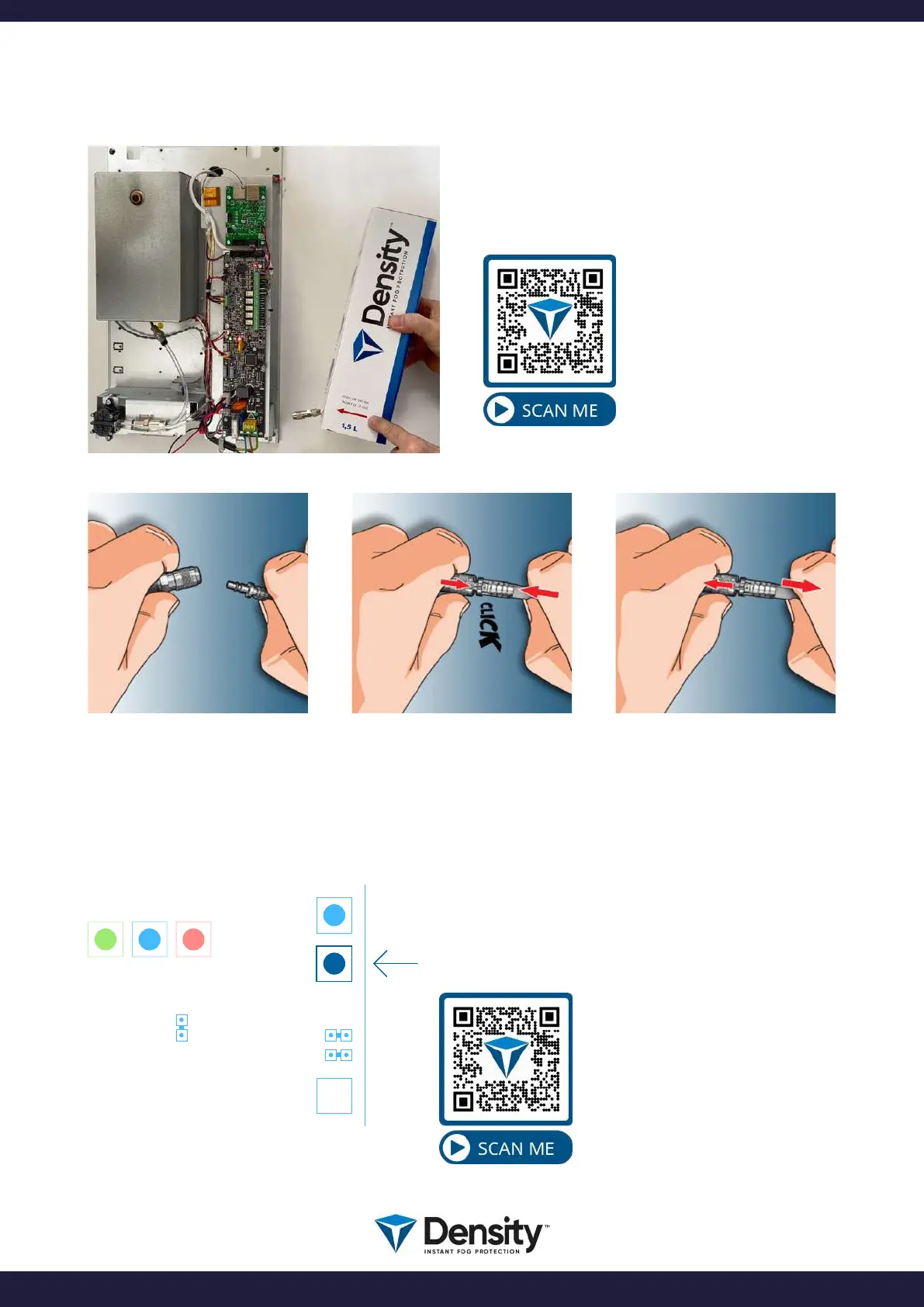
The rell ts into the uid compartment on the
side of the Density fog generator.
Start by connecting the fog rell with the hose
from the fog generator.
See how to insert
the fog rell in the
Density machine.
Connect the male and the
female connector.
Push the 2 parts together until
it ”Click’s”.
To disconnect, pull back the
outer ring, and the parts
disconnects.
10.1. RESET uid measure system
BOOT
USB
W2
W1
FIRETIME
RESET
IMPORTANT!
When inserting a new fog rell, or when exchanging a
Density fog rell, you need to RESET the uid measuring
system.
Simply push and hold the RESET button for 3-4 seconds.
See how
to reset the uid.
page 16/20
www.densityglobal.com | help@densityglobal.com
Version 1.1.4



 To Next Page