19
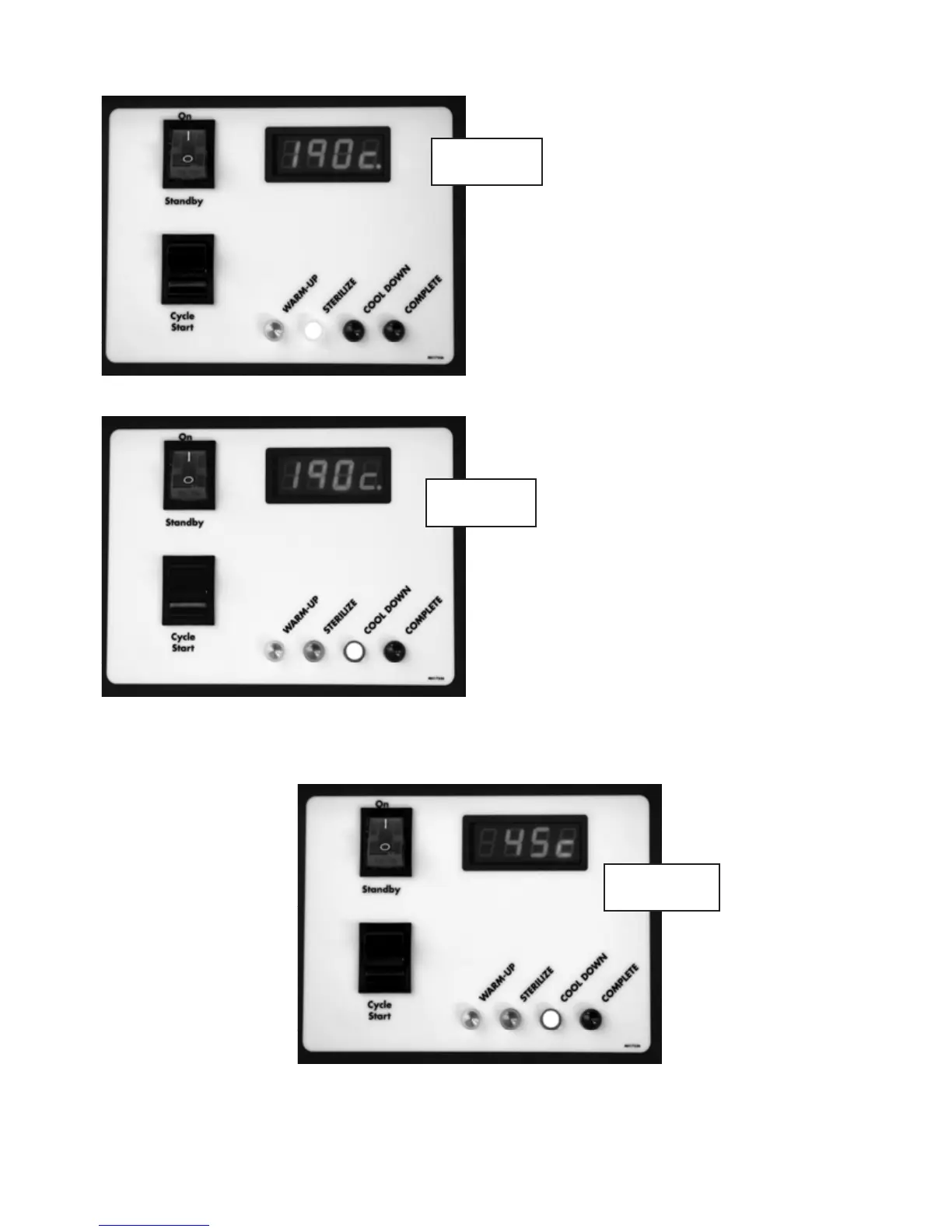
The DDS 7000 is programmed to sterilize for three (3) minutes. At the completion of three (3) minutes,
the DDS 7000 automatically begins the cool down phase of the cycle. The blue “Cool Down” LED is lit.
Cool down is achieved by forcing ambient ltered air across the load and expelling the heated air.
The door interlock disengages at 113ºF (45ºC) and the indicator dot disappears from the lower right
of the display.
Once the operating temperature of
374ºF (190ºC) is reached, the DDS 7000
begins the sterilize (exposure) phase.
The amber “Sterilize” LED lights up.
During this phase, the internal temperature
is closely monitored and controlled. The
temperature on the display is the
temperature of the air as measured
after it has left the chamber. The
displayed temperatures during this
phase are typically between 368 - 376ºF
(187 – 191ºC). If the display tempera-
ture ever drops below 365ºF (185ºC), the
cycle will fail.
374°F
374°F
113°F
Figure 9
Figure 10
Figure 11


 To Next Page