31
the same failure or related failure is identied a second time, contact the dentronix Sterilization Repair Department.
If an error occurs, the LED light representing the phase of the cycle where the error occurred will be ashing. For exam-
ple, if the yellow and blue LED’s are ashing, an error occurred during the warm-up phase and cool down phase.
Appendix II (Error Codes
The DDS 7000 Dry Heat Sterilizer is programmed to allow optimum time to warm up, sterilize and cool
down during a complete cycle. If any stage of this process is interrrupted before a cycle has completed,
the DDS 7000 will display an error code. The error codes are dened below:
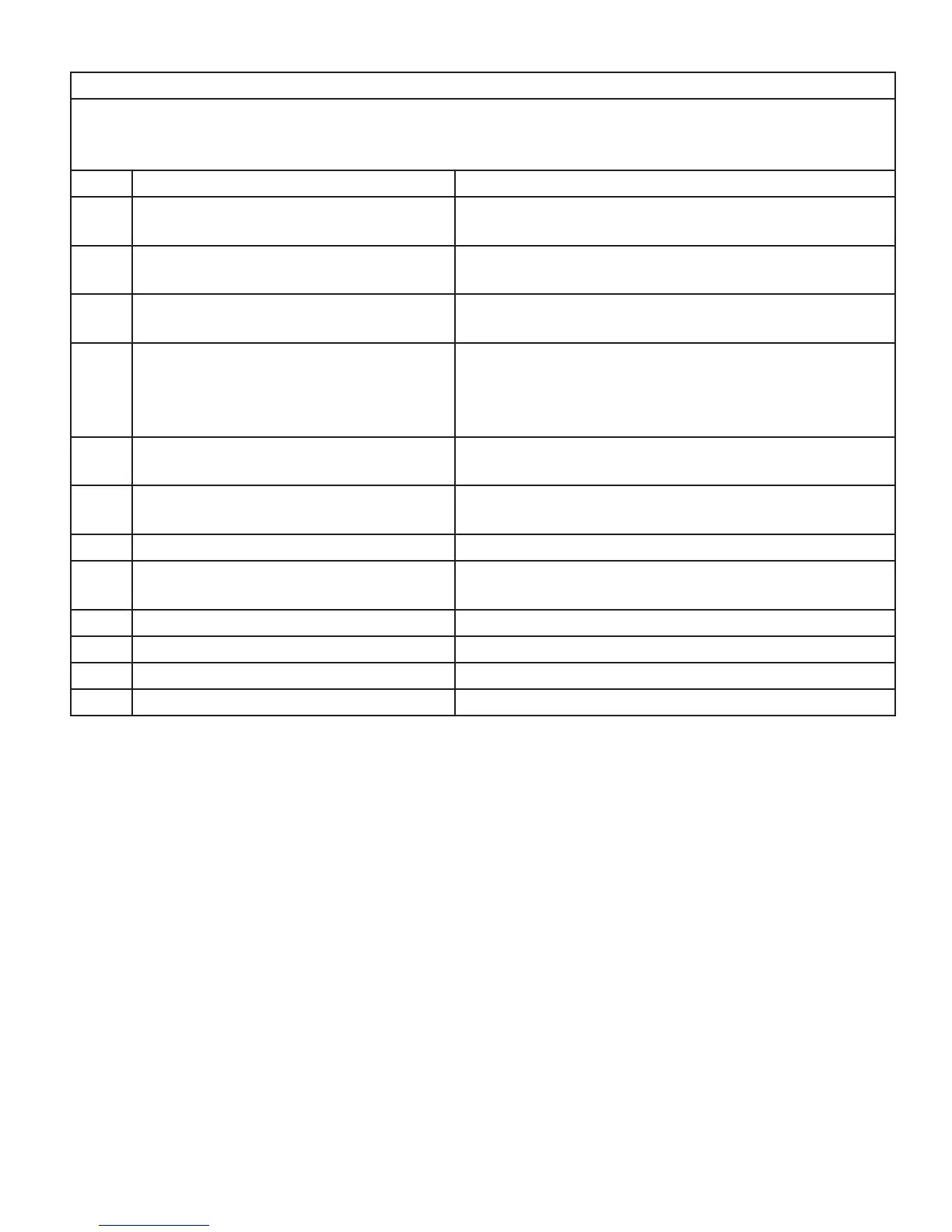
Code Description Solution
E01 Door is open. Close door, press STANDY/ON switch to STANDBY, then
ON. Press CYCLE START switch.
E04 Cycle temperature parameter fails be-
fore pre-cooldown phase.
Press STANDY/ON switch to STANDBY, then ON. Press
CYCLE START switch.
E05 STANDBY/ON switch is switched from
ON to STANDBY.
Press STANDY/ON switch to STANDBY, then ON. Press
CYCLE START switch.
E07 **Cycle fails to reach warm-up condi-
tions. (E07 can occurr if Temperature
Overload Sensor is ripped. see page 20
for testing instructions.
Press STANDY/ON switch to STANDBY, then ON. Press
CYCLE START switch.
E13 ** Failure to maintain sterilization tem-
perature parameters.
Press STANDY/ON switch to STANDBY, then ON. Press
CYCLE START switch.
E19 **Failure to reach cooldown tempera-
ture parameters.
Press STANDY/ON switch to STANDBY, then ON. Press
CYCLE START switch.
E30 System Error
E31 Building Power Interruption. Press STANDY/ON switch to STANDBY, then ON. Press
CYCLE START switch.
E42 Oven RTD Failure Contact Dentronix Sterilizer Repair Department.
E43 Calibration Required. Contact Dentronix Sterilizer Repair Department.
E44 Calibration out of range. Contact Dentronix Sterilizer Repair Department.
Door is open
Cycle temperature parameter fails before
pre-cooldown* phase.
STANDBY/ ON switch is switched from ON
to STANDBY.
** Cycle fails to reach warm-up conditions.
E 07 can occur if Temperature Overload Sensor is
tripped. See page 20 for resetting instructions.
** Failure to maintain sterilization tempera-
ture parameters.
**Failure to reach cooldown temperature
parameters.
System error.
Building power interruption.
Oven RTD Failure.
Calibration required.
Calibration out of range
Close door, press STANDBY/ON switch
to STANDBY, then ON. Press CYCLE
START Switch.
Press STANDBY/ON switch to STAND-
BY, then ON. Press CYCLE START
Switch.
Press STANDBY/ON switch to STAND-
BY, then ON. Press CYCLE START
Switch.
Press STANDBY/ON switch to STAND-
BY, then ON. Press CYCLE START
Switch.
Press STANDBY/ON switch to STAND-
BY, then ON. Press CYCLE START
Switch.
Press STANDBY/ON switch to STAND-
BY, then ON. Press CYCLE START
Switch.
Contact Dentronix Service Department
Press STANDBY/ON switch to STAND-
BY, then ON. Press CYCLE START
Switch.
Contact Dentronix Service Department
Contact Dentronix Service Department
Contact Dentronix Service Department
E 01
E 04
E 05
E 07
E 13
E 19
E 30
E 31
E 42
E 43
E 44
The DDS 7000 Dry Heat Sterilizer is programmed to allow optimum time to warm up, sterilize, and cool down during a com-
plete cycle. If any stage of this process is interrupted before a cycle has completed, the DDS 7000 will display an error code.
The following chart denes the error codes:
Appendix II (Error Codes)
* Pre-cool down is a phase that only occurs when a cycle is aborted and the chamber temperature is above 113° F (45°C).
The device must cool down before any other action can occur, including opening the door. The blue LED light will be illumi-
nated to indicate cooldown.
** These error codes suggest a potential problem with the device or a user error. To troubleshoot, verify that the load congu-
ration is consistent with loading instructions on page 14-16. Verify that the instruments in the chamber have been cleaned and
dried prior to attempting sterilization and that the trays and/or racks have been positioned properly. Attempt the cycle again. If
the same failure or related failure is identied a second time, contact the Dentronix Service Department.
If an error occurs, the LED light representing the phase of the cycle where the error occured will be ashing. For ex-
ample, if the yellow and blue LED’s are ashing, an eror occured during the warm-up phase and cool down phase.


 To Next Page