EasyManua.ls Logo

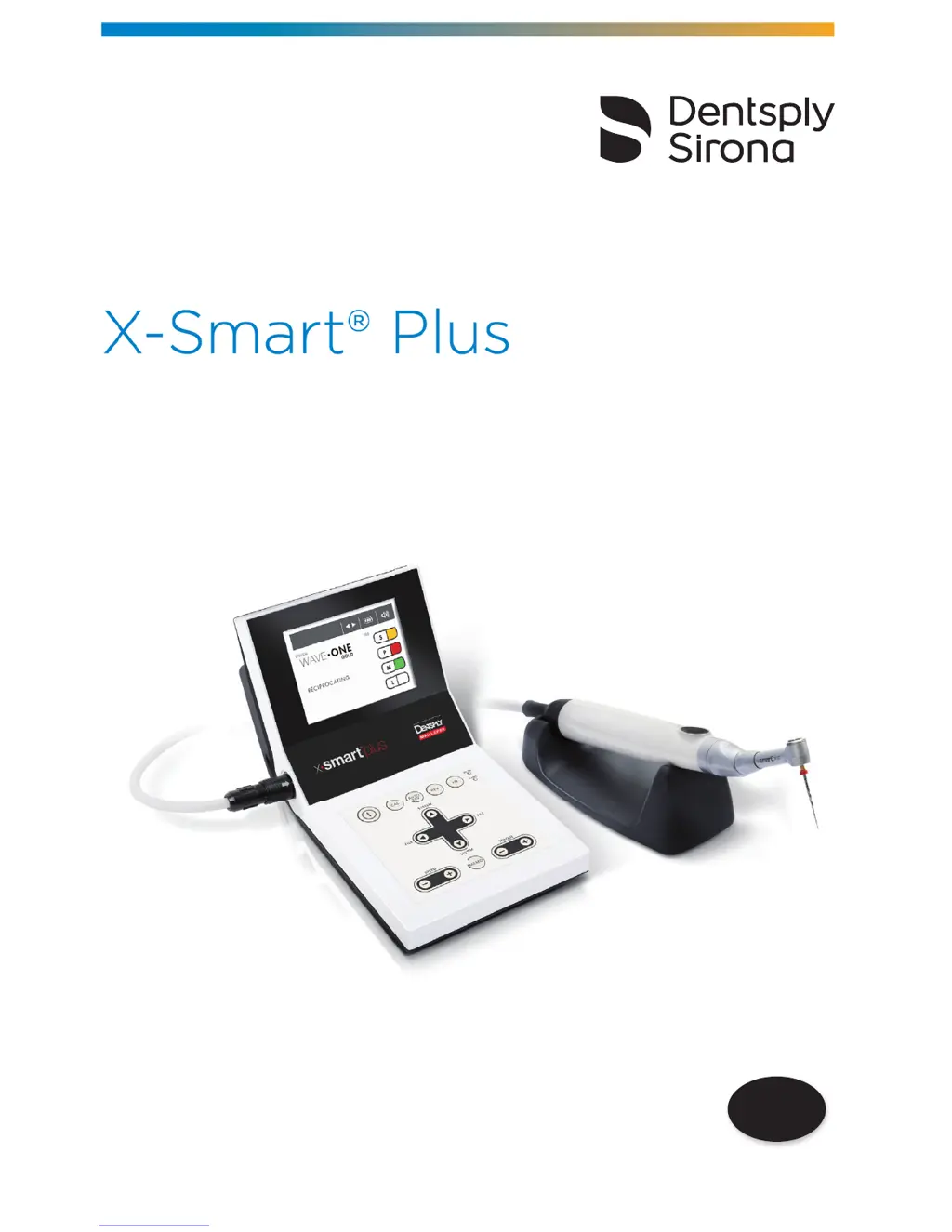
Dentsply Sirona X-Smart Plus - User Manual

Dentsply Sirona X-Smart Plus
60 pages
Print Icon
To Next Page IconTo Next Page
Loading...
EN
User Manual

Questions and Answers

  • J
    Jay MurphyAug 16, 2025
    What to do if the continuous rotary file blocks in the root canal while using Dentsply Sirona X-Smart Plus Medical Equipment?
    • C
      Cody BryantAug 16, 2025
      If a continuous rotary file blocks in the root canal while using your Dentsply Sirona Medical Equipment, it might be due to an incorrect file setting or applying too much pressure. Try changing the rotational direction by pressing the REV key, then start the motor and carefully pull out the file.
  • B
    Brenda MartinezAug 22, 2025
    Why is my Dentsply Sirona Medical Equipment power not turning on?
    • H
      Hannah HodgesAug 22, 2025
      If your Dentsply Sirona Medical Equipment isn't powering on, several factors could be at play. First, check that the AC adapter is properly connected to both the device and a working outlet. If you're relying on battery power, ensure the battery is charged or correctly inserted. If these steps don't resolve the issue, it's possible the internal fuse has burnt, in which case you should contact your distributor.
  • J
    jenniferholderAug 26, 2025
    What to do if my Dentsply Sirona X-Smart Plus AC-IN lamp does not light?
    • J
      John MaxwellAug 26, 2025
      If the AC-IN lamp on your Dentsply Sirona Medical Equipment isn't lighting up, start by verifying that the AC adapter is securely connected to both the device and a functioning power outlet. If the connection is good and the lamp still doesn't light, the internal or AC adapter fuse may have burnt out. In this case, contact your distributor for assistance.
  • G
    garciachristopherAug 28, 2025
    Why is my Dentsply Sirona Medical Equipment motor handpiece not rotating?
    • K
      Kimberly RitterAug 28, 2025
      If the motor handpiece on your Dentsply Sirona Medical Equipment isn't rotating, first, check the motor handpiece cord connection. If the connection is secure and the handpiece still doesn't rotate, the motor handpiece or the cord may be damaged. In this situation, you should contact your distributor.
  • M
    Mrs. Deanna MillsAug 31, 2025
    What to do if my Dentsply Sirona X-Smart Plus Medical Equipment AC adapter doesn't work and the CHRG lamp doesn't light?
    • N
      nelsonkellyAug 31, 2025
      If the AC adapter isn't working and the CHRG lamp isn't lighting on your Dentsply Sirona Medical Equipment, the battery temperature might be the issue. If the battery temperature is below 0°C (32°F), it won't charge. Try charging the battery in a warmer room, being mindful of moisture condensation. If the battery gets excessively hot during normal use, this could indicate a problem, and you should contact your distributor.
  • D
    Deborah VargasSep 3, 2025
    How to fix a Dentsply Sirona Medical Equipment motor handpiece that keeps rotating?
    • C
      Chad BassSep 3, 2025
      If the motor handpiece on your Dentsply Sirona Medical Equipment continues to rotate, it may be activated by the ON/OFF key. Try stopping the rotation by using the ON/OFF key.
  • D
    Dylan RobinsonSep 6, 2025
    What to do if Dentsply Sirona Medical Equipment motor handpiece does not rotate and the error code "E-01" is displayed?
    • Y
      yburnettSep 6, 2025
      If the motor handpiece on your Dentsply Sirona Medical Equipment isn't rotating and displays the error code "E-01", the contra-angle might be clogged. Try cleaning or replacing the contra-angle. If the problem persists, there might be a short circuit within the motor handpiece or its cord, and you should contact your distributor.
  • J
    Jennifer KellySep 9, 2025
    What to do if my Dentsply Sirona Medical Equipment motor handpiece does not rotate, and the rotation speed are displayed alternately?
    • S
      stephaniethomasSep 9, 2025
      If the motor handpiece on your Dentsply Sirona Medical Equipment isn't rotating and the rotation speed are displayed alternately, this could be due to a clogged contra-angle. Try cleaning or replacing it. If the issue continues, it may indicate a short circuit in the motor handpiece or cord, requiring you to contact your distributor.
  • J
    Jorge BrownSep 10, 2025
    What to do if the reciprocating file blocks in the root canal while using Dentsply Sirona X-Smart Plus Medical Equipment?
    • S
      Sandra GilbertSep 12, 2025
      If a reciprocating file blocks in the root canal while using your Dentsply Sirona Medical Equipment, it may be due to excessive pressure or an unclean file. Attempt to remove the file using pliers, gently pulling and rotating it clockwise.
  • B
    Brent RiceSep 12, 2025
    What to do if when turning on the power the sound appears but the motor handpiece does not rotate in Dentsply Sirona X-Smart Plus?
    • P
      Patricia WilliamsSep 12, 2025
      If you hear a sound when turning on your Dentsply Sirona Medical Equipment, but the motor handpiece doesn't rotate, it could be because the power was turned on while pressing the ON/OFF key. Check the ON/OFF key. Alternatively, there might be a short circuit inside the ON/OFF key, in which case you should contact your distributor.

Summary

Introduction

Indications for Use

Contraindications

Lists conditions where the X-Smart® Plus should not be used, such as pacemakers or metal allergies.

Warnings

Provides critical safety information and potential hazards associated with the product's use.

Precautions

Details essential safety measures and precautions for safe operation and handling of the device.

Adverse Reactions

Information regarding any potential negative effects or side effects from using the product.

Step-by-Step Instructions

Setup and Initial Preparation

Covers ambient conditions, components, device preparation, installation, and battery charging.

Handpiece and File Operations

Procedures for connecting handpiece/contra-angle, inserting files, and managing battery.

Calibration, Settings, and Modes

Details calibration, sound adjustment, operation modes, file systems, and parameter settings.

Battery and Software Management

Covers factory defaults, battery refresh, and viewing software version.

Maintenance and Sterilization

Instructions for device maintenance, lubrication, and cleaning/disinfection/sterilization procedures.

Technical Specifications

Equipment Classifications

Details the classification of the device according to safety and electrical standards.

Product Main Specifications

Provides key technical specifications for the control unit, motor handpiece, and contra-angle.

Error Code Reference

Troubleshooting Guide

Warranty and Product Disposal

Identification of Symbols

Individual Continuous Rotary Programs

Electromagnetic Emission and Immunity

Dentsply Sirona X-Smart Plus Specifications

General IconGeneral
BrandDentsply Sirona
ModelX-Smart Plus
CategoryMedical Equipment
LanguageEnglish

Related product manuals