ENG-
3
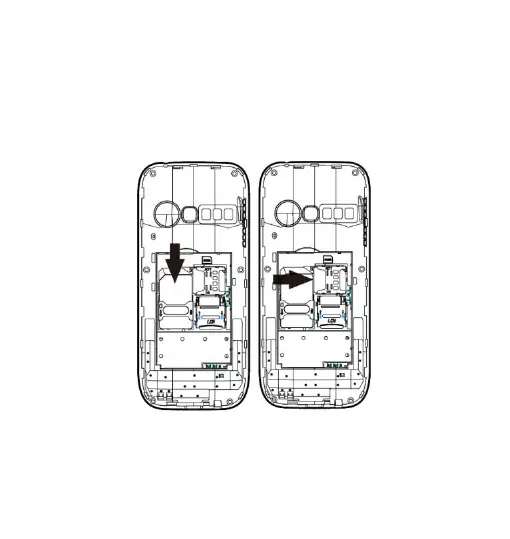
Insert the SIM card: The SIM card links to operator services
and stores information such as your phone number, PIN code,
contacts and SMS messages. To access the SIM slot, turn off
the phone and lift up the cover starting from the slit on the
bottom left corner. Remove the battery. Insert the SIM card into
the slot with the gold contacts facing down.
Insert a memory card:In order to use media player functions, a
micro-SD memory card is required (not included in the
package).The card must be placed into the SIM1 slot on the left
inside the rear of the phone. Insert the micro-SD card as below


 To Next Page