ENG-2
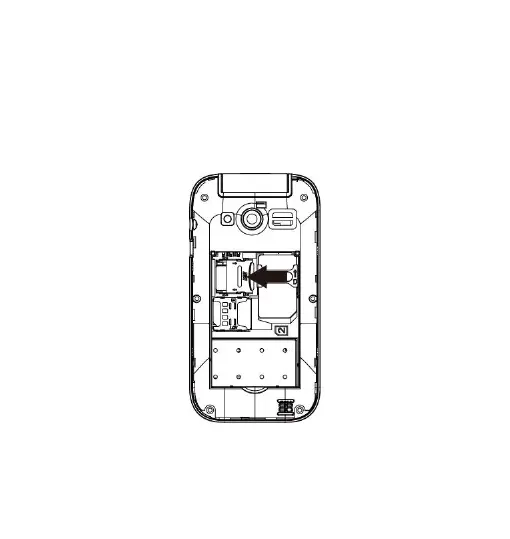
Insert a memory card: In order to use media player functions, a
micro-SD memory card is required (not included in the
package).The card must be placed into the SIM1 slot on the left
inside the rear of the phone. Insert the micro-SD card as below
shown, with the golden contacts facing down..Open the metal
shutter by pushing it towards "open", and lock it again after
inserting the card by pushing it in the opposite direction ("lock").


 To Next Page