2. Setting up your phone
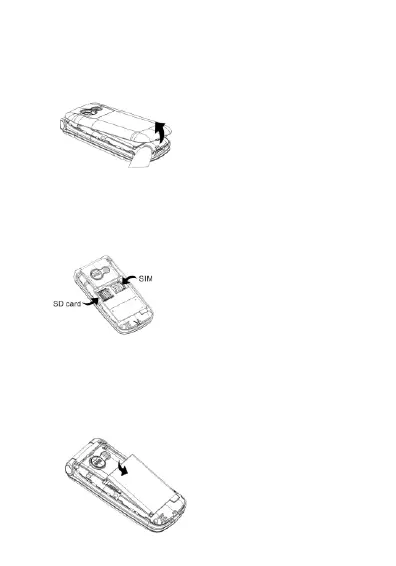
Remove the rear cover of the phone. Opening is in the bottom left
corner. You can use your fingernail to lift off the cover.
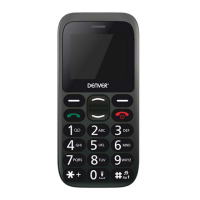
Insert the SIM card into the holder with the chip facing downwards. SIM
card is not included. SIM cards and contacts are easily damaged due to
scratches and bending. Please be careful.
SIM : Nano SIM
This step is optional and is only needed for storing pictures, videos or
other multimedia files. Insert a microSD card (Max 32GB) into the card
slot as shown below with gold contacts facing down. MicroSD card is
not included.
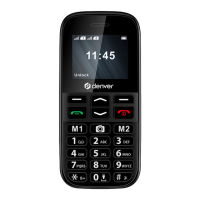
Insert the battery into battery slot.
ENG-3


 To Next Page