Bluetooth indicated LED, quickly flash means Bluetooth disconnected, slowly
flash means Bluetooth connected, constant light on means line in mode
3. Operating speaker:
Power On Status:
Take off top and put back on to turn on speaker, you will hear a ‘’beep’’ to show unit is in
Bluetooth status, and waiting for connection.
Power Off:
Take the cap off, the speaker shuts down. And unit will auto shut off after 5minuts if no
connection even if cap is on.
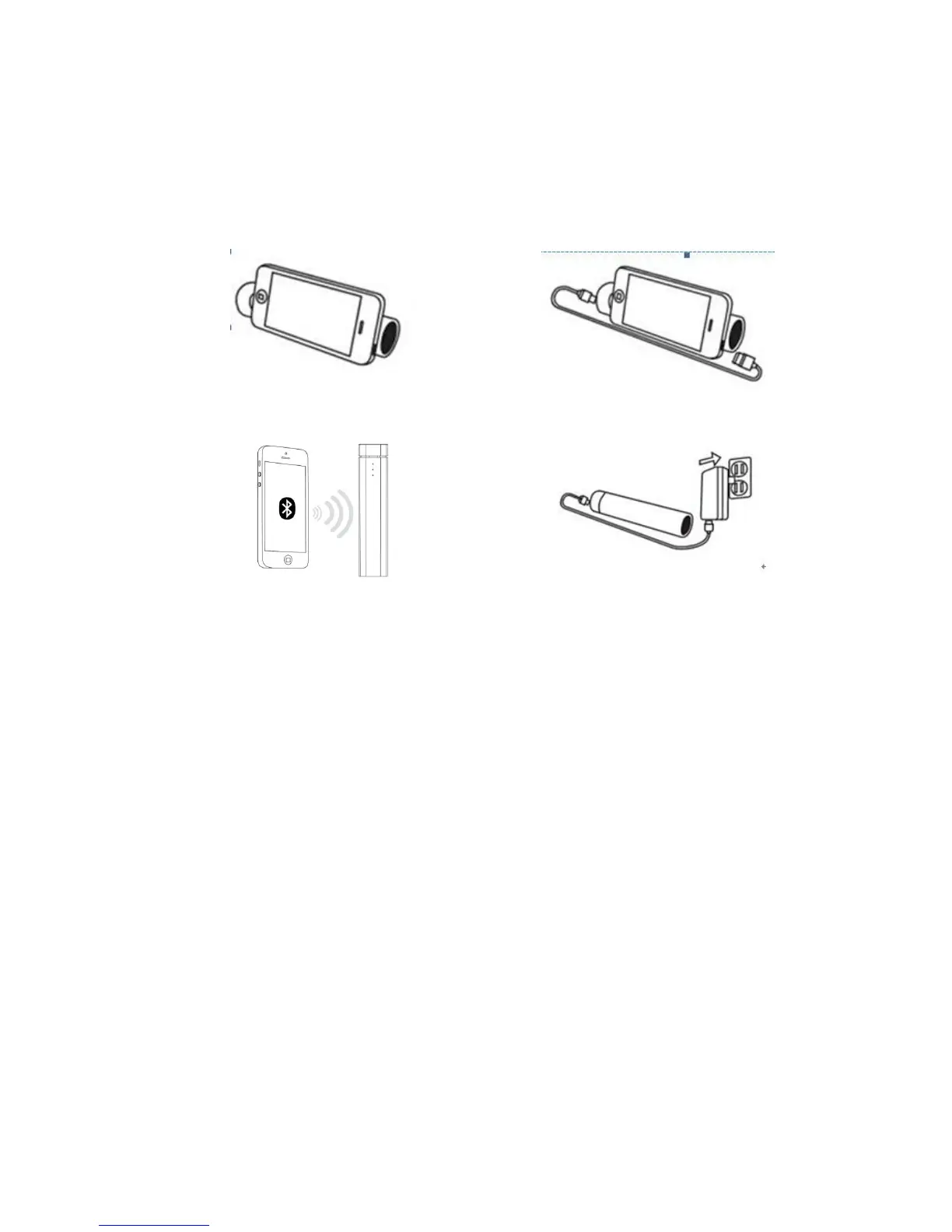
1) Power Bank Function
Plug one end of the USB Cable into the speaker and plug the other end of the cable (micro USB) into
phone to charging.
Note: The provided cable is MICRO USB connection, other cables for IPAD, IPHONE etc typically
includes with these items.
2) Bracket function
Plug one of Φ3.5mm Audio Plug into the unit working jacket, and plug the other plug of Φ3.5mm
Audio Plugin to phone, you will hear a ‘’beep’’, unit will act as bracket function and it is now in Aux-
in Mode.
3) Using the Speaker in Line-In Mode
Plug provided Aux in cable and plug one end of the Φ3.5mm Audio Cable into the unit and
another end to mobile, and you will hear 'Beep', the unit now in Aux in mode, and you can
play music.


 To Next Page