EasyManua.ls Logo

Denver BPB-100C - User Manual

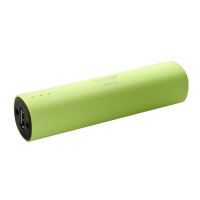
Denver BPB-100C
6 pages
Print Icon
To Next Page IconTo Next Page
Loading...
DENVER BPB-100C
Instruction manual
USER MANUAL
1. Safety precautions
1) Do not use or store the unit in high temperature or hazardous location.
2) Please do not expose the unit to rain.
3) Please do not disassemble, repair or modify the unit.
4) The unit comes with a rechargeable battery so please do not throw or put in fire to avoid explosion.
5) Please do not listen to music in high volume for long time as it may cause damage to your ears.
6) Low battery power may result in reduction in bluetooth transmission distance or disconnection
2. Overview
1) LED indicator:

Questions and Answers

  • A
    Adrian LeeAug 10, 2025
    Why Denver BPB-100C cannot be connected?
    • C
      Corey GarciaAug 10, 2025
      If you're unable to connect to your Denver speaker, confirm that the audio source supports the A2DP protocol. Also, ensure that the audio source is switched on and that the Bluetooth function is enabled on the audio source. If the Bluetooth version is not supported, try using a different playback unit.
  • C
    Christopher BlackAug 16, 2025
    How to fix Denver Speakers when Bluetooth can not work,but charge & discharge is working?
    • S
      Scott MclaughlinAug 16, 2025
      To fix the Bluetooth on your Denver speakers when it's not working but charging and discharging are, follow these steps: 1. Insert the large USB end of the 2-in-1 USB cable into the unit and the 3.5mm charging end into the 3.5mm working jack. 2. After 3-5 seconds, remove the USB cable, then connect it to the charger. The unit LED should turn red, and Bluetooth should then function.
  • W
    William RobersonAug 22, 2025
    Why is there no sound coming from my Denver BPB-100C?
    • B
      Benjamin Zuniga IIAug 22, 2025
      If your Denver speaker isn't producing any sound, first, recharge the speaker, as the unit battery may be out of power. If that doesn't work, ensure the speaker is properly connected to your cell phone by going through the "Operating speaker" process. Finally, check the volume level on your device and increase it if it's too low.
  • K
    Kayla ShahAug 28, 2025
    How to fix Denver Speakers when it's not charging?
    • Q
      quinnmichelleAug 28, 2025
      If your Denver speakers are not charging, ensure the USB power adapter (not included) is correctly plugged into a functioning wall outlet and that the USB cable (included) is securely plugged into the unit's 3.5mm jack. If the wall outlet is not working, test it by plugging another device into the same outlet. Also, if you are using a computer USB port, verify that the computer is powered on and try using a different USB port.
  • A
    Amanda RossSep 2, 2025
    What to do if Denver BPB-100C have no audio signal via Bluetooth connection?
    • C
      christopher88Sep 2, 2025
      If you're experiencing no audio signal via a Bluetooth connection on your Denver speaker, first, check whether a connection exists between the speaker and the audio source. If needed, pair the speaker again to the audio source. Also, increase the volume on the audio source.

Summary

Safety Precautions

General Safety Guidelines

Covers precautions like avoiding high temperatures, rain, disassembly, fire, high volume listening, and low battery impact.

Overview

LED Indicator

Details the function and meaning of the device's LED indicator lights.

4 in 1 Functions

Explains the device's multiple capabilities: phone stand, power bank, wireless music, and Aux-in.

Operating Speaker

Power On;Off Status

Instructions on how to turn the speaker on and off, including auto-shutoff features.

Power Bank Function

How to use the speaker as a power bank to charge other devices via USB.

Bracket Function

Using the device as a stand for your phone, connecting via Aux-in.

Line-In Mode

How to play audio from a device using the Aux-in cable connection.

Bluetooth Speaker Function

Bluetooth Pairing

Step-by-step guide to pairing the speaker with a Bluetooth-enabled device.

Playing Music in Bluetooth Mode

Instructions for playing audio wirelessly via Bluetooth after successful pairing.

Bluetooth Standby and Turn Off

Information on device standby time and how to turn off Bluetooth functionality.

Charging the Speaker

Details on how to charge the speaker using the provided USB cable.

Product Features

Power Specifications

Details on battery capacity, type, charging voltage, and input current.

Speaker Specifications

Technical details of the speaker output, THD, and signal-to-noise ratio.

Bluetooth Specifications

Information on Bluetooth version, frequency, transmission distance, and standby.

Components

Included Items

Lists all the items included in the product package.

Denver BPB-100C Specifications

General IconGeneral
BrandDenver
ModelBPB-100C
CategorySpeakers
LanguageEnglish

Related product manuals