Turn off the Bluetooth function on your phone or other Bluetooth device. Long press the Play /
Pause button of either speaker, the display will show “t-ON” and then the “BLUE”. A different beep
will then be heard to signify that the two speakers have connected via Bluetooth.
Turn on Bluetooth on the mobile phone and search for “Denver BPS-250” and connect.
A beep will then be heard signifying that the mobile has connected to the speakers. You can now
enjoy music from the two speakers.
4. USB mode
1. Insert a USB device into the speaker's USB port.
2. Long press MODE to switch to USB mode ("USB" on display).
3. Short press the PLAY / PAUSE button to play or pause the music.
5. Auxiliary input mode
1. Connect a 3.5 mm audio cable to the unit's auxiliary input.
2. Long press MODE to switch to auxiliary input mode ("LINE" on display).
3. Short press the PLAY / PAUSE button to play or pause the music.
6. TF card mode
1. Insert an SD card, SD card mode will start automatically.
2.Long press MODE to switch to TF card input mode ("SD" on display).
3.Short press the PLAY / PAUSE button to play or pause the music.
PRODUCT SPECIFICATIONS
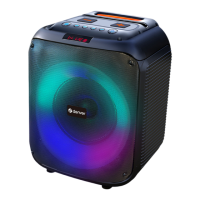
Battery: 7.4V, 3600mAh
Output power: 40 W
Dimensions (W x D x H): 265x 280 x 350mm
Charging: 5V 2A
Accessories: Charging cable, remote control, user manual, color box.


 To Next Page