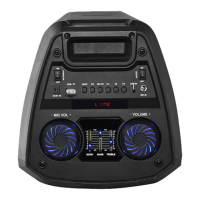
● FM RADIO MODE:
Press the MODE button on the unit or the remote control until FM is selected.
Press the “ ”key and the speaker will auto search, then the speaker will read
signal from 87.5MHz till 108MHz, if any frequency has signal, the unit will
remember it and store it as a channel. After the searching is done, shortly press
the “ ” key to the previous channel and the “ ” key to the next channel.
● USB Mode:
1. After start up, press MODE to select “USB” and insert the USB device. The unit
will automatically read and play the music in the USB device.
2. Press the “ ” key short to pause or play.
3. Short press the “ ” key to the previous song.
4. Short press “ ” key to the next song


 To Next Page