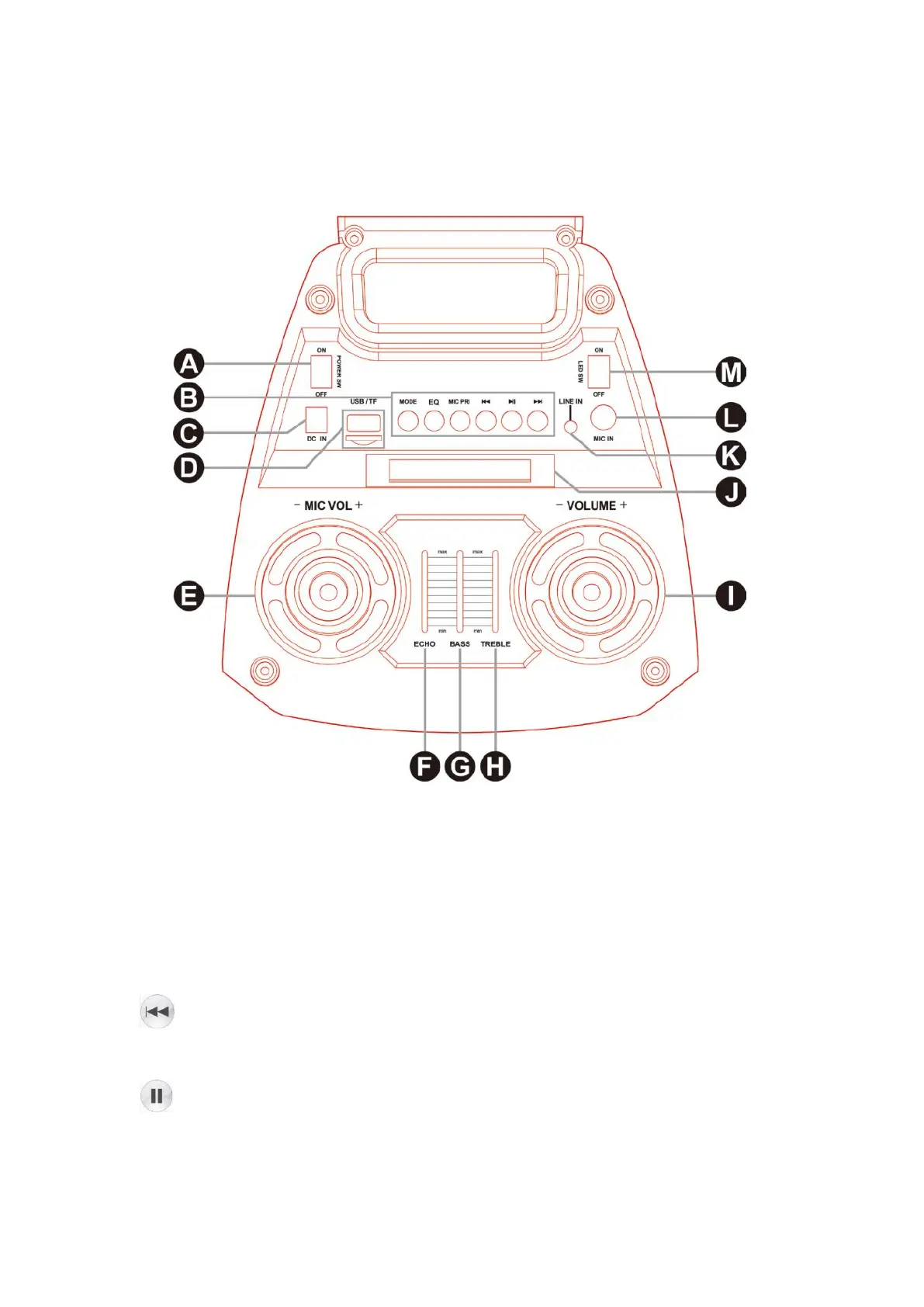
Top panel operation
A: Power on/off
B: Button
MODE: switch different mode (USB/Micro SD Card/BT/FM/Line in)
EQ: Press to switch between the different EQ settings.
MIC PRI: When the Microphone is in use, press once to take priority over the music
programme, press again to turn off this function.
: Under USB/Micro SD Card mode - short press to get previous song, long press
to fast backward.
Under BT/FM mode- previous song.
: Short press to play/pause under USB/Micro SD Card/BT, and press once to scan
all stations, and store automatically in FM mode.


 To Next Page