: Under USB/Micro SD Card mode - short press to get next song, long press to
fast forward.
Under BT/FM mode- next song.
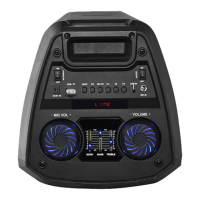
C: DC 5V input (charging slot)
D: USB Playing back/Micro SD Card input
E: MIC VOL (control increase or decrease the microphone volume.)
F: ECHO
G: BASS
H: TREBLE
I: VOLUME (control increase or decrease the volume)
J: LED Light (Charging indicator)
K: Aux-in (3.5mm)
L: Microphone Input
M: LED switching
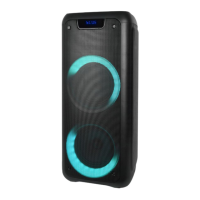
Remote control
1. Stand by
2. Record function
Under USB/Micro SD Card mode, press the “REC” button to record.
3. Previous Song
Under USB/Micro SD Card mode - short press to get previous song, long press to fast
backward.


 To Next Page